

How to turn on the battery protection on the POCO F6 Pro?
The battery protection on the POCO F6 Pro refers to features and settings designed to ensure the battery remains safe, efficient, and maintains its capacity over a longer period.
To turn on the battery protection, please refer to the following methods:
Method 1:
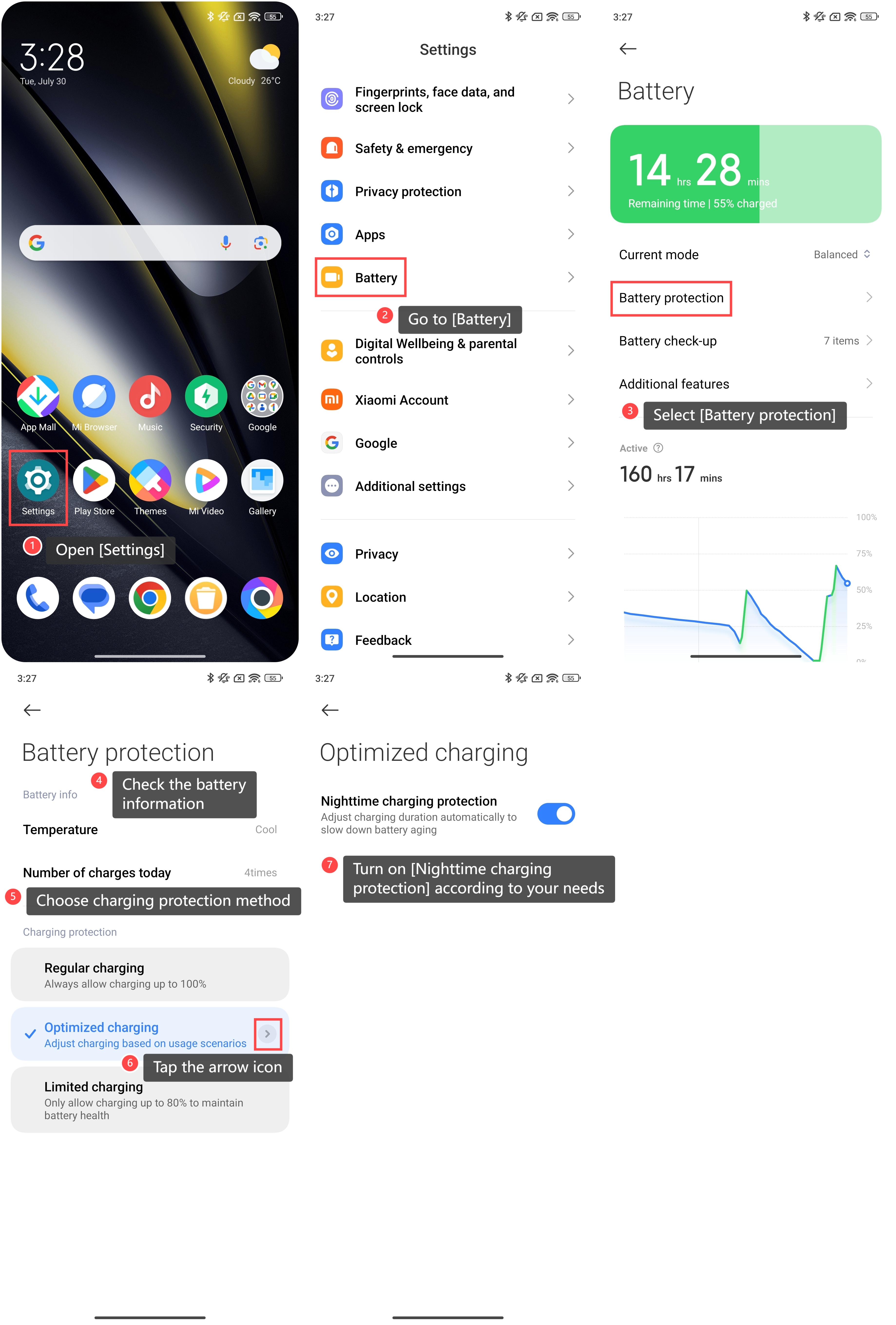
1. Open [Settings];
2. Go to [Battery];
3. Select [Battery protection];
4. Within this interface, you can check the battery information like temperature and number of charges today;
5. You can also choose [Regular charging], [Limited charging] or [Optimized charging] as the charging protection method;
6. Tap the arrow icon on the right of the [Optimized charging] to enter more functions;
7. Turn on [Nighttime charging protection] according to your needs, which will adjust charging duration automatically to slow down battery aging.
To turn on the battery protection, please refer to the following methods:
Method 1:
1. Open [Settings];
2. Go to [Battery];
3. Select [Battery protection];
4. Within this interface, you can check the battery information like temperature and number of charges today;
5. You can also choose [Regular charging], [Limited charging] or [Optimized charging] as the charging protection method;
6. Tap the arrow icon on the right of the [Optimized charging] to enter more functions;
7. Turn on [Nighttime charging protection] according to your needs, which will adjust charging duration automatically to slow down battery aging.
Method 2:
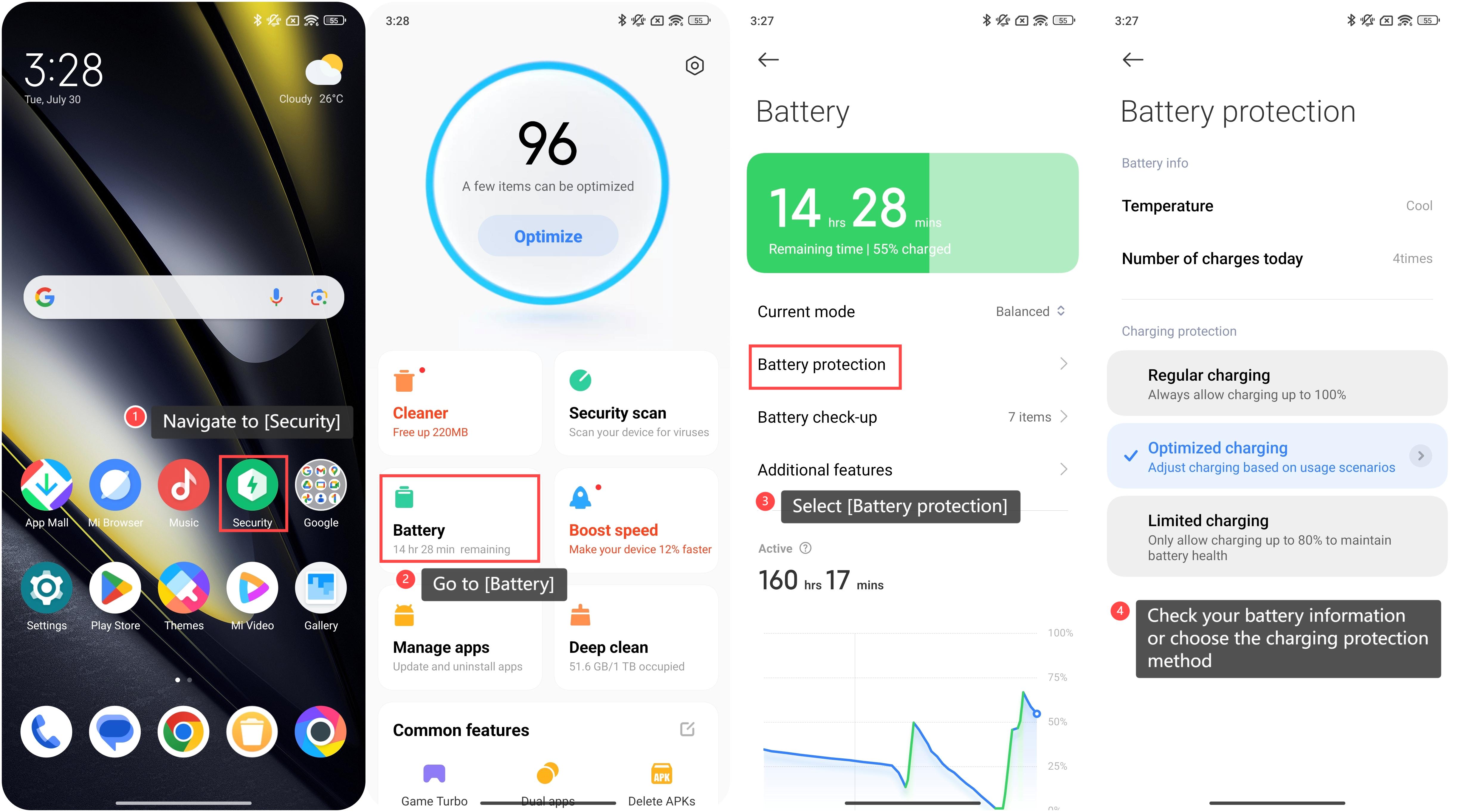
1. Navigate to [Security];
2. Go to [Battery];
3. Select [Battery protection];
4. Check your battery information or choose the charging protection method.
1. Navigate to [Security];
2. Go to [Battery];
3. Select [Battery protection];
4. Check your battery information or choose the charging protection method.
Does it help?
Yes
No