

How to power on/off the Xiaomi Desktop Speaker?
The power-on instruction is as follows:
1. Automatically power on: The speaker automatically turns on when connected to the computer USB port or USB power adapter;
2. Manually power on: If manually turned off without disconnecting the power, press the Multi-function Button to power on.
The power-off instruction is as follows:
1. Passively power off: The speaker turns off passively when the PC or power source is disconnected while the speaker is on;
2. Manually power off: Press and hold the Multi-function Button for 2 seconds to turn off.
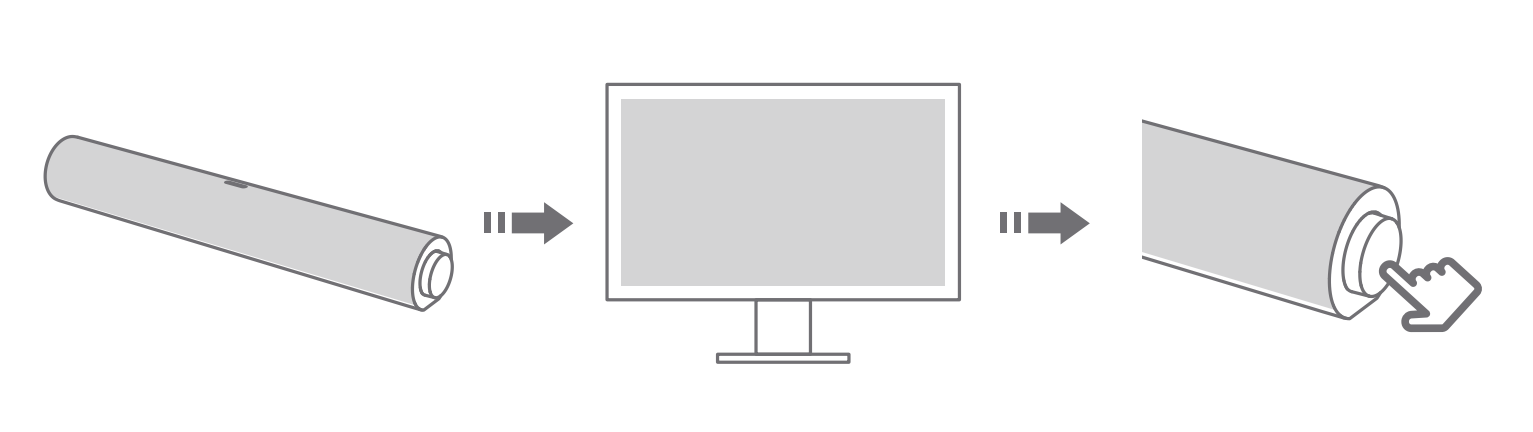
The logic of the power-on sound and the RGB startup lighting effect is as follows:
The speaker will play a power-on sound and an RGB startup lighting effect the first time it's used, when it is manually turned on, or when reset to the factory settings. When the speaker is automatically powered on by connecting to a power source, only the RGB startup lighting effect is displayed with no sound to minimize disturbance.
Note:
The Xiaomi Desktop Speaker doesn’t come with a power adapter or separate power cable. The power cable (approx. 1.5m) is integrated with the speaker. One end is fixed to the speaker (non-removable), and the other end is a Type-C + USB-A compatible port.
1. Automatically power on: The speaker automatically turns on when connected to the computer USB port or USB power adapter;
2. Manually power on: If manually turned off without disconnecting the power, press the Multi-function Button to power on.
The power-off instruction is as follows:
1. Passively power off: The speaker turns off passively when the PC or power source is disconnected while the speaker is on;
2. Manually power off: Press and hold the Multi-function Button for 2 seconds to turn off.
The logic of the power-on sound and the RGB startup lighting effect is as follows:
The speaker will play a power-on sound and an RGB startup lighting effect the first time it's used, when it is manually turned on, or when reset to the factory settings. When the speaker is automatically powered on by connecting to a power source, only the RGB startup lighting effect is displayed with no sound to minimize disturbance.
Note:
The Xiaomi Desktop Speaker doesn’t come with a power adapter or separate power cable. The power cable (approx. 1.5m) is integrated with the speaker. One end is fixed to the speaker (non-removable), and the other end is a Type-C + USB-A compatible port.
Does it help?
Yes
No