

How to adjust the Camera sleep mode of the Xiaomi Outdoor Camera BW300?
The Camera sleep mode allows you to set the camera to start working or stop working at regular intervals (enable/disable Sleep mode).
To adjust the sleep mode, please refer to the following steps:
Go to the [Mi Home] APP >> select [Device Card] >> tap the three-dot icon at the upper right corner >> [Camera settings] >> [Camera sleep mode].
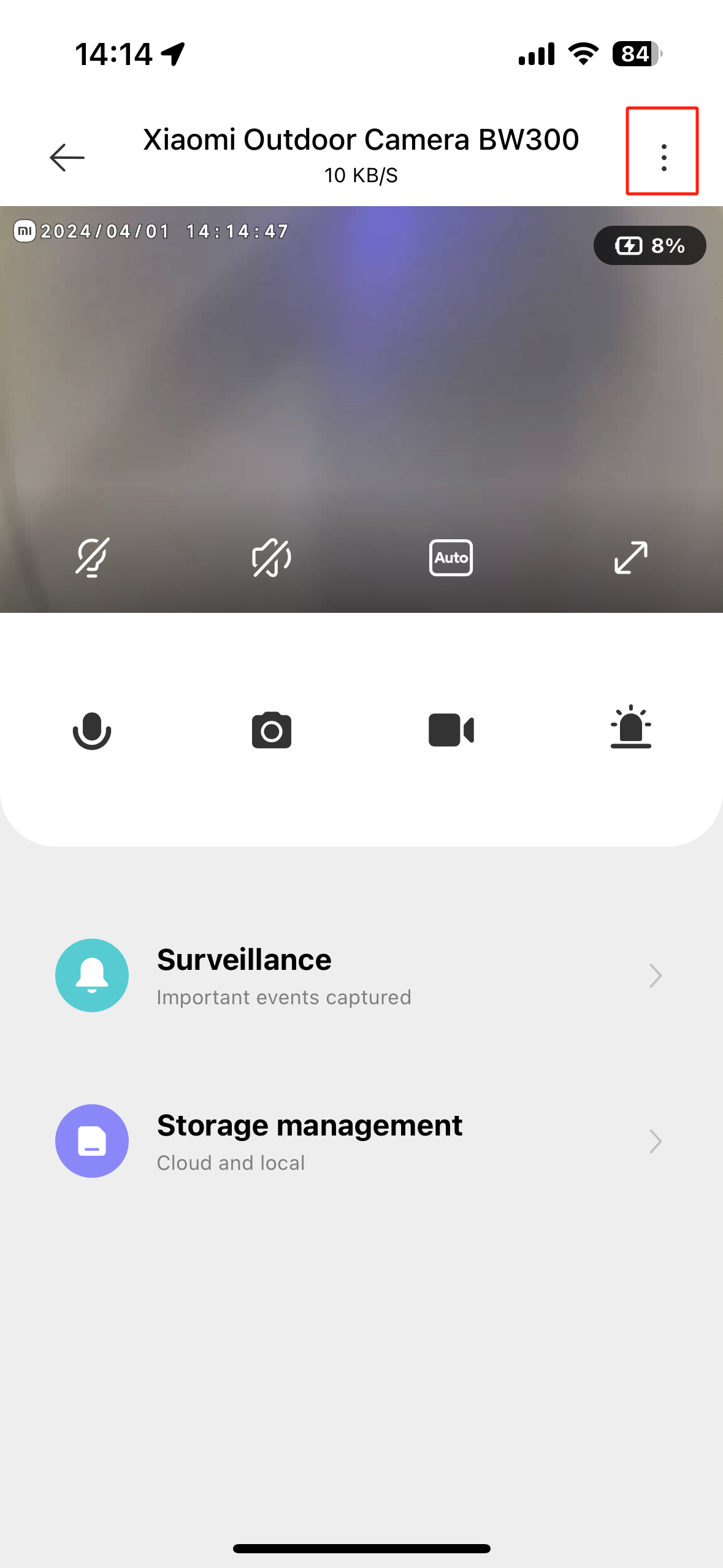
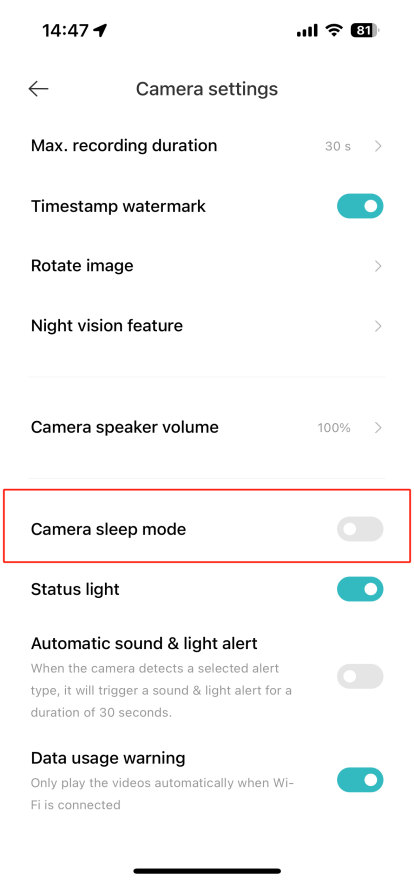
To adjust the sleep mode, please refer to the following steps:
Go to the [Mi Home] APP >> select [Device Card] >> tap the three-dot icon at the upper right corner >> [Camera settings] >> [Camera sleep mode].
Does it help?
Yes
No