

Function introduction:
With Dual apps on, an app can be duplicated, and both apps can run at the same time without affecting each other, allowing you to sign in to two accounts at the same time.
Open path:
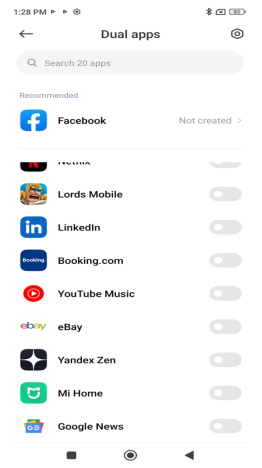
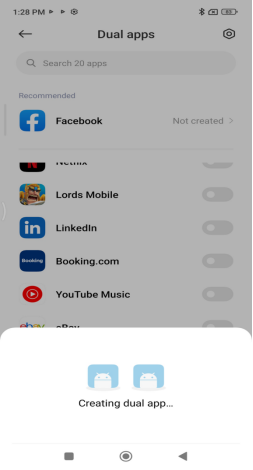
Open the [Settings] App >> [Apps] >> [Dual apps] >> choose an app to turn it on. Dual apps are currently available for most apps except system apps, which will take a little longer to open the first time.
FAQ
Q1: Will Dual apps take up too much space?
A: The "Dual apps" feature creates an independent copy of the application's data. The storage space occupied by the cloned app depends on the size of the app data, and the data for the original app and the cloned app remain independent of each other.
Deleting the cloned app does not affect the original app. However, deleting the original app will also uninstall the associated cloned app and its data.
Q2: How to disable Dual apps?
A: You can delete the duplicated apps directly from the Home screen, or go to the Dual apps settings page to disable them. Disabling Dual apps will also delete the app data, and it cannot be backed up or restored.
Q3: How to distinguish between the two apps after enabling "Dual apps," and how are notifications displayed?
A: Once "Dual apps" is enabled, a special icon is added to the cloned app, making it easy to distinguish whether a notification originates from the cloned app or the original app. You can log in to different accounts on each app. If you need to log in to your Xiaomi account, the original app can directly log in to the Xiaomi account that is currently logged in on your phone, while the cloned app can log in to a different Xiaomi account.
Q4: Can the Dual apps feature also be enabled if the Second space feature is enabled?
A: If the "Second space" feature is enabled, you can activate "Dual apps" in the original system to create two identical apps. Currently, the cloned system lacks a corresponding toggle and does not support the "Dual apps" feature. Therefore, including the original app, a maximum of three identical apps can exist.
Note:
1. Dual apps is a universal design that works for most software and can meet different needs.
2. If some software strictly prohibits the modification of applications or Dual apps in their terms and conditions, or if you are concerned about the use of this feature, you can consult the software developer or decide for yourself whether to use this feature.
3. Double-opening applications cannot be operated through ShareMe.
4. Some apps require Google services, so when you double-open these apps, you will be able to synchronise them with Google services to protect your experience.
5. The Dual apps feature is based on Google's Managed Profile, which is called "work apps" in the native Google, so users can see the traffic or power consumption of "all work apps" in the system, which is actually the consumption of double-opening apps.