

How to use the Frequently viewed position of Xiaomi Smart Camera C500 Pro?
Go to [Mi Home] APP >> [Camera] >> Tap the  button >> Tap the
  button to add, delete, and control the frequently viewed position.
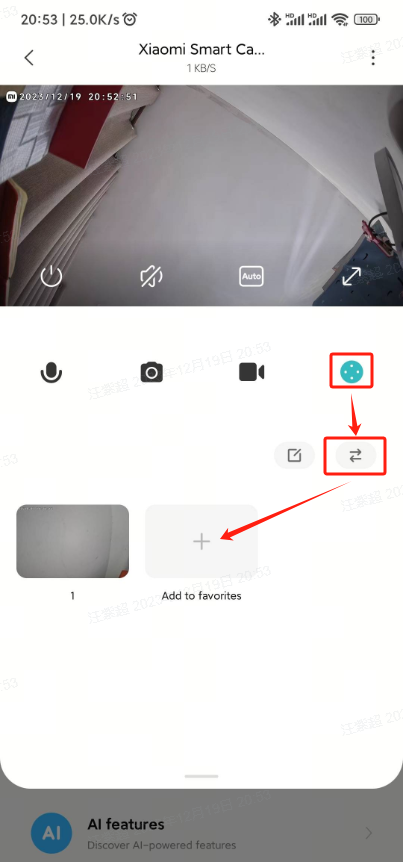
button >> Tap the button to add, delete, and control the frequently viewed position.Does it help?
Yes
No