

How to check Wi-Fi status on the Xiaomi 14T?
Wi-Fi status on the Xiaomi 14T refers to the current state of your Wi-Fi connection. It can indicate whether your device is connected to a Wi-Fi network. If there are connection issues, checking Wi-Fi status can help diagnose problems, such as whether the network is down or if the device needs to be restarted.
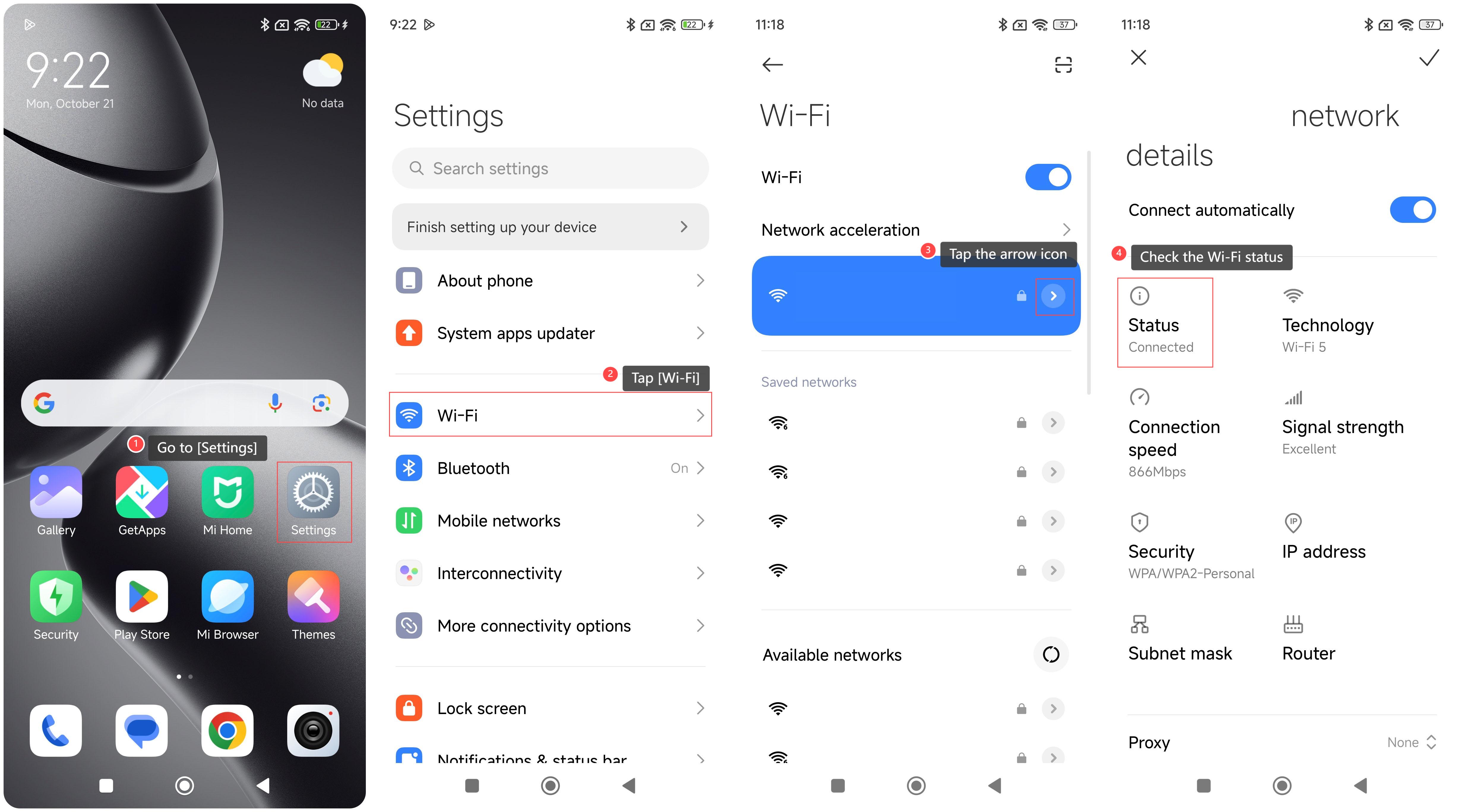
To check Wi-Fi status on your device, please refer to the following steps:
1. Go to [Settings];
2. Tap [Wi-Fi];
3. Tap the arrow icon at the right side of the Wi-Fi that you want to check;
4. Check the Wi-Fi status below [Status].
To check Wi-Fi status on your device, please refer to the following steps:
1. Go to [Settings];
2. Tap [Wi-Fi];
3. Tap the arrow icon at the right side of the Wi-Fi that you want to check;
4. Check the Wi-Fi status below [Status].
Does it help?
Yes
No