

How to turn on/off Wi-Fi scanning on the Redmi 13C?
The Redmi 13C supports the function of Wi-Fi scanning, which can assist in providing location-based services. When Wi-Fi scanning is enabled, APPs and services and allowed to scan for Wi-Fi networks at any time, even when Wi-Fi is off.
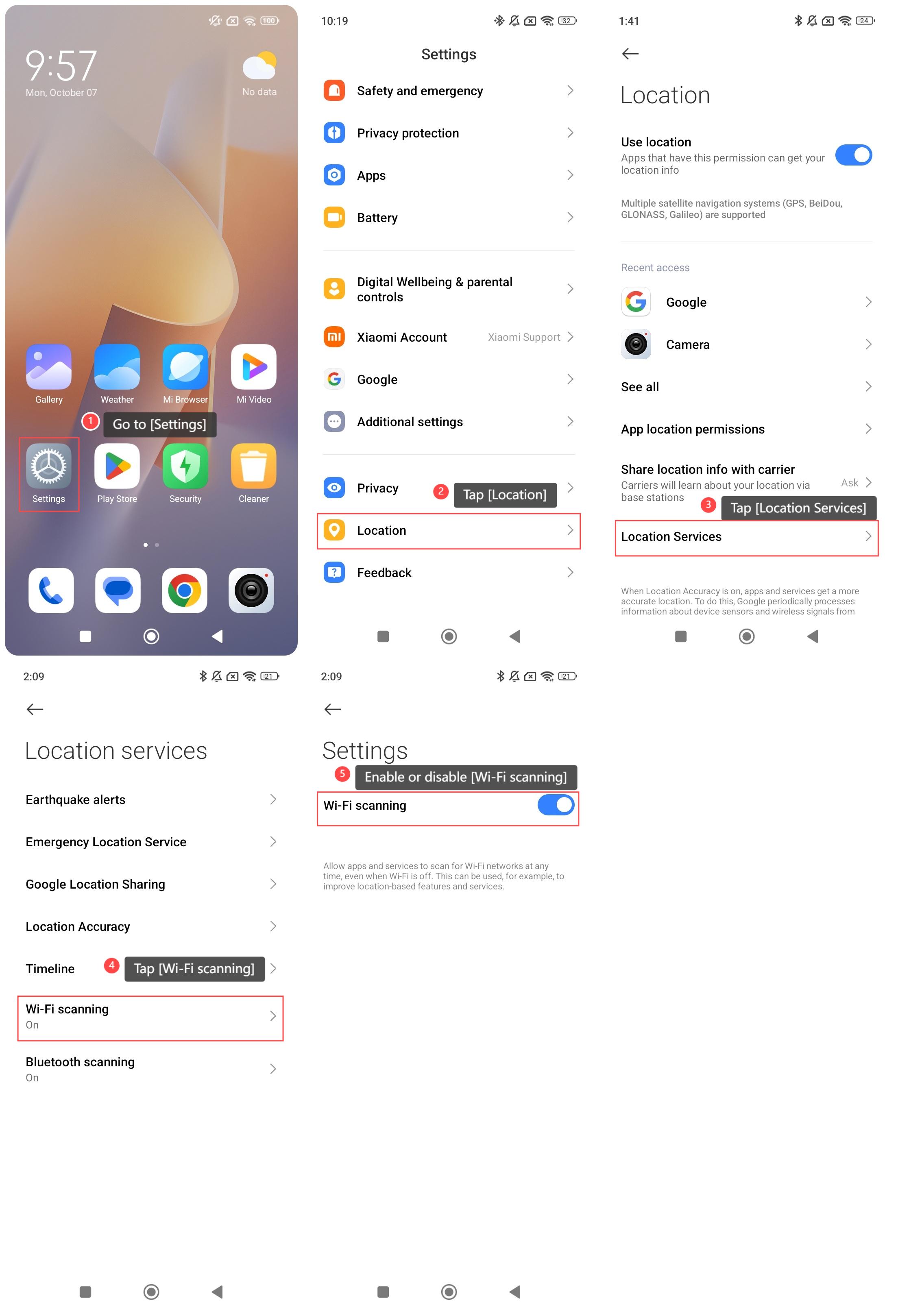
To turn on or turn off Wi-Fi scanning on your phone, please refer to the following steps:
1. Go to [Settings];
2. Swipe down to find and tap [Location];
3. Tap [Location Services];
4. Tap [Wi-Fi scanning];
5. Enable or disable [Wi-Fi scanning] according to your need.
To turn on or turn off Wi-Fi scanning on your phone, please refer to the following steps:
1. Go to [Settings];
2. Swipe down to find and tap [Location];
3. Tap [Location Services];
4. Tap [Wi-Fi scanning];
5. Enable or disable [Wi-Fi scanning] according to your need.
Does it help?
Yes
No