

How to turn on 5G battery saver on the Redmi 13C 5G?
The Redmi 13C 5G supports 5G battery saver. By deactivating power-consuming settings, the 5G battery saver can significantly extend battery life of your phone, allowing you to enjoy a longer uninterrupted usage. While extending battery life, the 5G battery saver aims to maintain a balance between device performance and power consumption, ensuring a smooth use experience.
To turn on 5G battery saver on your phone, please refer to the following methods:
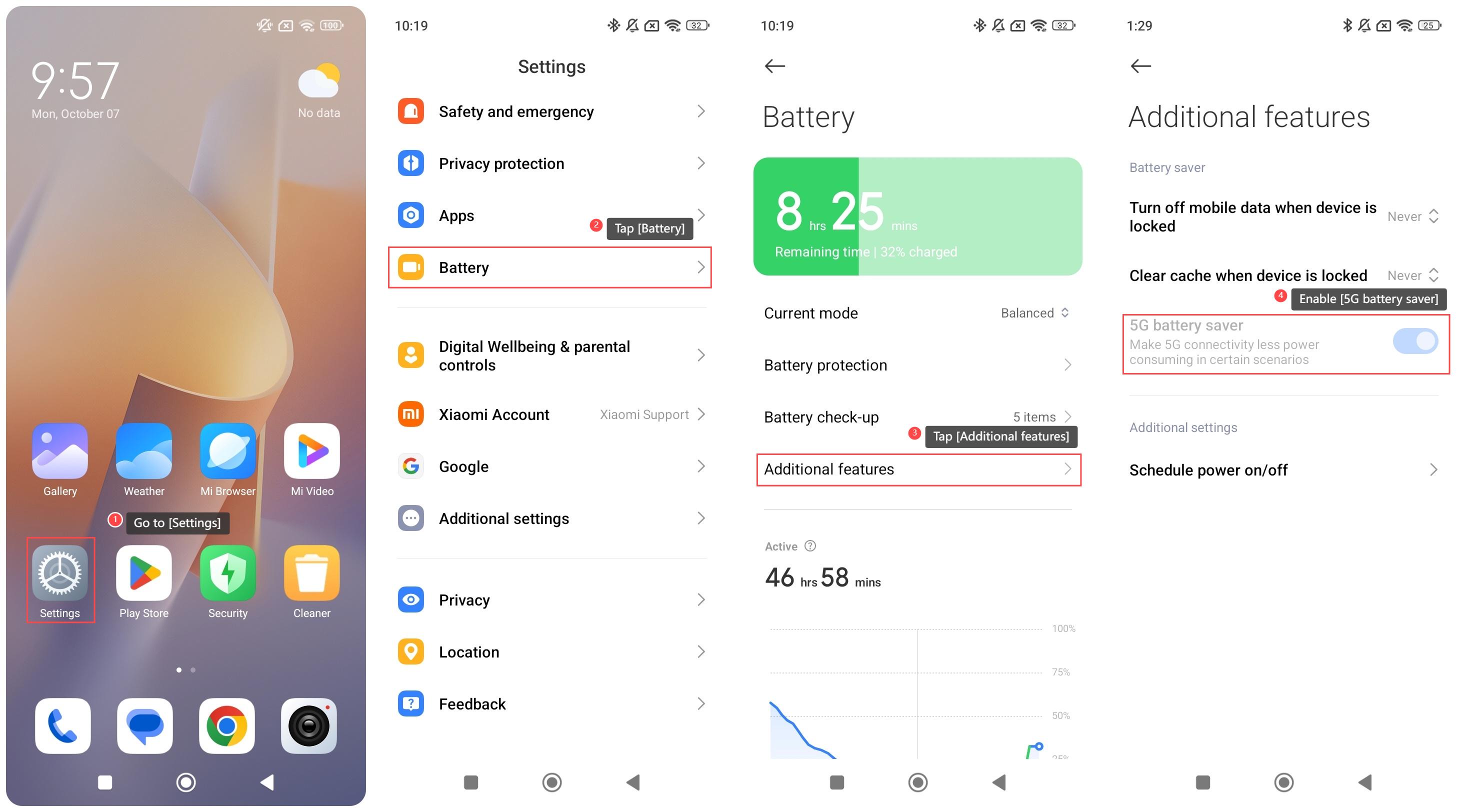
Method 1:
1. Go to [Settings];
2. Tap [Battery];
3. Tap [Additional features];
4. Enable [5G battery saver].
Method 2:
1. Go to [Security];
2. Tap [Battery];
3. Tap [Additional features];
4. Enable [5G battery saver].
To turn on 5G battery saver on your phone, please refer to the following methods:
Method 1:
1. Go to [Settings];
2. Tap [Battery];
3. Tap [Additional features];
4. Enable [5G battery saver].
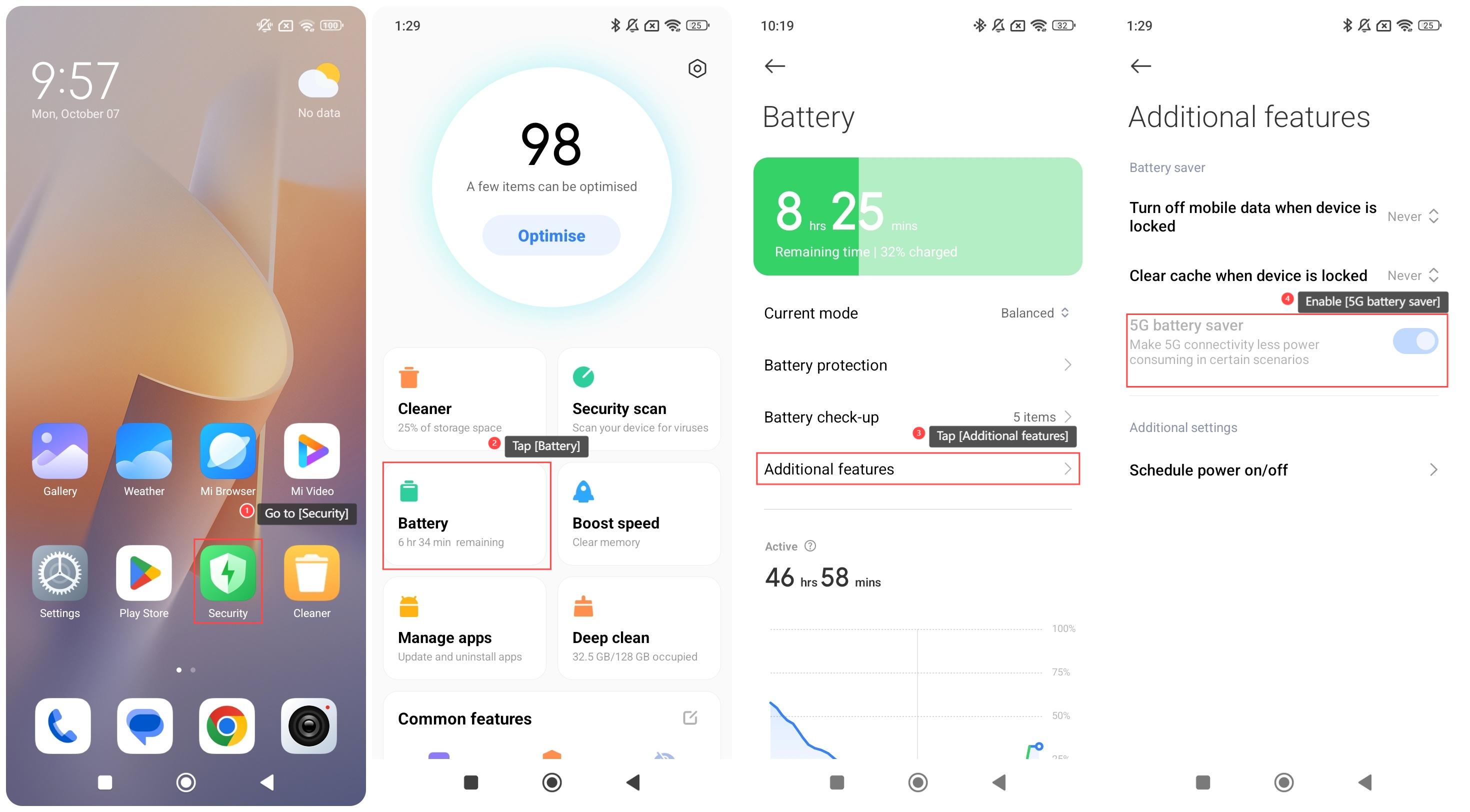
Method 2:
1. Go to [Security];
2. Tap [Battery];
3. Tap [Additional features];
4. Enable [5G battery saver].
Does it help?
Yes
No