

What are the connection methods for the Xiaomi 5-in-1 Type-C Hub?
The Xiaomi 5-in-1 Type-C Hub is equipped with three USB-A ports, a Type-C port, and an HDMI port, so it can provide various connection methods between devices.
For your reference, the connection methods are as follows:
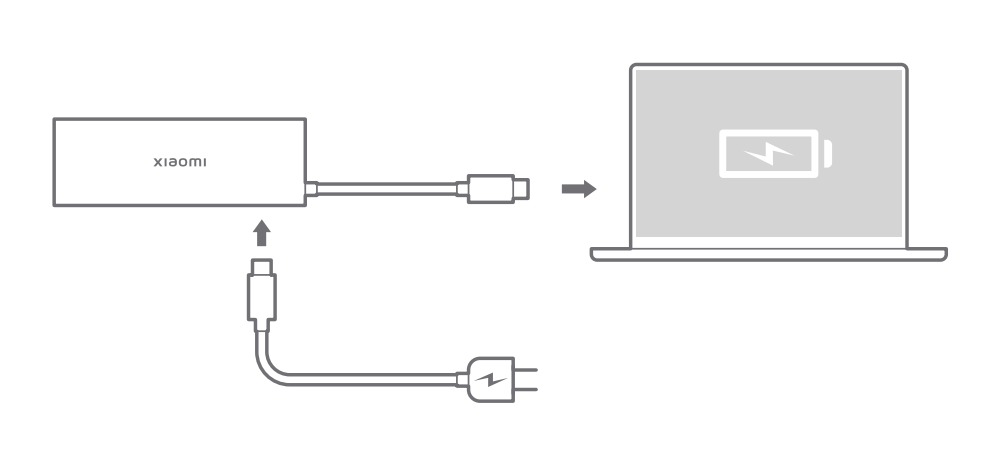
1. Connect the Type-C connector of a power adapter to the hub as shown below to charge the laptop;
Note:
1. Please ensure your laptop can be charged via its Type-C port;
2. Be sure to use your laptop's original power adapter that supports PD 3.0, otherwise the laptop or hub can have malfunctions.
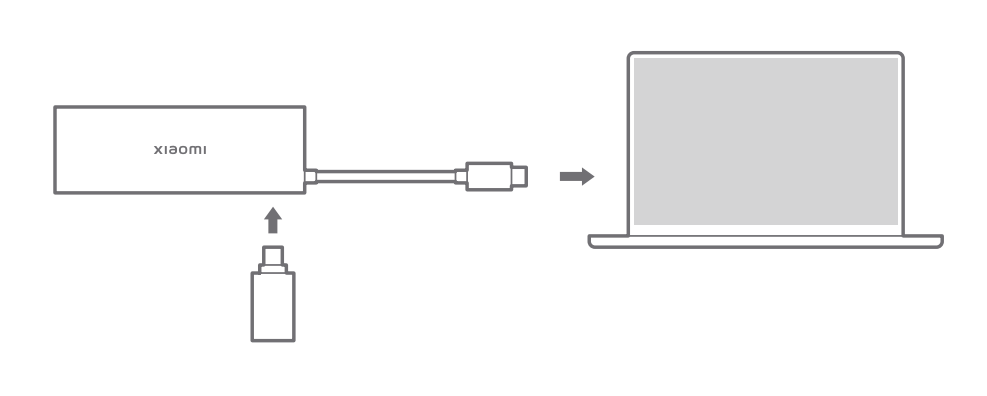
2. Connect your Type-C device to the hub as shown below, then your laptop will automatically recognize the device;
Note:
If your Type-C device requires a larger current than the maximum Type-C output of the hub or laptop, your Type-C will not function properly.
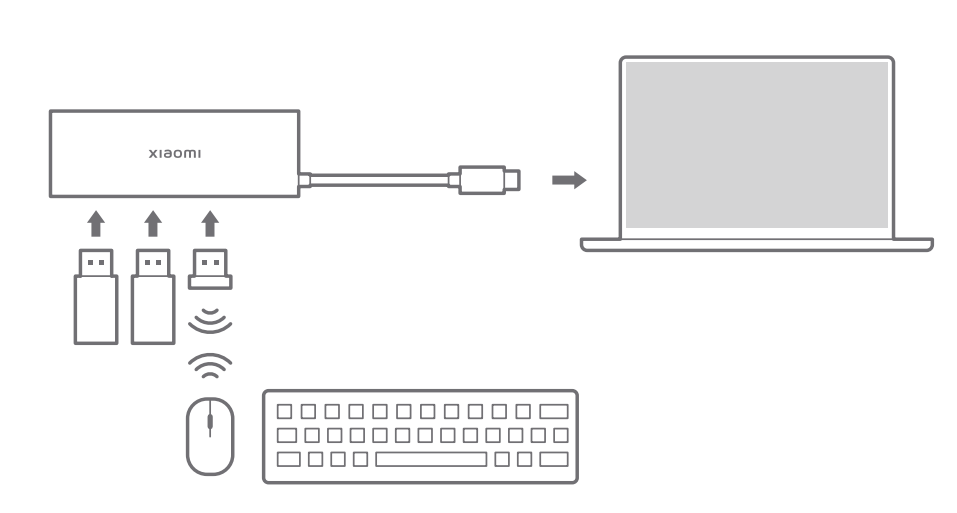
3. Connect your USB-A devices to the hub as shown below, then your laptop will automatically recognize the devices;
Note:
1. If your USB-A devices require a larger current than the hub's maximum USB-A output or your laptop's maximum Type-C output, your USB-A devices will not function properly;
2. You can plug your laptop's power adapter into the hub's Type-C port to improve the output power.
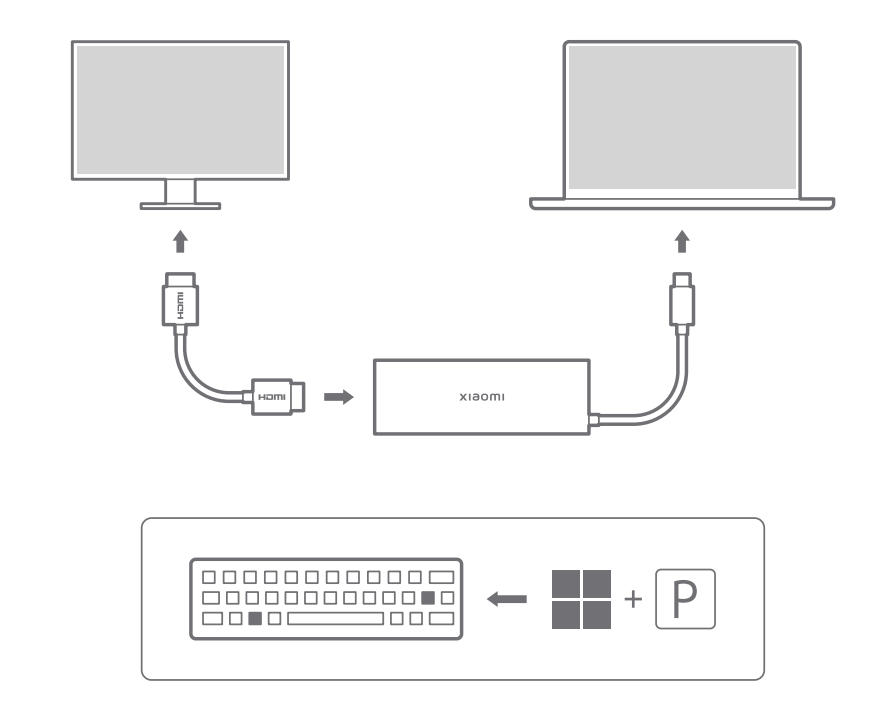
4. Projecting your laptop screen to an external display device. Connect an external display device to the hub via an HDMI cable as shown below. Press the Windows key and P on the keyboard simultaneously, and select a Windows projection mode to start projection.
Note:
Please ensure the data cable supports HDMI 2.0 or above, the laptop's Type-C port supports DP 1.4 or above, the display supports 4K@60 Hz input, and the HDMI interface supports Ultra High-Definition (UHD) 4K@60Hz (Max.) output.
For your reference, the connection methods are as follows:
1. Connect the Type-C connector of a power adapter to the hub as shown below to charge the laptop;
Note:
1. Please ensure your laptop can be charged via its Type-C port;
2. Be sure to use your laptop's original power adapter that supports PD 3.0, otherwise the laptop or hub can have malfunctions.
2. Connect your Type-C device to the hub as shown below, then your laptop will automatically recognize the device;
Note:
If your Type-C device requires a larger current than the maximum Type-C output of the hub or laptop, your Type-C will not function properly.
3. Connect your USB-A devices to the hub as shown below, then your laptop will automatically recognize the devices;
Note:
1. If your USB-A devices require a larger current than the hub's maximum USB-A output or your laptop's maximum Type-C output, your USB-A devices will not function properly;
2. You can plug your laptop's power adapter into the hub's Type-C port to improve the output power.
4. Projecting your laptop screen to an external display device. Connect an external display device to the hub via an HDMI cable as shown below. Press the Windows key and P on the keyboard simultaneously, and select a Windows projection mode to start projection.
Note:
Please ensure the data cable supports HDMI 2.0 or above, the laptop's Type-C port supports DP 1.4 or above, the display supports 4K@60 Hz input, and the HDMI interface supports Ultra High-Definition (UHD) 4K@60Hz (Max.) output.
Does it help?
Yes
No