

How to use the Xiaomi Home APP on the Control center of the POCO F6 Pro?
The Xiaomi Home APP, also known as Mi Home APP, is a versatile application designed to control various Xiaomi smart home devices and appliances. If you put it in the Control center of the POCO F6 Pro, it will be more convenient to use.
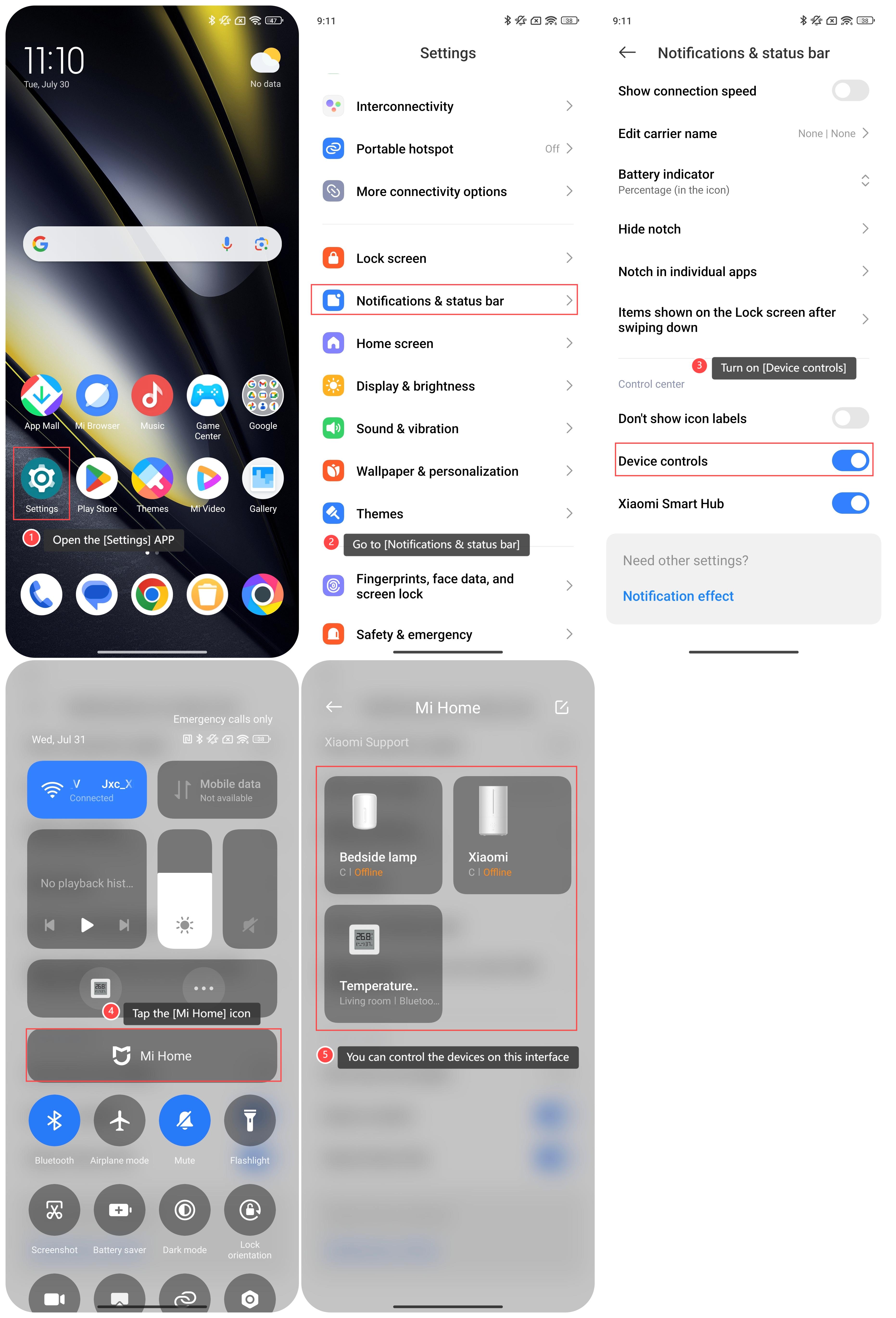
To use the Xiaomi Home APP on the Control center, please refer to the following steps:
1. Open the [Settings] APP;
2. Go to [Notifications & status bar];
3. Turn on [Device controls];
4. Swipe down from the right top of the screen and enter the Control center. Tap the [Mi Home] icon;
5. You can control the devices on this interface.
To use the Xiaomi Home APP on the Control center, please refer to the following steps:
1. Open the [Settings] APP;
2. Go to [Notifications & status bar];
3. Turn on [Device controls];
4. Swipe down from the right top of the screen and enter the Control center. Tap the [Mi Home] icon;
5. You can control the devices on this interface.
Note:
1. You can quickly access and control your smart home devices without needing to open the Xiaomi Home APP;
2. You can easily incorporate smart home controls into your daily routine without switching between multiple APPs.
1. You can quickly access and control your smart home devices without needing to open the Xiaomi Home APP;
2. You can easily incorporate smart home controls into your daily routine without switching between multiple APPs.
Does it help?
Yes
No