

How to share the Xiaomi Smart Camera C301 with other people?
To share the device with others, please refer to the following methods:
Method 1:
1. Go to the Mi Home/Xiaomi Home APP;
2. Press and hold the camera icon until a shortcut menu pops up at the bottom of the page;
3. Select [Share];
4. Follow the prompts to share with others.
Method 2:
1. Open the Mi Home/Xiaomi Home APP;
2. Select the device;
3. Tap the three-dot icon at the upper right corner;
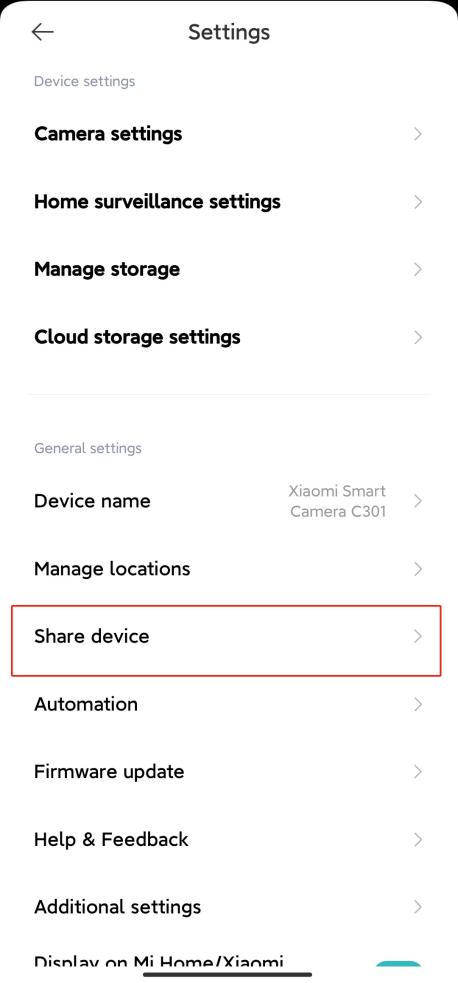
4. Navigate to [Share device] and follow the prompts to share with others.
Method 1:
1. Go to the Mi Home/Xiaomi Home APP;
2. Press and hold the camera icon until a shortcut menu pops up at the bottom of the page;
3. Select [Share];
4. Follow the prompts to share with others.
Method 2:
1. Open the Mi Home/Xiaomi Home APP;
2. Select the device;
3. Tap the three-dot icon at the upper right corner;
4. Navigate to [Share device] and follow the prompts to share with others.
Does it help?
Yes
No