

How to view surveillance videos of the Cloud storage using the Xiaomi Smart Camera C301?
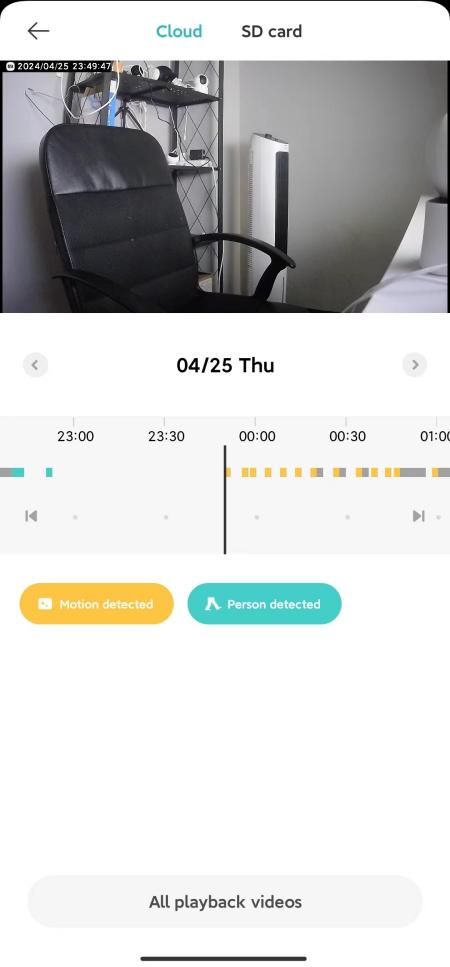
The Cloud storage needs to be purchased to be used. Please open the Mi Home/Xiaomi Home APP to enter the [Camera] >> [Playback] >> [Cloud] >> view the video according to the demand.
Note:
Different colors below represent different recording events. You can drag the timeline directly to the colored section according to your needs.
Note:
Different colors below represent different recording events. You can drag the timeline directly to the colored section according to your needs.
Does it help?
Yes
No