

What to do if the Mi Home APP prompts that the Xiaomi Outdoor Camera BW300 is offline?
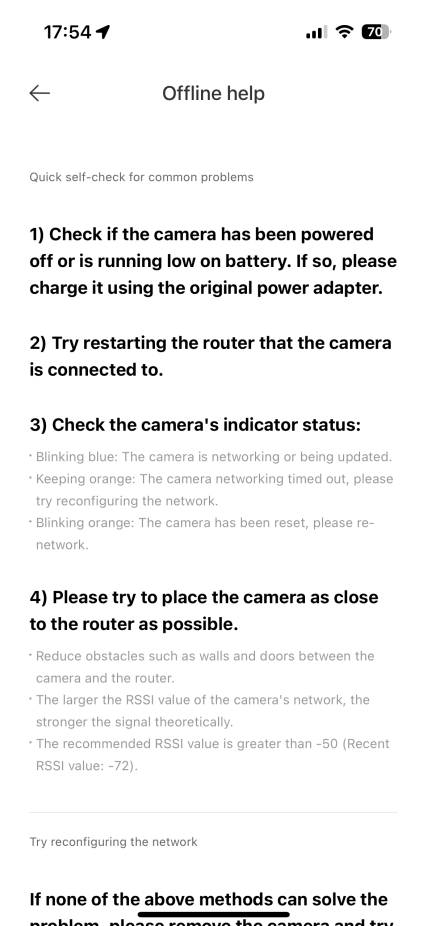
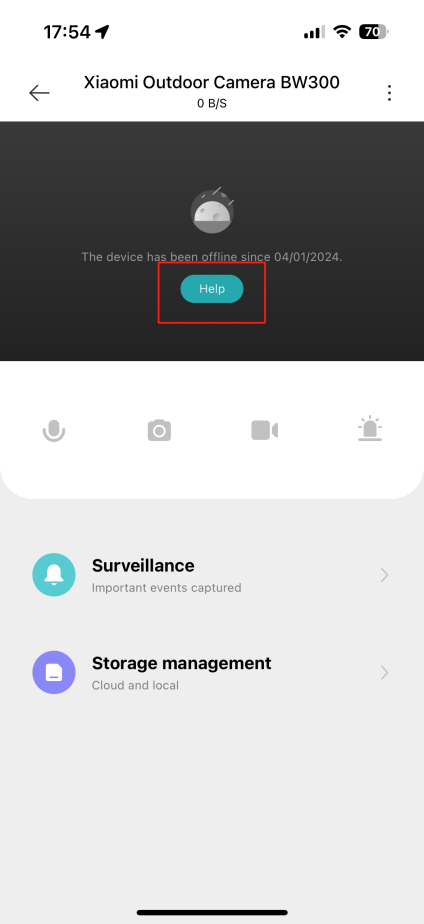
Tap [Help] for quick self-examination of common problems.
1. Check whether the device is powered off or has a power loss;
2. Try to reboot the router that the camera is connected to;
3. Ensure that the indoor unit is normally turned on and the network connection is stable;
4. Ensure that the camera is normally turned on, the network connection is stable, and it is within the effective communication distance with the indoor unit;
5. Check the status of the camera's indicators;
(1). Blue light blinking:
The camera is networking or being upgraded;
(2). Orange light is always on:
The camera networking timeout. Please try to rewire the network;
(3). Orange light is blinking:
The camera has been reset. Please try to reconnect the network.
6. Please try to place the device as close as possible to the router;
(1). Reduce obstacles such as walls and doors;
(2). The larger the RSSI value of the device network, the stronger the signal theoretically;
(3). Recommended RSSI value is greater than -50 (recent RSSI value is -72).
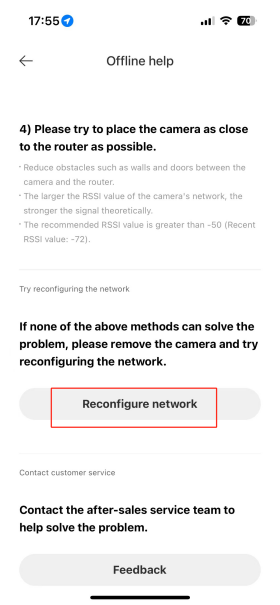
7. If none of the above methods solve your problem, please remove the camera and try repairing the network;

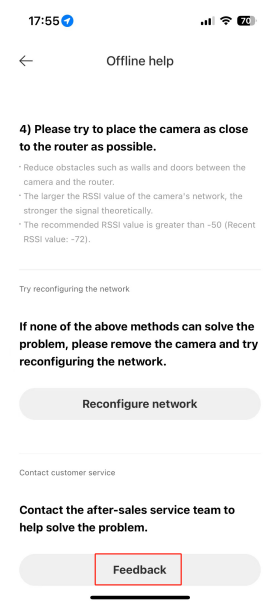
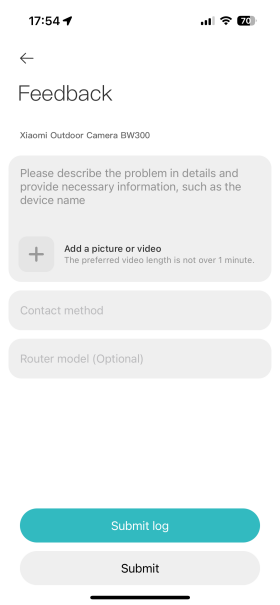
8. Contact the after-sales service center to help solve the problem and submit the feedback.
1. Check whether the device is powered off or has a power loss;
2. Try to reboot the router that the camera is connected to;
3. Ensure that the indoor unit is normally turned on and the network connection is stable;
4. Ensure that the camera is normally turned on, the network connection is stable, and it is within the effective communication distance with the indoor unit;
5. Check the status of the camera's indicators;
(1). Blue light blinking:
The camera is networking or being upgraded;
(2). Orange light is always on:
The camera networking timeout. Please try to rewire the network;
(3). Orange light is blinking:
The camera has been reset. Please try to reconnect the network.
6. Please try to place the device as close as possible to the router;
(1). Reduce obstacles such as walls and doors;
(2). The larger the RSSI value of the device network, the stronger the signal theoretically;
(3). Recommended RSSI value is greater than -50 (recent RSSI value is -72).
7. If none of the above methods solve your problem, please remove the camera and try repairing the network;
8. Contact the after-sales service center to help solve the problem and submit the feedback.
Does it help?
Yes
No