

How to update firmware on Mi Wireless Switch?
To update firmware on Mi Wireless Switch, please follow to the following steps:
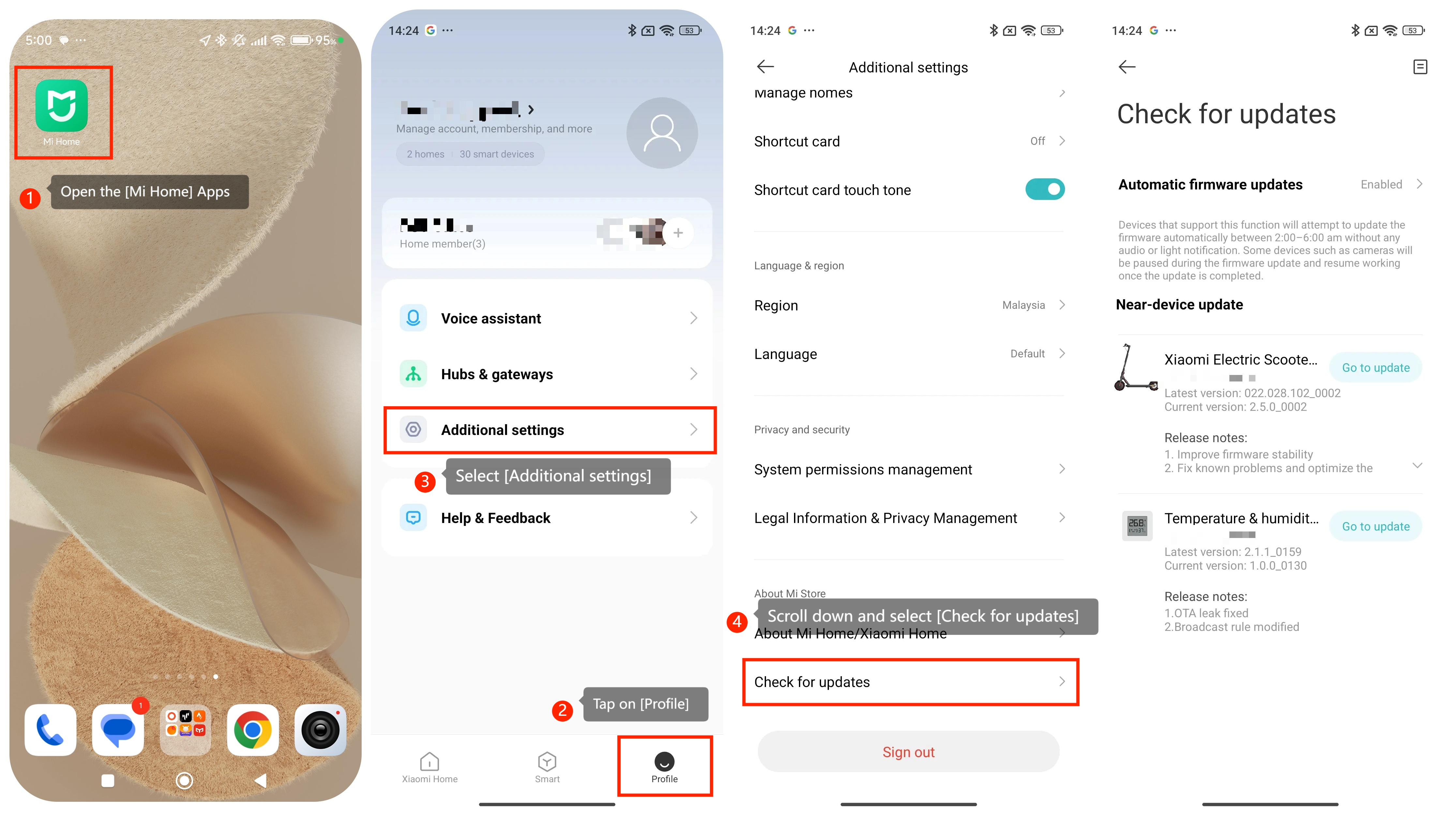
1. Open the [Mi Home] apps on your smartphone or tablet;
2. Tap on [Profile];
3. Select [Additional settings];
4. Scroll down and select [Check for updates];
5. You should be able to view a list of devices that require updates;
6. If the Mi Wireless Switch isn't listed for an update, it indicates that your device is up to date;
7. You can also choose whether to enable automatic firmware updates or not.
Friendly reminder:
Updating firmware offers several significant advantages. It enhances security measures, improves device functionality, ensures seamless compatibility with new software and hardware updates, introduces exciting new features, resolves existing issues, and ultimately contributes to extending the device's lifespan.
1. Open the [Mi Home] apps on your smartphone or tablet;
2. Tap on [Profile];
3. Select [Additional settings];
4. Scroll down and select [Check for updates];
5. You should be able to view a list of devices that require updates;
6. If the Mi Wireless Switch isn't listed for an update, it indicates that your device is up to date;
7. You can also choose whether to enable automatic firmware updates or not.
Friendly reminder:
Updating firmware offers several significant advantages. It enhances security measures, improves device functionality, ensures seamless compatibility with new software and hardware updates, introduces exciting new features, resolves existing issues, and ultimately contributes to extending the device's lifespan.
Does it help?
Yes
No