

How to do if mobile phone opens the camera reaction slow, jam, viewfinder appears for a long time, take picture slowly?
1. Startup lag/slow:
Common problems are as follows: after opening the camera app of the system, the viewfinder will always be black after waiting for 3 seconds or more, and the viewfinder will appear only after waiting longer.
In most cases, the camera app cannot respond to the operation until the viewfinder appears. No matter whether it is taking a photo, switching the camera or switching the camera mode, the response will be sluggish and the operation will be responded after a period of time.
There are also some faults, such as the black screen after clicking on the camera app and waiting for a long time before the screen of the camera app interface and viewfinder appears.
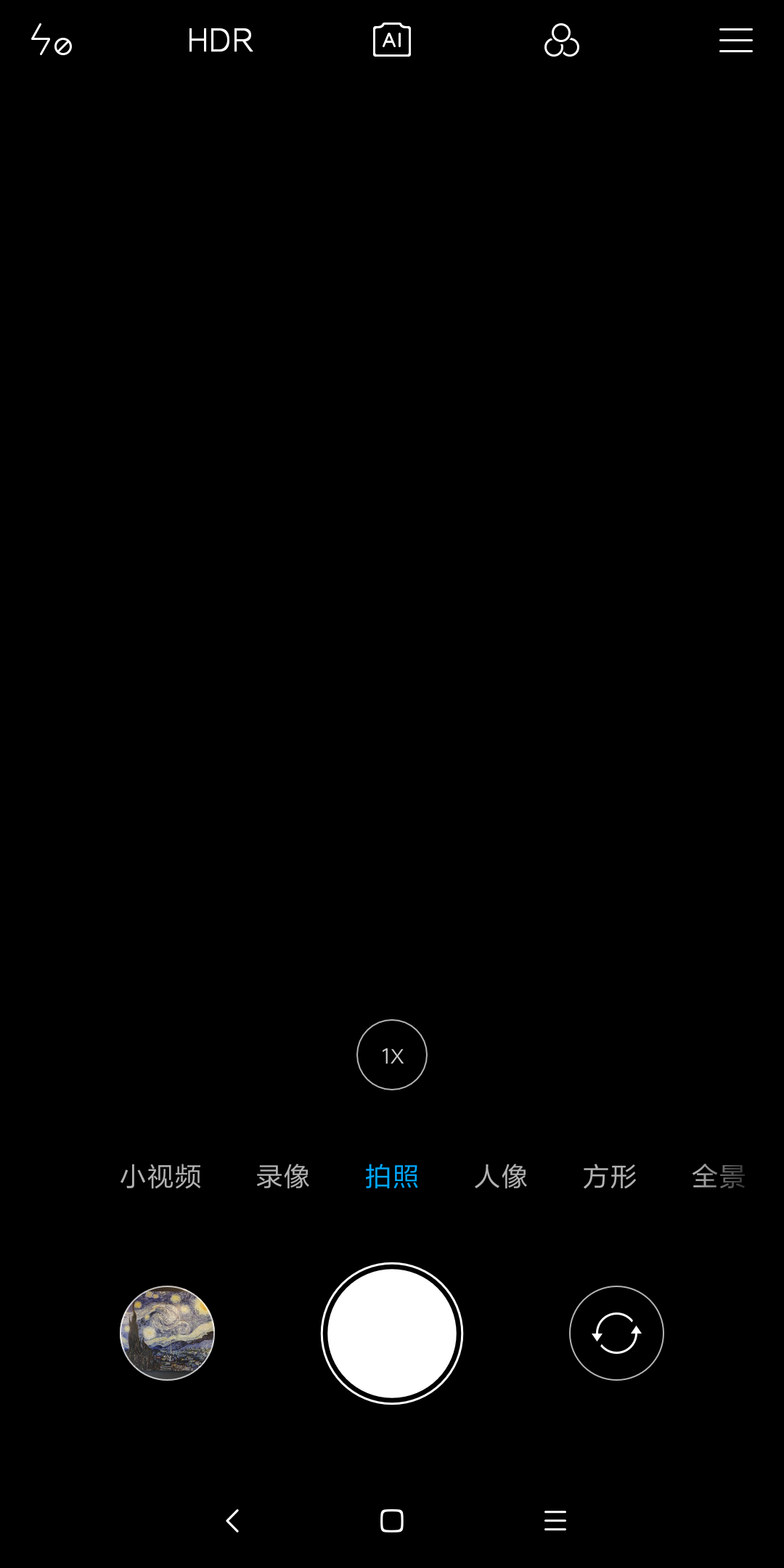
An example of the viewfinder without content is shown below:
Startup lag/slow Solution:
1. First, make sure that the time from clicking on the camera app to the scene in the viewfinder is about a few seconds.
In some cases, the cache space of camera app is occupied by other applications, which may exist in the case that the camera is opened occasionally after a long time without the camera function and it needs to wait about 1 second to load. Such problems are more likely to occur when the camera is opened when there are many applications in the background.
If this happens occasionally, and the time has not exceeded 3 seconds
2. It is suggested to clear all background applications and then open the camera to test whether it can be solved;If there is still a problem in clearing all the background before opening, it is suggested to restart the phone and directly open the camera to try;
3. If the issue occurs after operation 1 or 2, it is suggested to submit feedback in the user feedback App. The module is selected as camera > other, and then describe the problems in as much detail as possible.Engineers will gradually optimize the camera for subsequent system updates based on the logs.
4. After submitting the feedback, clear the application data of the camera App to see if this issue can be solved.
2. Lag/slow in use:
Common problems are when the camera is turned on and the camera is stuck, such as slow response and serious dragging in the viewfinder when the mobile phone is on.For example, after clicking the camera shutter button, it takes a long time (1-3 seconds or more) to take a photo.Or click the camera shutter button and the photo preview in the lower left corner keeps spinning for a long time (close to or more than a second) before it stops spinning.
Lag/slow in use Solution:
1. First, confirm whether it will get stuck every time and what mode the camera is in.It should be noted that some modes of the camera (AI scene camera, HDR mode, photo selection, beauty mode, portrait mode, magic mirror, intelligent object recognition, age detection) are more computationally intensive than the normal state, so the time required for taking photos will increase to a certain extent according to the computational amount.Especially for HDR mode, AI scene camera and group photo optimization, due to the large amount of computation, the image processing time delay after clicking the shutter button is about 1 second, which is a normal phenomenon.At this time, the performance requirements of camera App are high. For example, opening the camera when there are many applications in the background is more likely to cause such problems.If this happens once in a while and it never takes more than 3 seconds.
2. It is suggested to turn off various modes of the camera and take photos only in the normal camera state to see if there is still a phenomenon of high lag and delay.Also it is suggested to clear all background applications and then open the camera to test whether it can be resolved; If clear all the background and open it again, there is still a problem with taking photos in normal mode. Open the camera after restarting the phone.
3. Turn off the camera watermark function to slightly speed up the opening speed of viewing photos;
4. If this issue occurs after operation 1, 2 and 3, it is suggested to submit feedback in the user feedback App,and then describe the problems in as much detail as possible. Engineers will gradually optimize the camera for subsequent system updates based on the logs.
5. After submitting the feedback, clear the application data of the camera App to see if this issue can be solved.
Common problems are as follows: after opening the camera app of the system, the viewfinder will always be black after waiting for 3 seconds or more, and the viewfinder will appear only after waiting longer.
In most cases, the camera app cannot respond to the operation until the viewfinder appears. No matter whether it is taking a photo, switching the camera or switching the camera mode, the response will be sluggish and the operation will be responded after a period of time.
There are also some faults, such as the black screen after clicking on the camera app and waiting for a long time before the screen of the camera app interface and viewfinder appears.
An example of the viewfinder without content is shown below:
Startup lag/slow Solution:
1. First, make sure that the time from clicking on the camera app to the scene in the viewfinder is about a few seconds.
In some cases, the cache space of camera app is occupied by other applications, which may exist in the case that the camera is opened occasionally after a long time without the camera function and it needs to wait about 1 second to load. Such problems are more likely to occur when the camera is opened when there are many applications in the background.
If this happens occasionally, and the time has not exceeded 3 seconds
2. It is suggested to clear all background applications and then open the camera to test whether it can be solved;If there is still a problem in clearing all the background before opening, it is suggested to restart the phone and directly open the camera to try;
3. If the issue occurs after operation 1 or 2, it is suggested to submit feedback in the user feedback App. The module is selected as camera > other, and then describe the problems in as much detail as possible.Engineers will gradually optimize the camera for subsequent system updates based on the logs.
4. After submitting the feedback, clear the application data of the camera App to see if this issue can be solved.
2. Lag/slow in use:
Common problems are when the camera is turned on and the camera is stuck, such as slow response and serious dragging in the viewfinder when the mobile phone is on.For example, after clicking the camera shutter button, it takes a long time (1-3 seconds or more) to take a photo.Or click the camera shutter button and the photo preview in the lower left corner keeps spinning for a long time (close to or more than a second) before it stops spinning.
Lag/slow in use Solution:
1. First, confirm whether it will get stuck every time and what mode the camera is in.It should be noted that some modes of the camera (AI scene camera, HDR mode, photo selection, beauty mode, portrait mode, magic mirror, intelligent object recognition, age detection) are more computationally intensive than the normal state, so the time required for taking photos will increase to a certain extent according to the computational amount.Especially for HDR mode, AI scene camera and group photo optimization, due to the large amount of computation, the image processing time delay after clicking the shutter button is about 1 second, which is a normal phenomenon.At this time, the performance requirements of camera App are high. For example, opening the camera when there are many applications in the background is more likely to cause such problems.If this happens once in a while and it never takes more than 3 seconds.
2. It is suggested to turn off various modes of the camera and take photos only in the normal camera state to see if there is still a phenomenon of high lag and delay.Also it is suggested to clear all background applications and then open the camera to test whether it can be resolved; If clear all the background and open it again, there is still a problem with taking photos in normal mode. Open the camera after restarting the phone.
3. Turn off the camera watermark function to slightly speed up the opening speed of viewing photos;
4. If this issue occurs after operation 1, 2 and 3, it is suggested to submit feedback in the user feedback App,and then describe the problems in as much detail as possible. Engineers will gradually optimize the camera for subsequent system updates based on the logs.
5. After submitting the feedback, clear the application data of the camera App to see if this issue can be solved.
Does it help?
Yes
No