How to read MiScooter serial number
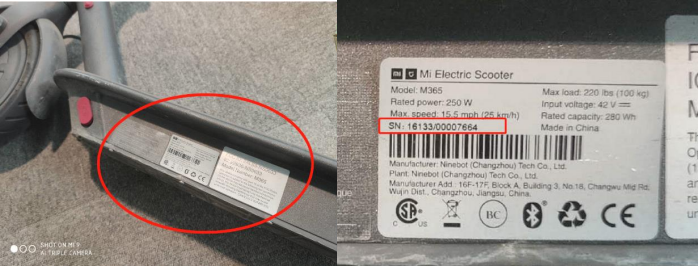
- Please check the serial number from the side bottom of MiScooter(See the picture below)
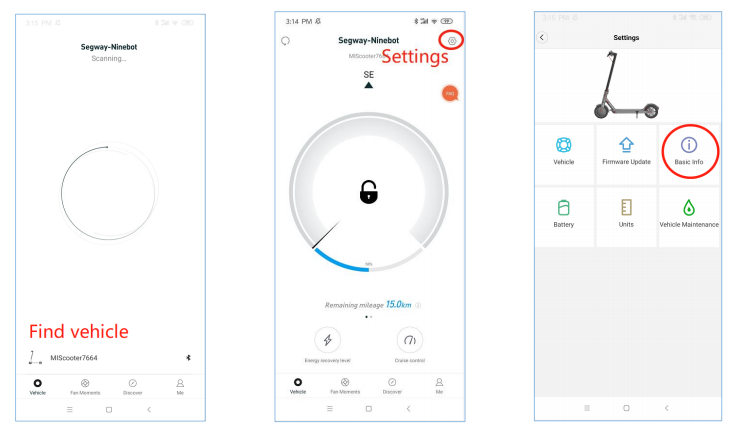
- You can read the serial number by APP If the Scooter can power on and can connect with by Segway&Ninebot AP, MI Home APP. Use Ninebot&Segway APP

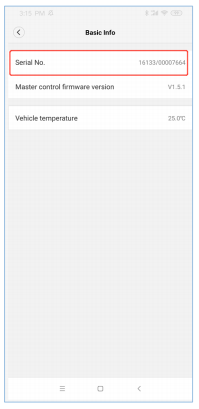
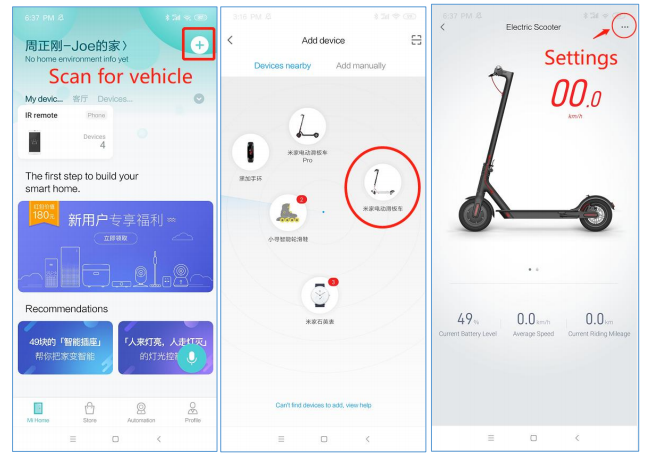
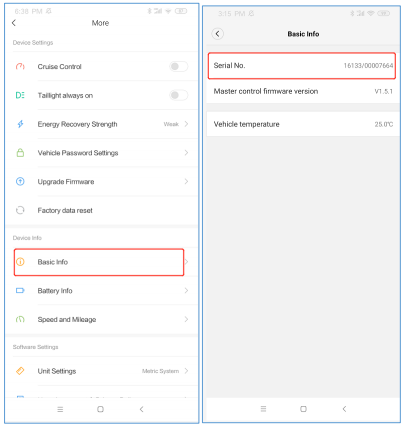
reading serial number and turn on MiScooter; Click Scan for Vehicle → Main Screen → Settings(Upper right icon) → Basic Info, and then you can see the serial number.
Use MiHome reading serial number

and turn on MiScooter, Click Scan for vehicle→Add device from nearby and click MiScooter icon →enter main screen and then click settings (upper right icon) →Basic Info→ Vehicle serial number.
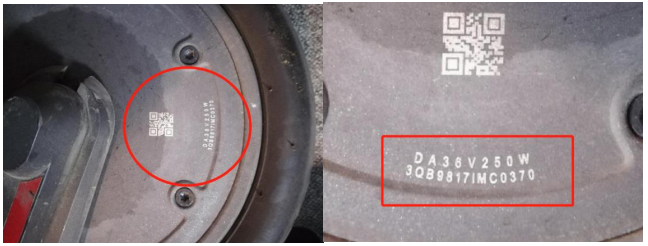
- If you cannot power on the vehicle and the label for SN is lost, you can offer the front wheel serial number and send it to Xiaomi service and then we can search the vehicle SN from database by front wheel SN, like SN: 3QB9817IMC0370 (see the picture below)
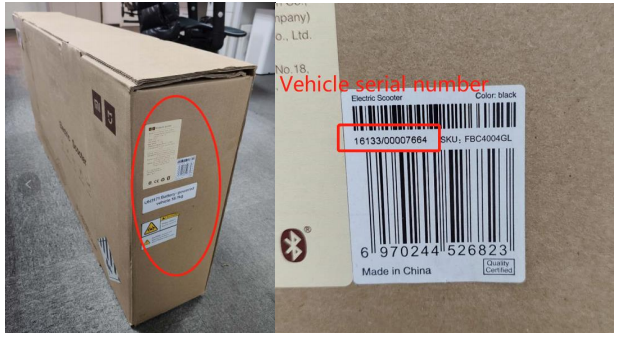
- If MiScooter is not be unbox and new , you can get serial number information from outer box(please see picture below)