

Does Redmi Watch 4 support power saving mode/long battery life mode?
Yes, long battery life mode is the power saving mode of the watch.
1. Long battery life mode supports the following ways to turn on:
Method 1:
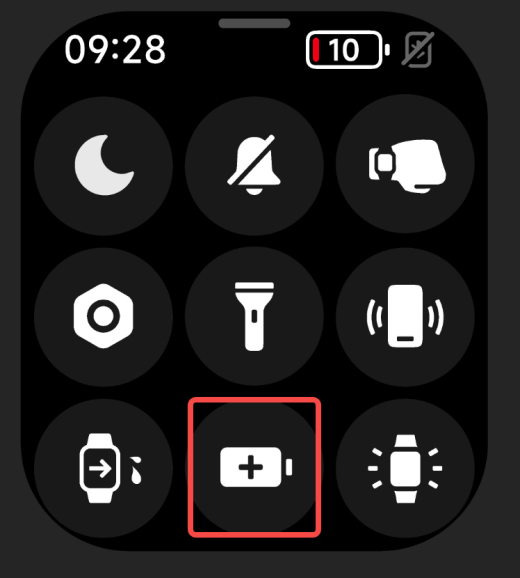
Swipe up on the watch's main dial page to open the control panel, and tap the long battery life mode icon in the control panel;
Method 2:
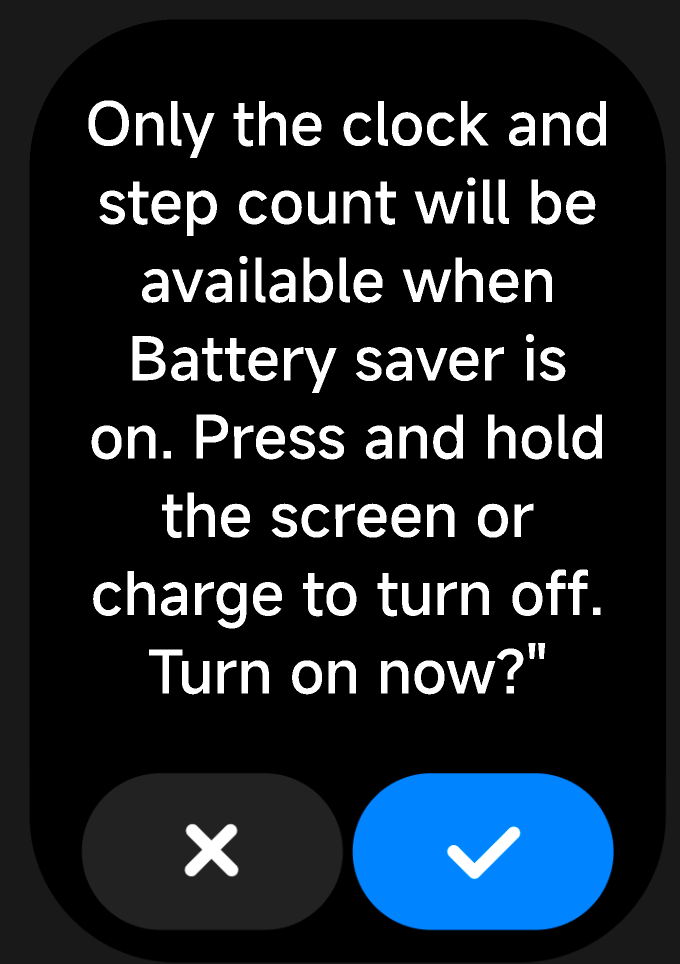
When the watch pops up a 5% low battery reminder, there will be a [Turn on long battery life mode] button on the reminder page. tap the button to turn on the long battery life mode.
2. Long battery life mode supports the following exit methods:
Method 1:
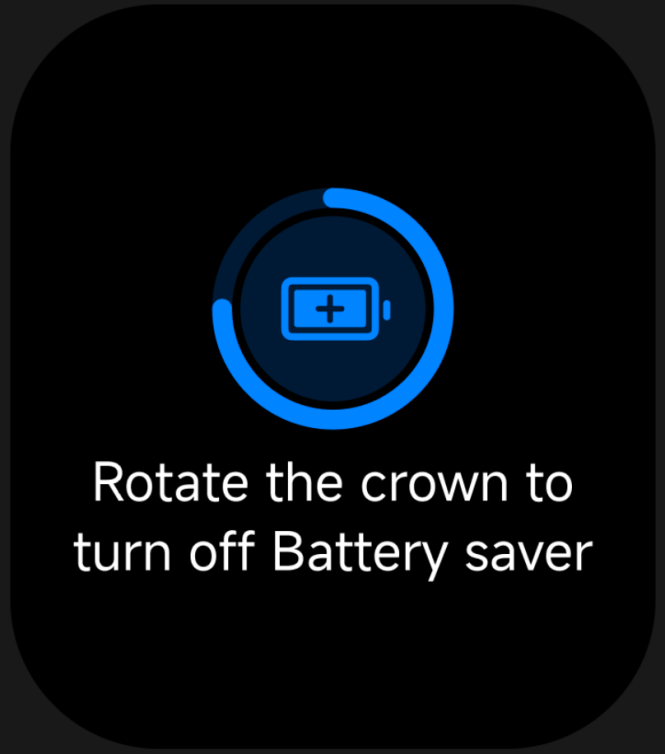
After taping the screen, rotate the crown according to the prompts to exit the long battery life mode;
Method 2:
Place the watch on the charging stand to charge, and it will automatically exit the long battery life mode.
Note:
While the watch is charging, it cannot enter long battery life mode.
1. Long battery life mode supports the following ways to turn on:
Method 1:
Swipe up on the watch's main dial page to open the control panel, and tap the long battery life mode icon in the control panel;
Method 2:
When the watch pops up a 5% low battery reminder, there will be a [Turn on long battery life mode] button on the reminder page. tap the button to turn on the long battery life mode.
2. Long battery life mode supports the following exit methods:
Method 1:
After taping the screen, rotate the crown according to the prompts to exit the long battery life mode;
 |  |
Place the watch on the charging stand to charge, and it will automatically exit the long battery life mode.
Note:
While the watch is charging, it cannot enter long battery life mode.
Does it help?
Yes
No