

What to do if the Xiaomi TV A Pro 43 has sound but no image?
If your Xiaomi TV A Pro 43 is producing sound but there is no image, please refer to the following scenarios and their troubleshooting methods:
Scenario 1:
If the issue occurs when you are using apps on your TV, please refer to the following methods:
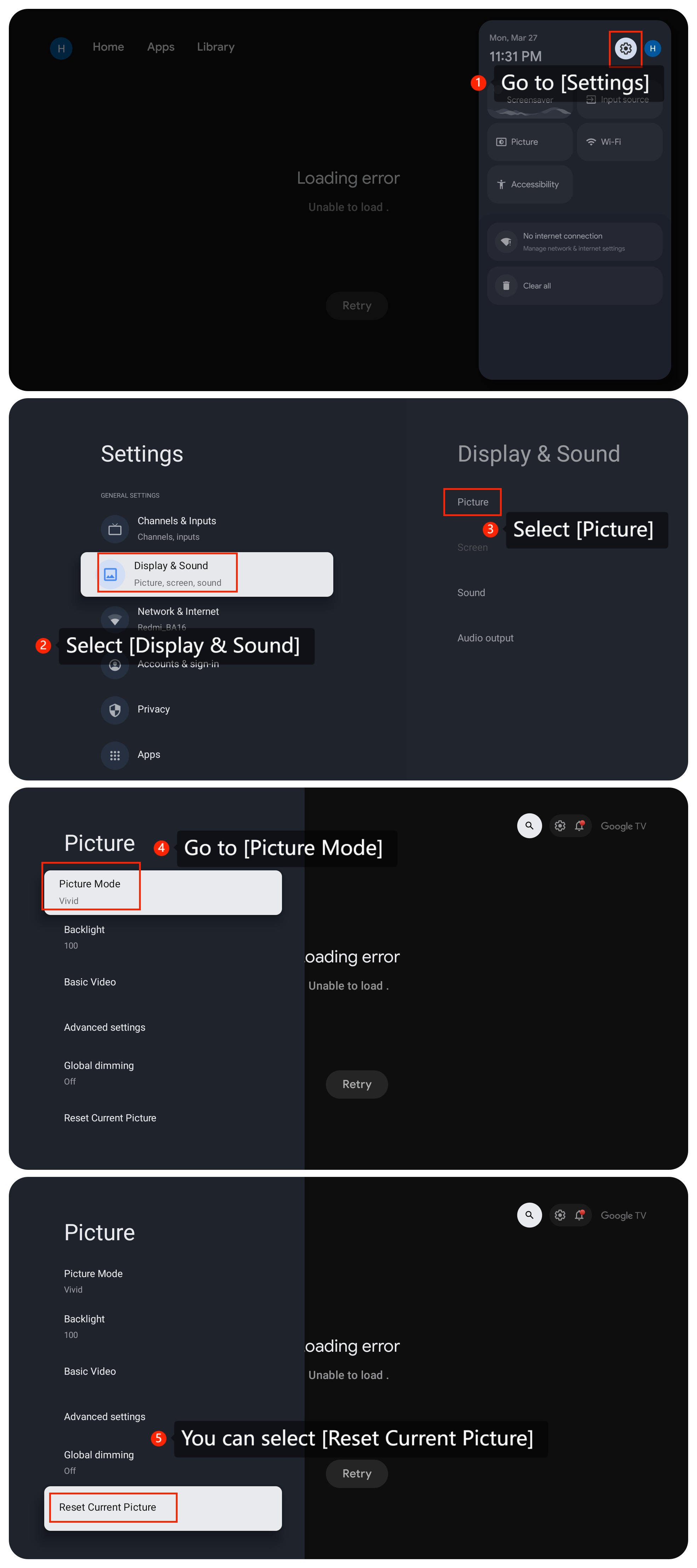
1. Adjust and reset picture settings, go to [Settings] >> select [Display & Sound] >> select [Picture] >> go to [Picture Mode]. If it doesn’t work, you can select [Reset Current Picture];
Scenario 1:
If the issue occurs when you are using apps on your TV, please refer to the following methods:
1. Adjust and reset picture settings, go to [Settings] >> select [Display & Sound] >> select [Picture] >> go to [Picture Mode]. If it doesn’t work, you can select [Reset Current Picture];
2. If the issue is specific to a particular app, check the app's settings for any display-related options. Some apps may have their own settings that can affect the display;
3. Please check the app cache and clean it by going to [Settings] >> [Apps] >> [Google Play Store] >> [Clear data];
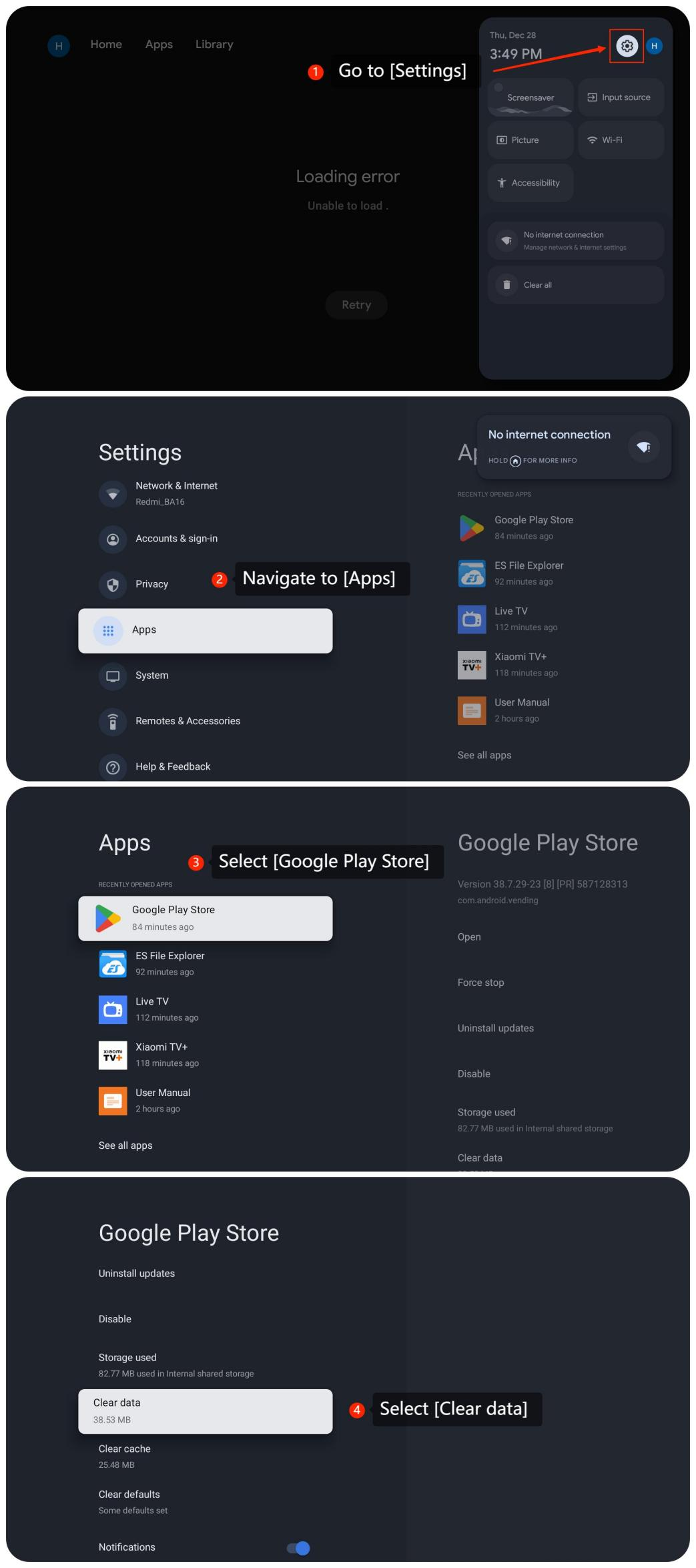
4. Check if the app is the latest version, please go to [Settings] >> [Apps] >> [Google Play Store] >> [Uninstall updates] >> [OK];
5. If the above methods don't work, please uninstall and reinstall the app;
6. Check for available updates for the system. You can go to [Settings] >> select [System] >> select [About] >> select [System update];
7. If the issue persists, you can try factory resetting your TV. Go to [Settings] >> select [System] >> select [About] >> select [Reset] >> select [Factory reset].
Scenario 2:
If the issue occurs when you are using an external device like a DVD player or game console, please refer to the following methods:
1. Ensure that the HDMI cable connecting your external device to the TV is securely plugged in. Try using a different HDMI port on both the TV and the device (if applicable);
2. Make sure your external device is powered on and connected properly;
3. Make sure you have selected the correct input source on your TV. Use the remote control to switch between input sources and verify that the one connected to your external device is selected.
Scenario 3:
If the issue occurs when you are using casting on your TV, please refer to the following methods:
1. Please ensure that both the casting device such as your computer or your smartphone and your TV are connected to the same Wi-Fi network;
2. Go to [Settings] >> select [Display & Sound] >> select [Picture] >> go to [Picture Mode]. If it doesn’t work, you can select [Reset Current Picture];
(The pictures are the same as Scenario 1.)
3. Check the casting device settings for any display or casting settings. Make sure the casting device is set to the correct resolution and aspect ratio.
If the above troubleshooting methods can’t resolve the issue, please contact our local official service center or your seller for further assistance. They will help you in this regard.
Does it help?
Yes
No