

Does the POCO M8 5G support AI Erase?
POCO M8 5G supports AI Erase. It is a photo editing feature that allows you to remove unwanted objects, people, or distractions from your images, helping the main subject stand out more clearly. Whether you are working with vacation photos, portraits, or everyday snapshots, this function is designed to give you more control over your pictures. By removing unnecessary elements, it helps you create cleaner compositions and achieve results that look polished and professional, directly on your phone, without relying on third-party applications or complicated software.
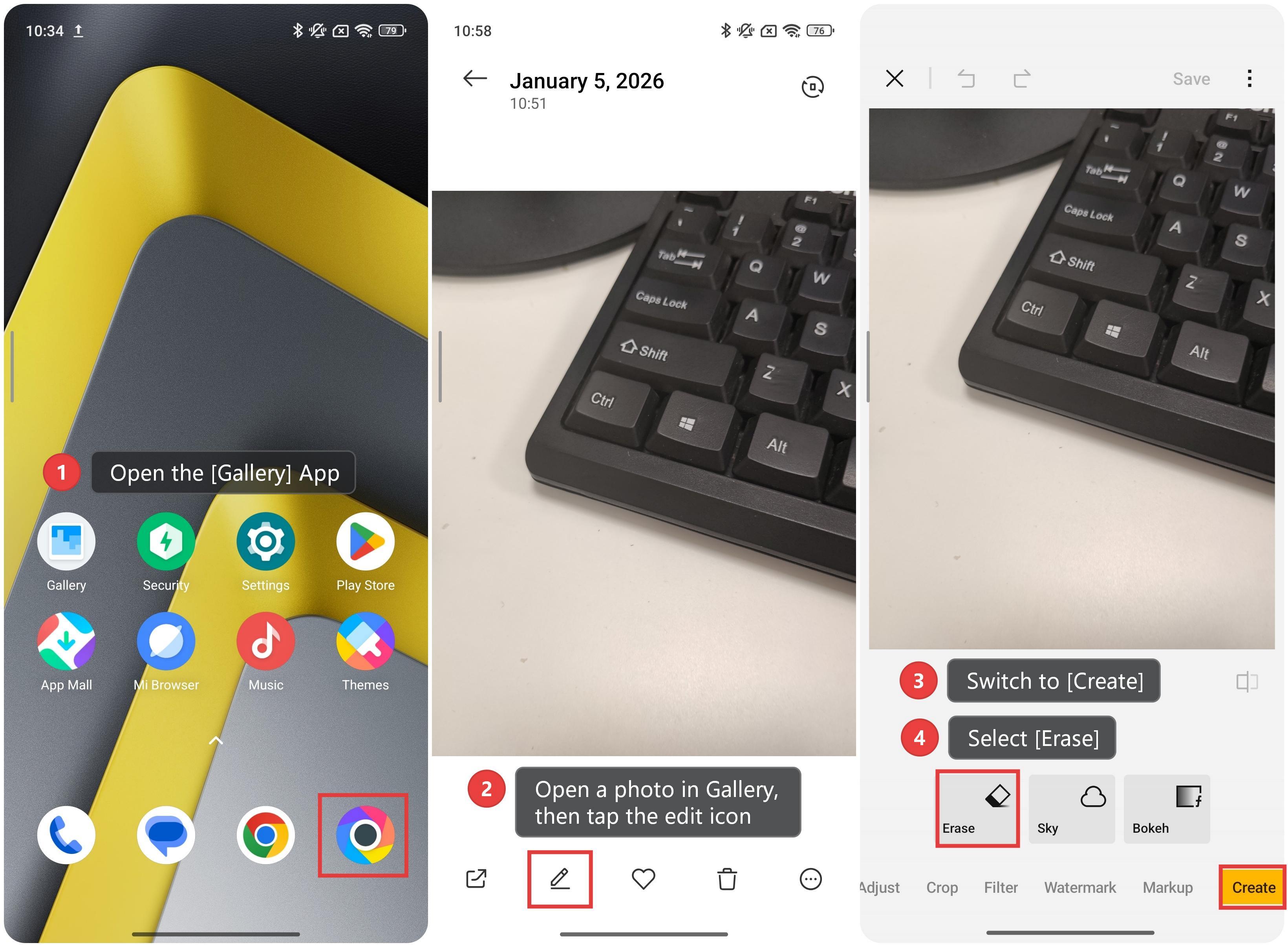
To use AI Erase on the POCO M8 5G, please refer to the following steps:
1. Open the [Gallery] App.
2. Open a photo in Gallery, then tap the edit icon.
3. Switch to [Create].
4. Select [Erase].
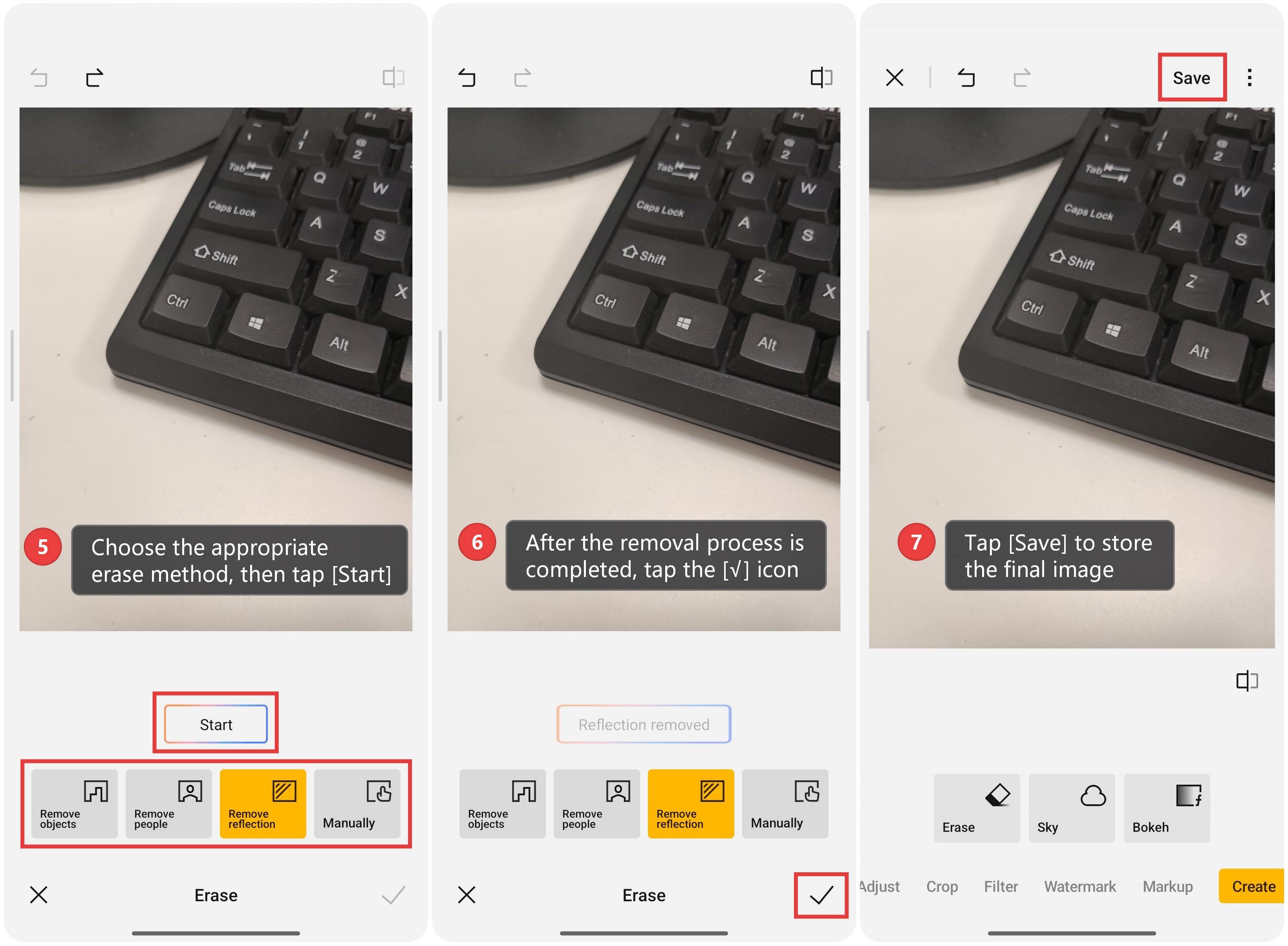
5. Choose the appropriate erase method, then tap [Start].
6. After the removal process is completed, tap the [√] icon.
7. Tap [Save] to store the final image.
Note:
Availability of AI features can vary based on country/region. Please check the official website for more information.
Does it help?
Yes
No