

How to delete the Xiaomi Smart Camera C300 Dual from the Xiaomi Home App?
Deleting the Xiaomi Smart Camera C300 Dual from the Xiaomi Home App only removes it from the App's interface. It does not reset the device itself or remove its connection to other services or platforms.
To delete the smart camera from the Xiaomi Home App, please refer to the following methods:
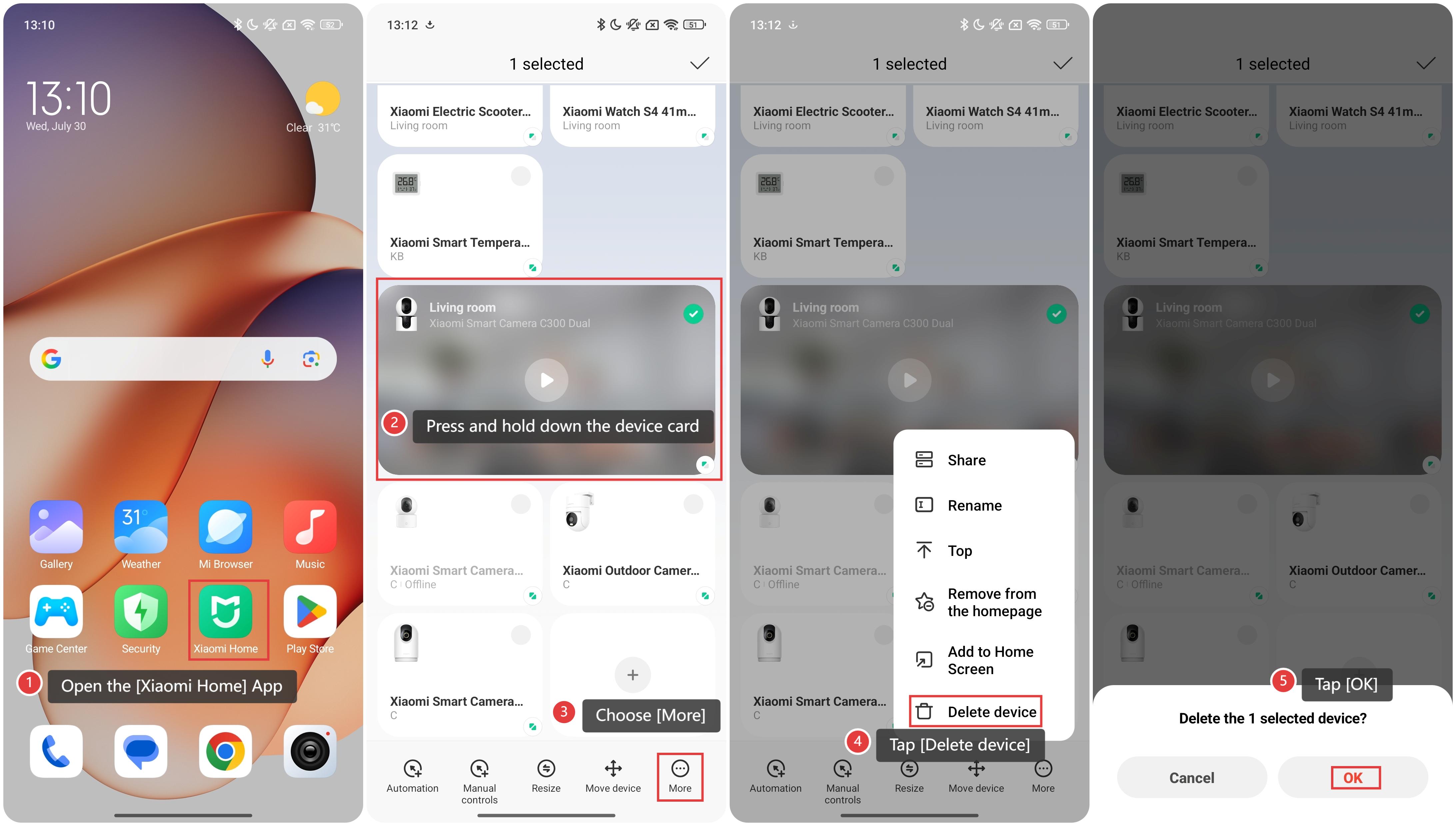
Method 1:
1. Open the [Xiaomi Home] App on the phone.
2. Press and hold down the [Xiaomi Smart Camera C300 Dual] device card.
3. Choose [More].
4. Tap [Delete device].
5. Tap [OK].
Method 2:
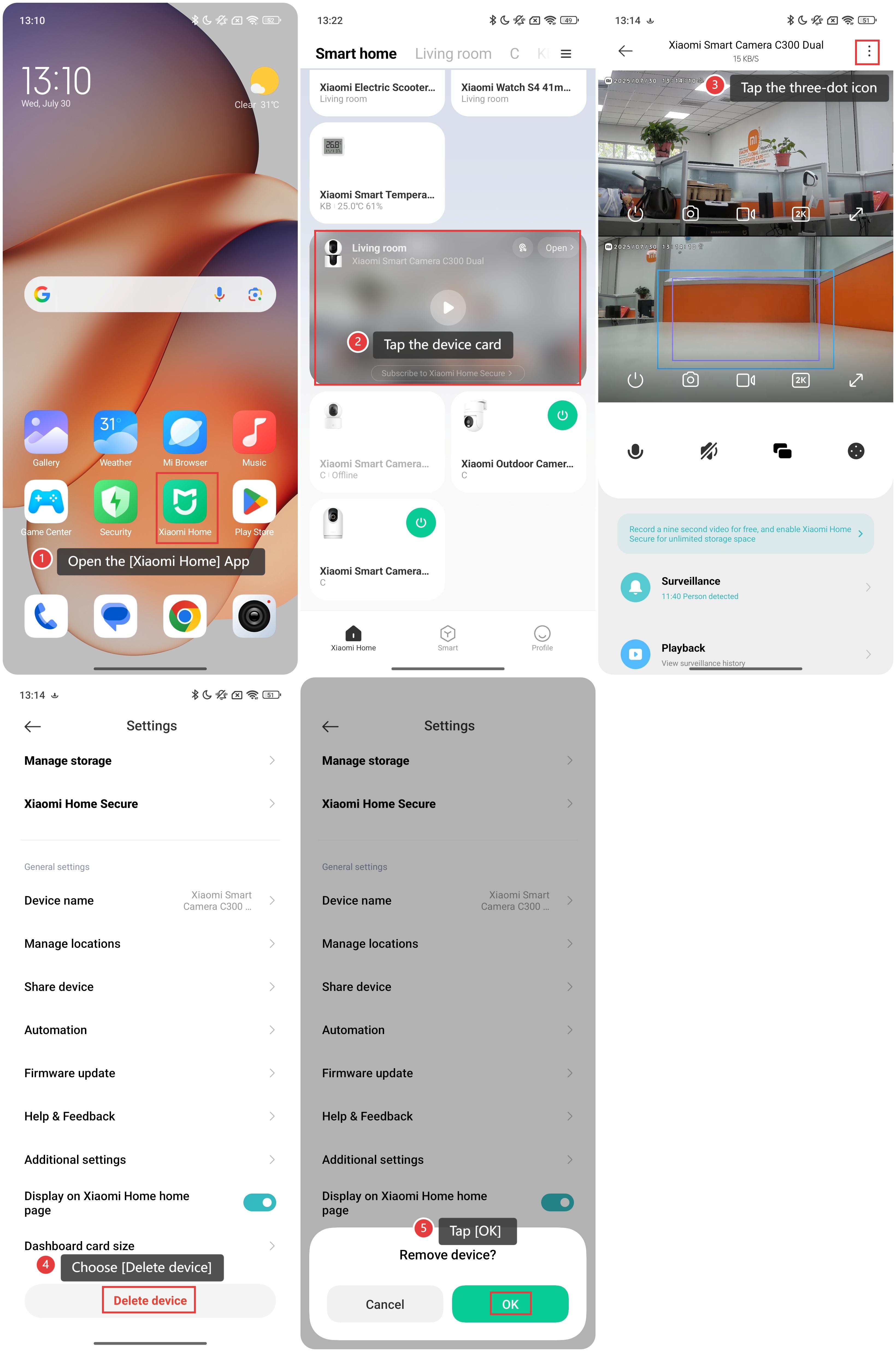
1. Open the [Xiaomi Home] App on the phone.
2. Tap the [Xiaomi Smart Camera C300 Dual] device card.
3. Tap the three-dot icon in the upper right corner to enter the settings.
4. Choose [Delete device].
5. Tap [OK] to confirm.
Does it help?
Yes
No