

How to play sound in videos recorded by the Xiaomi Home Secure?
The Xiaomi Home App supports playing sound in videos recorded by Xiaomi Home Secure, allowing you to review both video and audio content. This feature ensures that you can hear important details such as conversations, alarms, or environmental sounds, making your monitoring more comprehensive and effective.
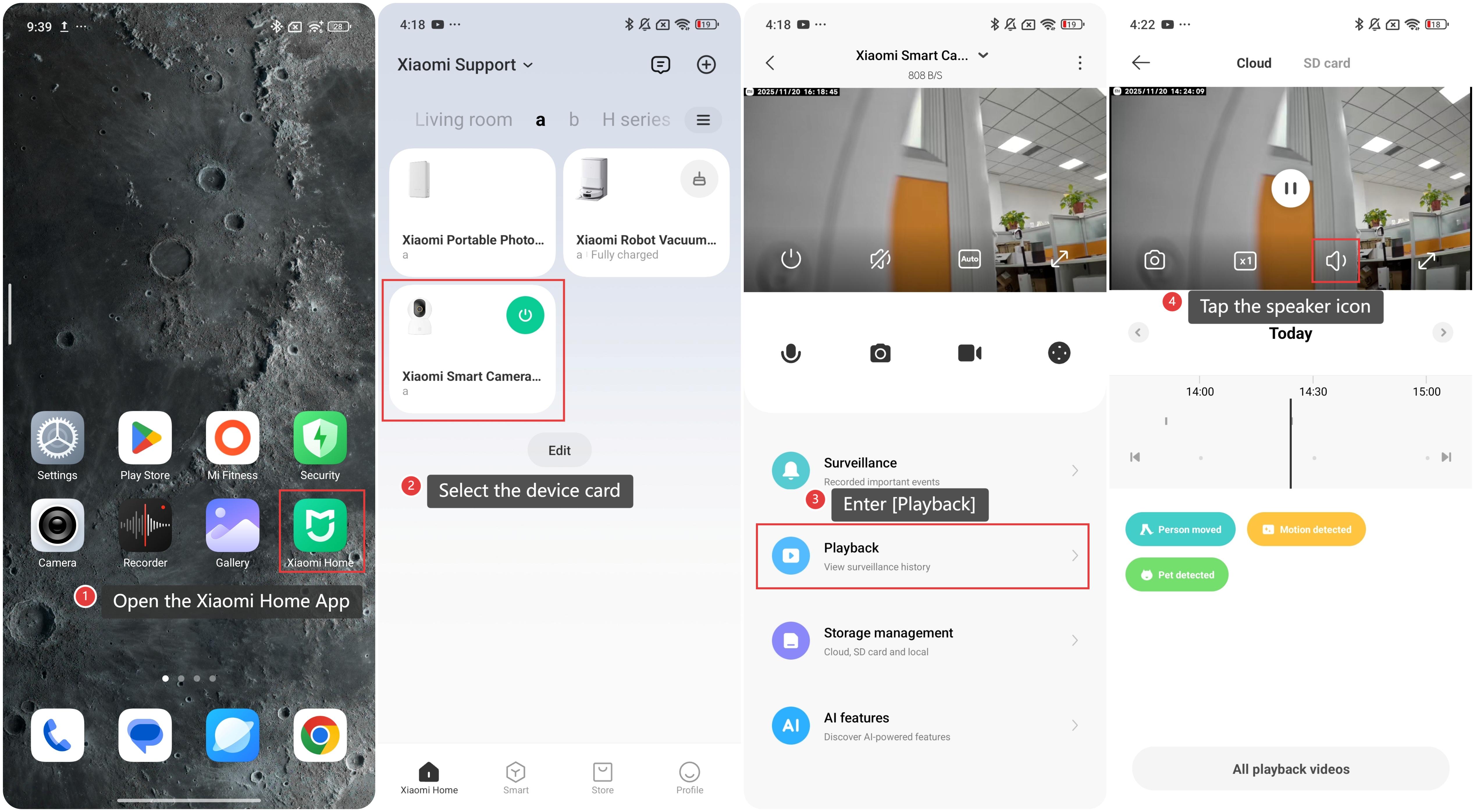
To play sound in videos recorded by Xiaomi Home Secure on the Xiaomi Home App, please refer to the following methods:
Method 1:
1. Open the Xiaomi Home App on your phone.
2. Select the device card.
3. Enter [Playback].
4. Tap the speaker icon to play the sound along with the video.
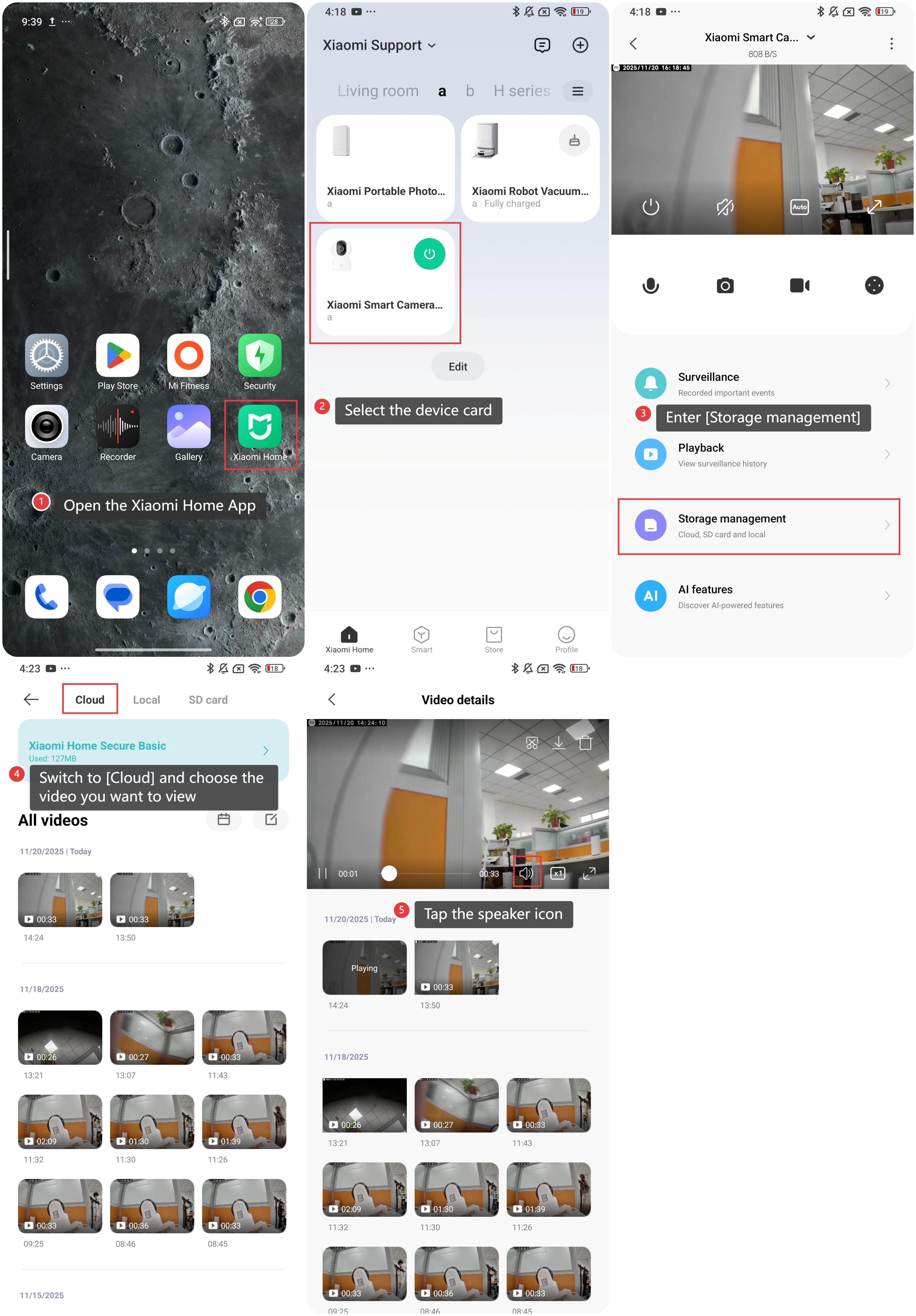
Method 2:
1. Open the Xiaomi Home App on your phone.
2. elect the device card.
3. Enter [Storage management].
4. Switch to [Cloud] and choose the video you want to view.
5. Tap the speaker icon to enable sound playback and review the full audio-visual recording.
Does it help?
Yes
No