

Why does the Xiaomi Pad Mini have a color cast in True Tone Display?
To enhance the display experience, Xiaomi developed True Tone Display 2.0, which adaptively adjusts the screen's display to ambient light and color temperature. It ensures that the display appears more natural and comfortable to the eyes in different lighting environments. This change in screen color temperature is normal.
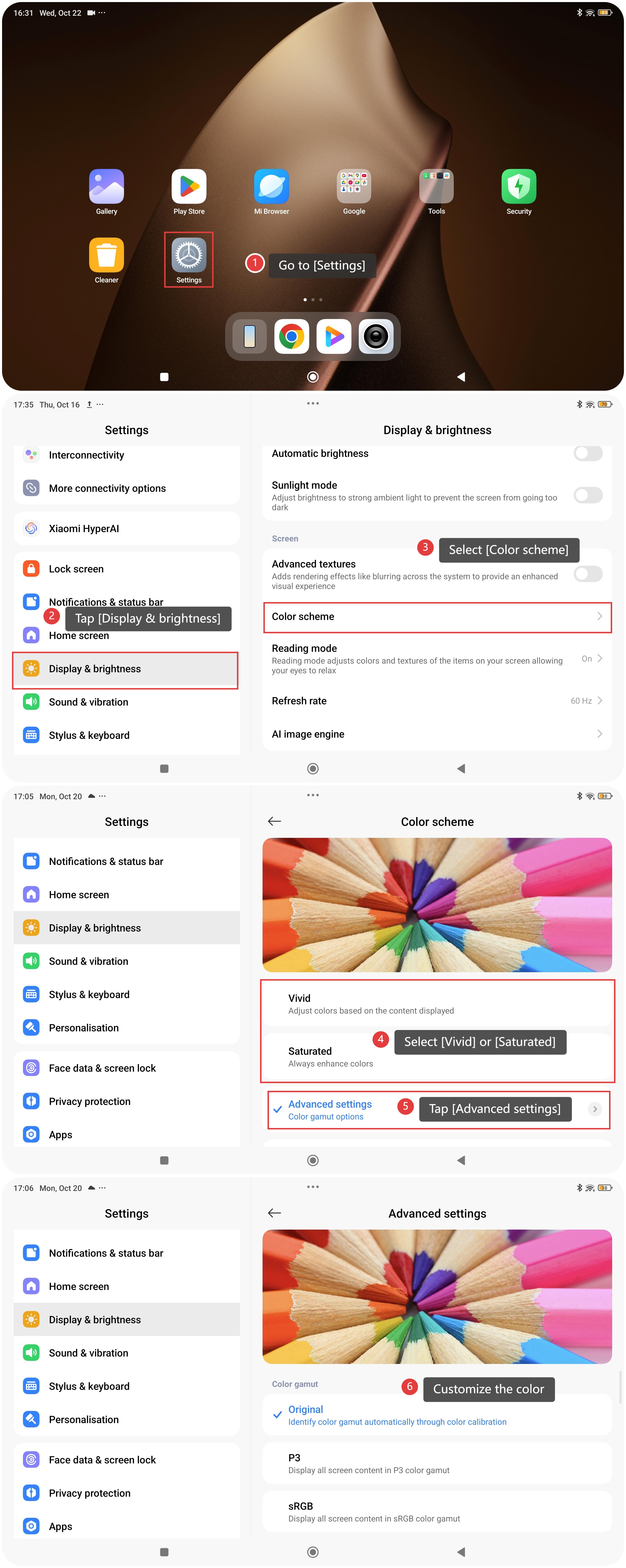
To further enhance the viewing experience with True Tone Display, follow these steps:
- Go to [Settings].
- Tap [Display & brightness].
- Select [Color scheme].
- Select [Vivid] or [Saturated].
- Tap [Advanced settings].
- Customize the color.
Does it help?
Yes
No