

Why does the screen on the Xiaomi Pad Mini appear reddish or greenish in Reading mode?
Thank you for your support of Xiaomi products. All pads undergo rigorous professional inspection before leaving the factory, so that you can use them with confidence.
If the screen on the Xiaomi Pad Mini appears reddish or greenish in Reading mode, you can refer to the following methods:
Method 1:
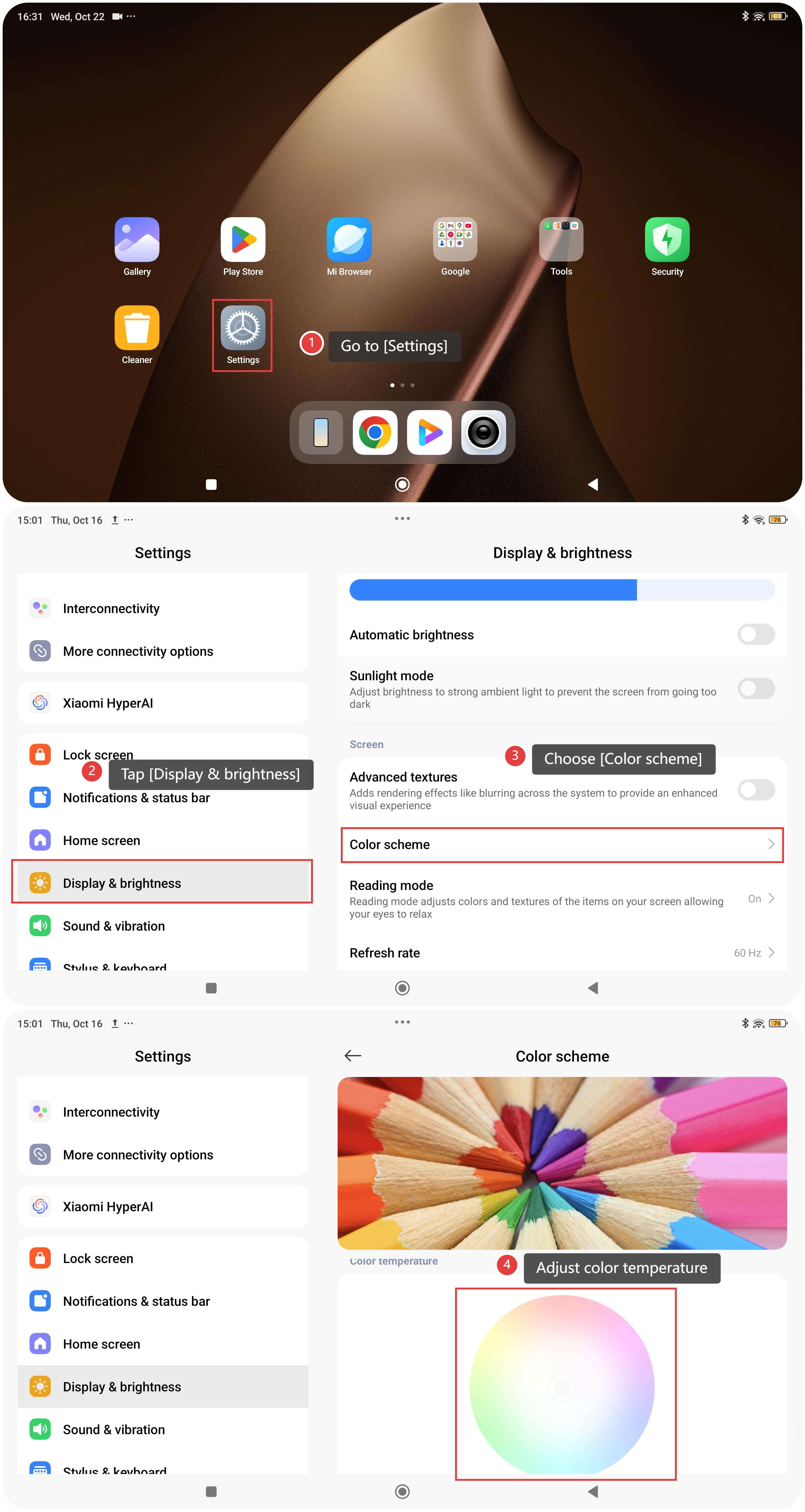
- Go to [Settings].
- Tap [Display & brightness].
- Choose [Color scheme].
- Swipe down to reveal the circular color temperature dial and adjust the color temperature to reduce the degree of color cast.
Method 2:
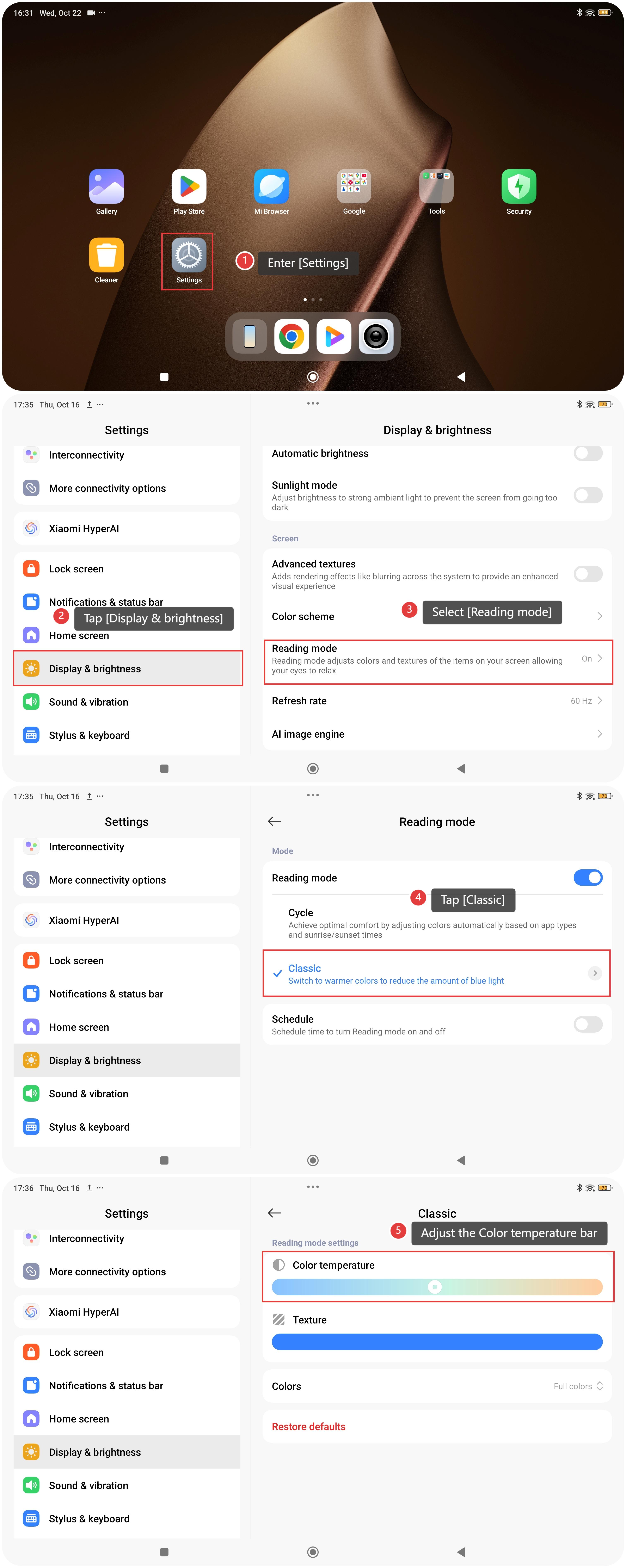
- Enter [Settings].
- Tap [Display & brightness].
- Select [Reading mode].
- Tap [Classic].
- Find the color temperature bar. You can adjust the Color temperature bar to adjust the screen color temperature.
Does it help?
Yes
No