

Why doesn't the Xiaomi Pad Mini recognize an OTG device?
The OTG (On-The-Go) feature on the Xiaomi Pad Mini allows you to connect to and power Type-C devices. If connected earphones, USB drives, or other devices are not recognized, turn on the OTG switch.
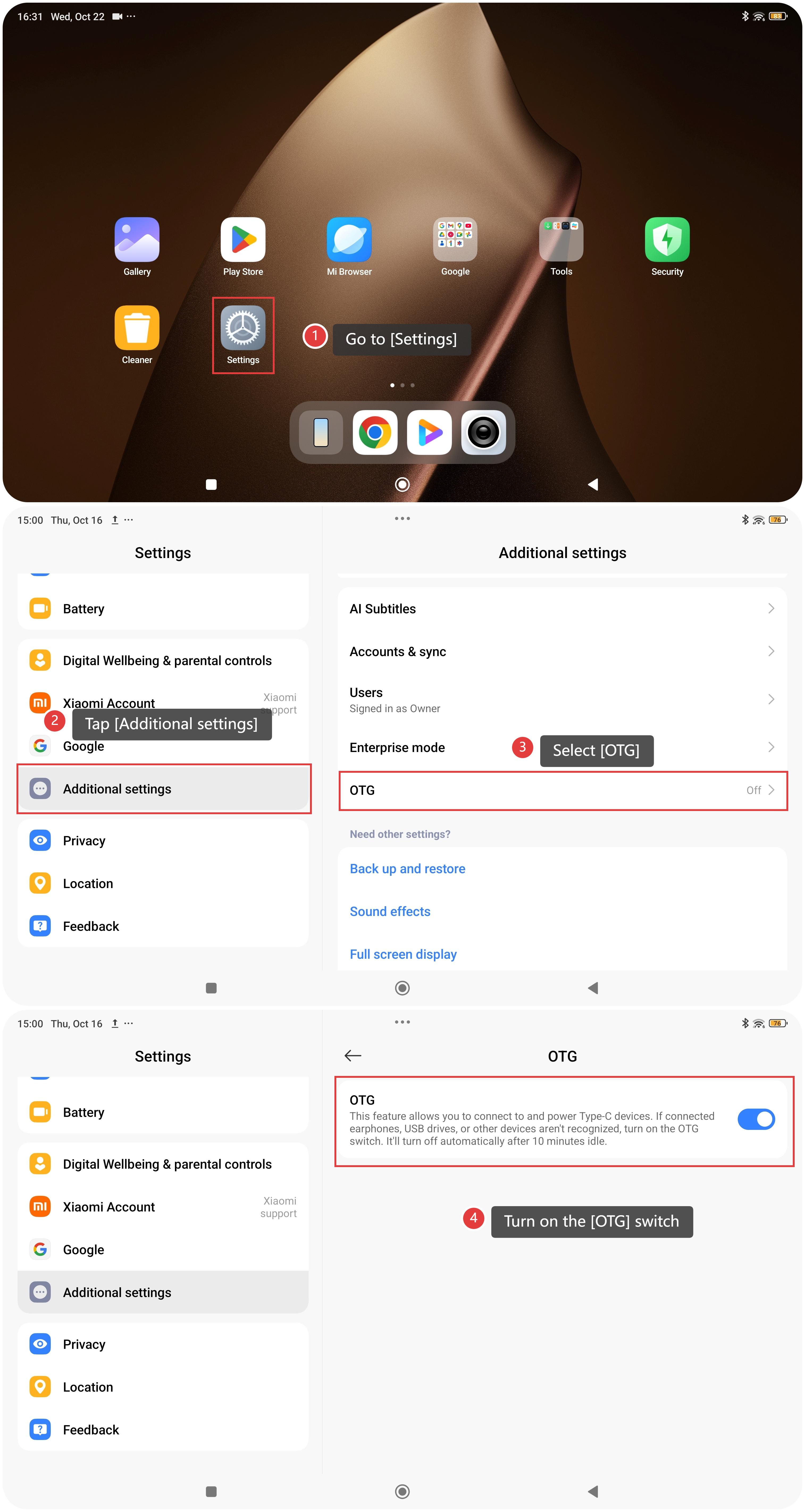
To turn on the OTG switch, please refer to the following steps:
- Go to [Settings].
- Tap [Additional settings].
- Select [OTG].
- Turn on the [OTG] switch, and then plug in the device you want to use.
Note:
- The OTG function will automatically turn off after 10 minutes of inactivity.
- If your device is still not recognized, try reconnecting after re-enabling the OTG switch.
Does it help?
Yes
No