

How to enable TalkBack on the Xiaomi Smart Projector L1 Pro?
The Xiaomi Smart Projector L1 Pro supports enabling TalkBack, a valuable accessibility feature designed to help people with visual impairments navigate and operate the projector more easily. When TalkBack is turned on, the projector provides spoken feedback, describing what appears on the screen and announcing actions as they happen. This makes it possible to browse content, adjust settings, and open apps without needing to rely solely on visual cues. Enabling TalkBack helps create a more inclusive and convenient experience by offering clear audio guidance for every interaction. It also comes in handy when operating the projector in low-light conditions, as the spoken feedback reduces the need to see the display clearly. Tasks such as switching input sources, adjusting volume, or exploring menus can be done more confidently with real-time voice prompts, providing greater independence and ease of use for anyone who prefers or needs auditory support.
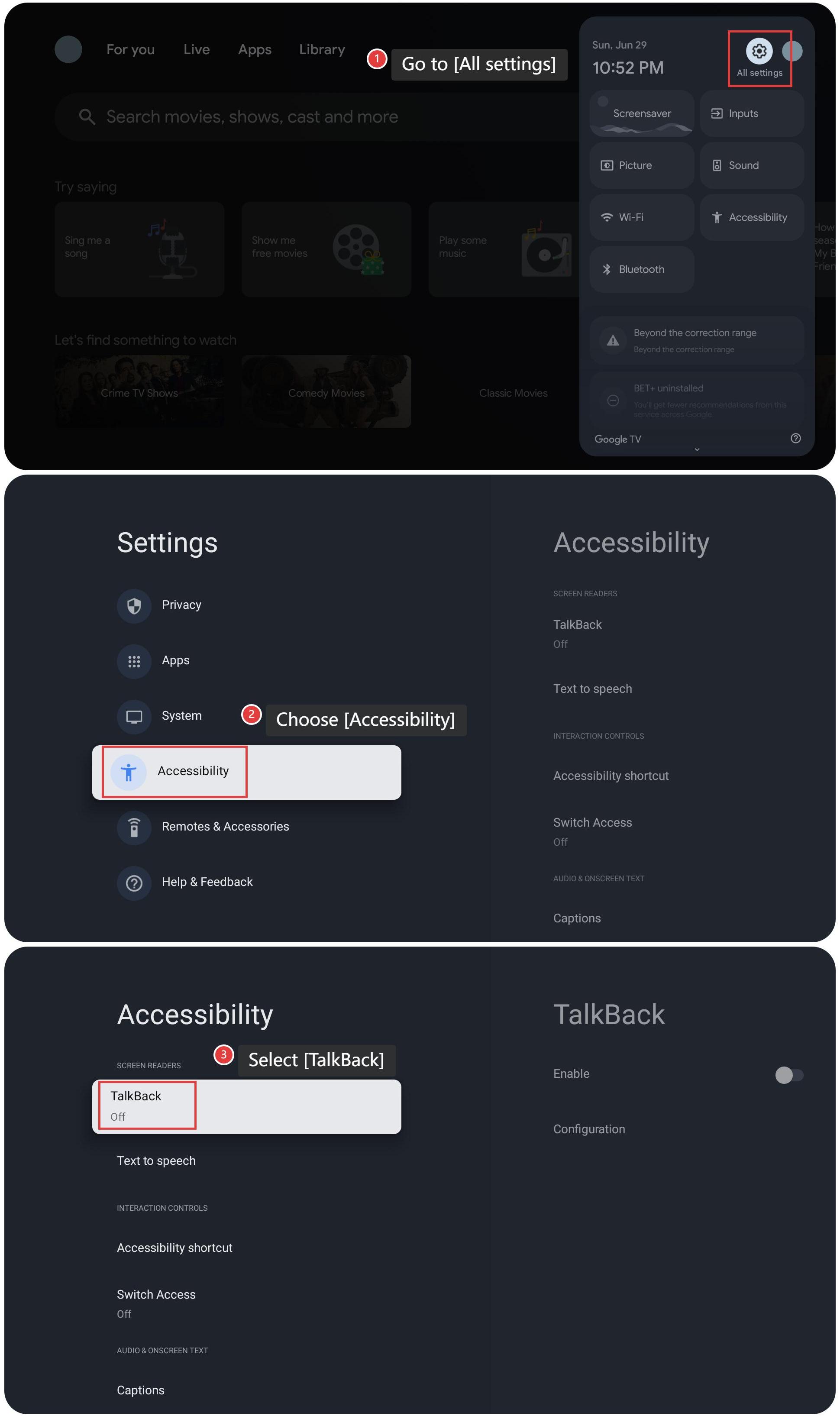
To enable TalkBack on the Xiaomi Smart Projector L1 Pro, please refer to the following steps:
1. Go to [All settings];
2. Choose [Accessibility];
3. Select [TalkBack];
4. Tap [Enable];
5. Select [OK].
To enable TalkBack on the Xiaomi Smart Projector L1 Pro, please refer to the following steps:
1. Go to [All settings];
2. Choose [Accessibility];
3. Select [TalkBack];
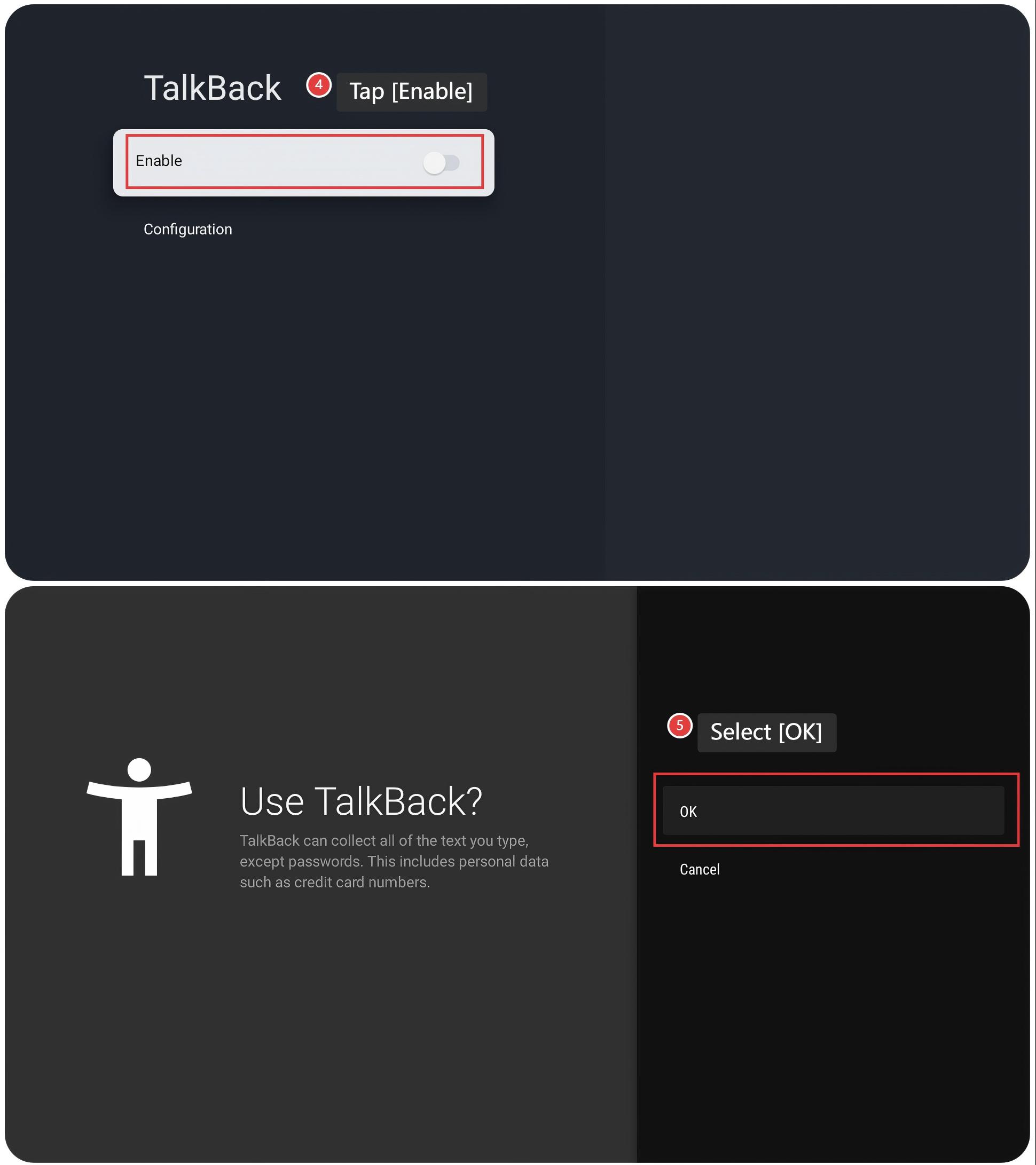
4. Tap [Enable];
5. Select [OK].
Does it help?
Yes
No