

How to manage the location of the Mijia Front Load Washer Dryer 10.5kg on the Mi Home/Xiaomi Home APP?
The The Mijia Front Load Washer Dryer 10.5kg allows you to manage the location in your room in the Mi Home/Xiaomi Home APP. This helps organize multiple smart devices throughout your home by grouping them by location, making navigation and control much more intuitive.
To manage the location of the washing machine on the Mi Home/Xiaomi Home APP, please refer to the following steps:
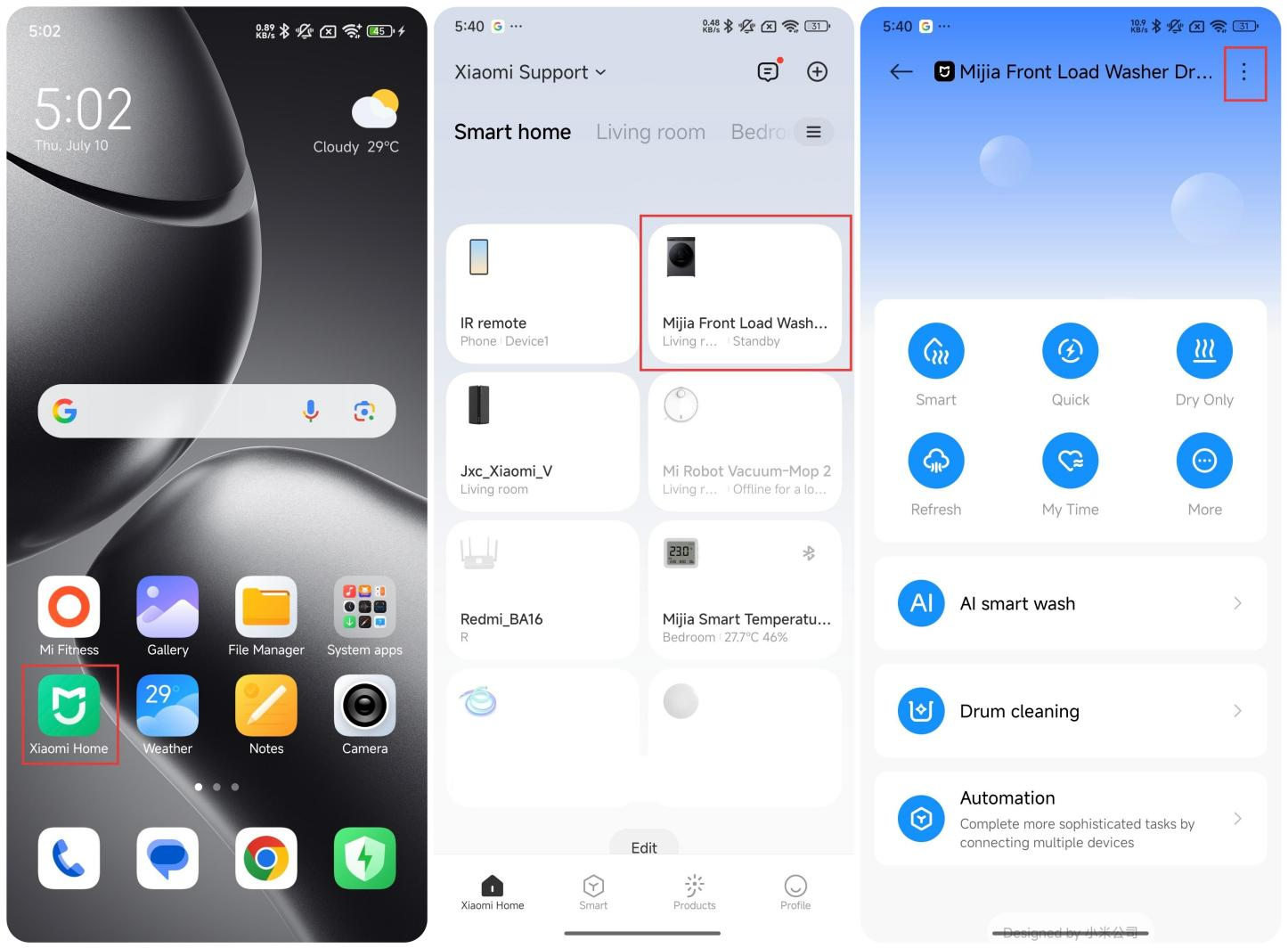
1. Open the Mi Home/Xiaomi Home APP;
2. Tap the [Mijia Front Load Washer Dryer 10.5kg];
3. Tap the three-dots icon on the upper right corner;
To manage the location of the washing machine on the Mi Home/Xiaomi Home APP, please refer to the following steps:
1. Open the Mi Home/Xiaomi Home APP;
2. Tap the [Mijia Front Load Washer Dryer 10.5kg];
3. Tap the three-dots icon on the upper right corner;
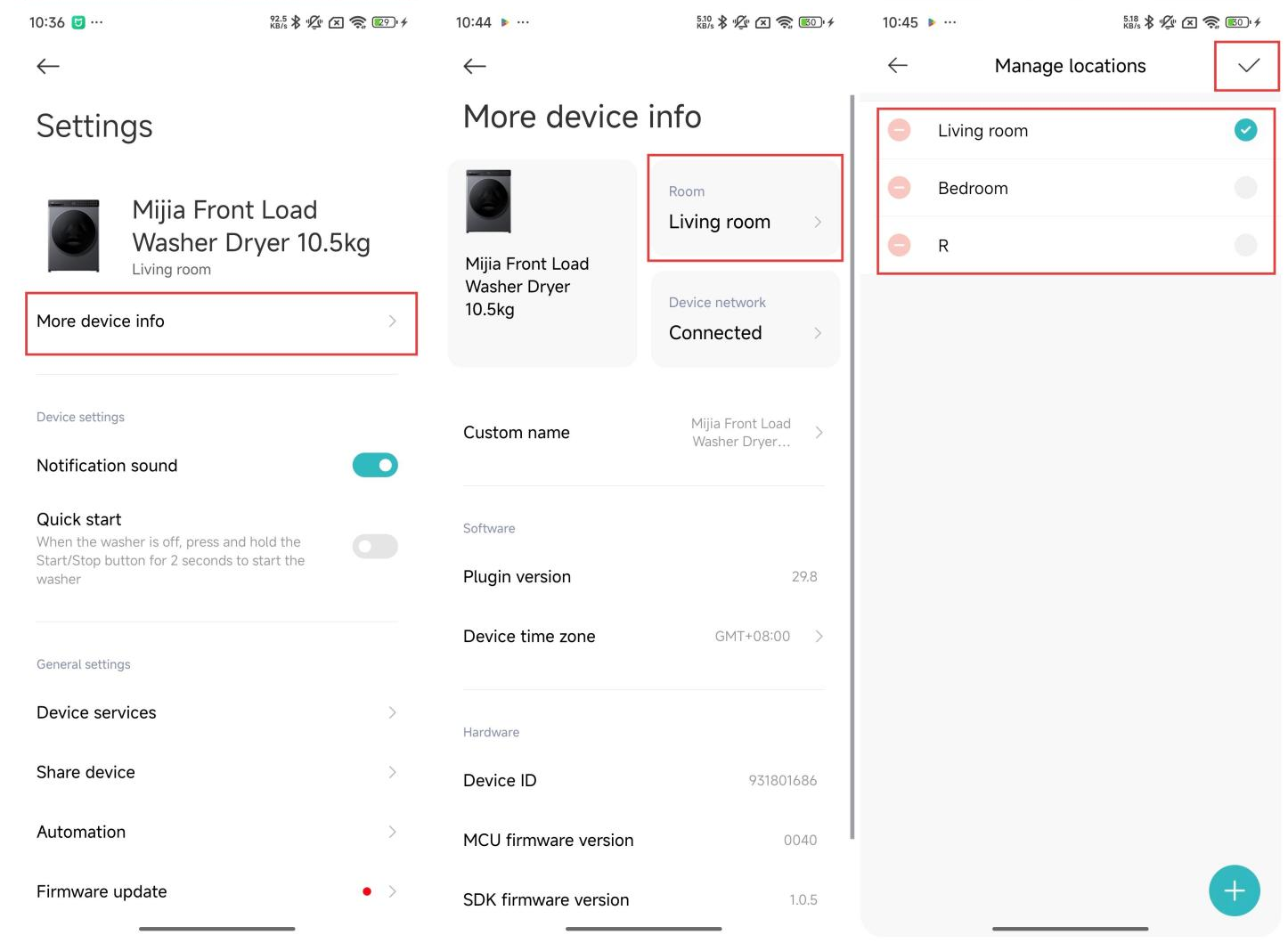
4. Tap [More device info];
5. Tap [Room];
6. Select a room you want to set;
7. Tap [√] icon to confirm.
5. Tap [Room];
6. Select a room you want to set;
7. Tap [√] icon to confirm.
Does it help?
Yes
No