

How to achieve linkage between the Mijia Air Conditioner Pro Eco 5-Star 1 PK Inverter and other devices?
The Mijia Air Conditioner Pro Eco 5-Star 1 PK Inverter supports the Automation function, allowing you to set up automatic triggers and execution commands while linking with other IoT devices. This provides a more energy-efficient, convenient, and automated living experience. For example, the air conditioner can turn on or off automatically based on the current indoor temperature or humidity.
To achieve a smart linkage with other devices, please refer to the following steps:
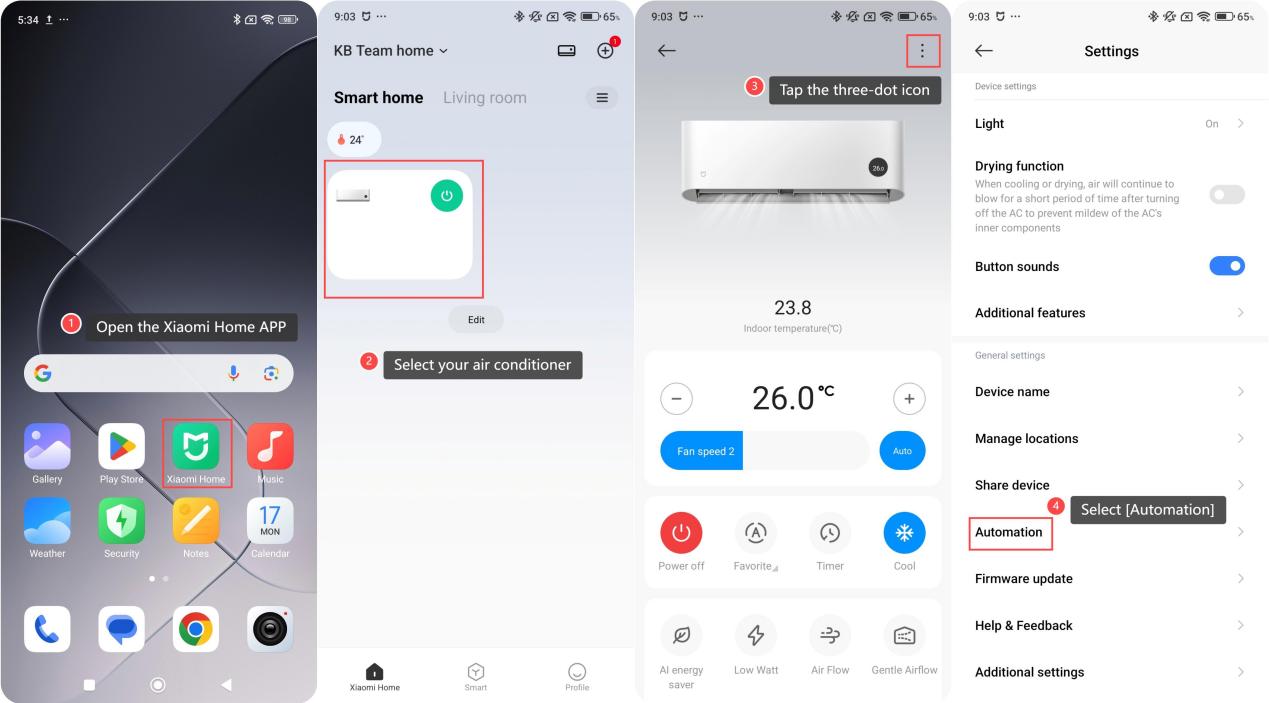
1. Open the Xiaomi Home APP on your phone;
2. Select your air conditioner;
3. Tap the three-dot icon in the upper right corner;
4. Select [Automation];
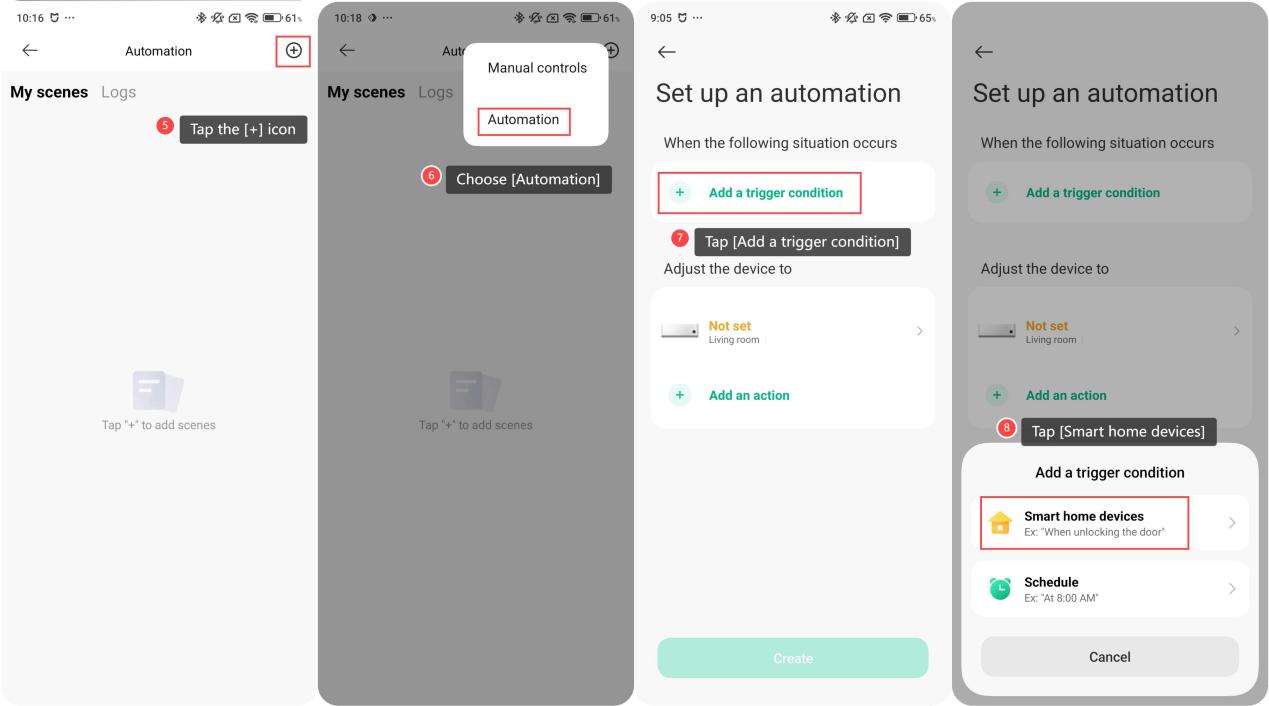
5. Tap the [+] icon in the upper right corner;
6. Choose [Automation];
7. Tap [Add a trigger condition];
8. Then tap [Smart home devices] to select your air conditioner or other devices as the trigger;
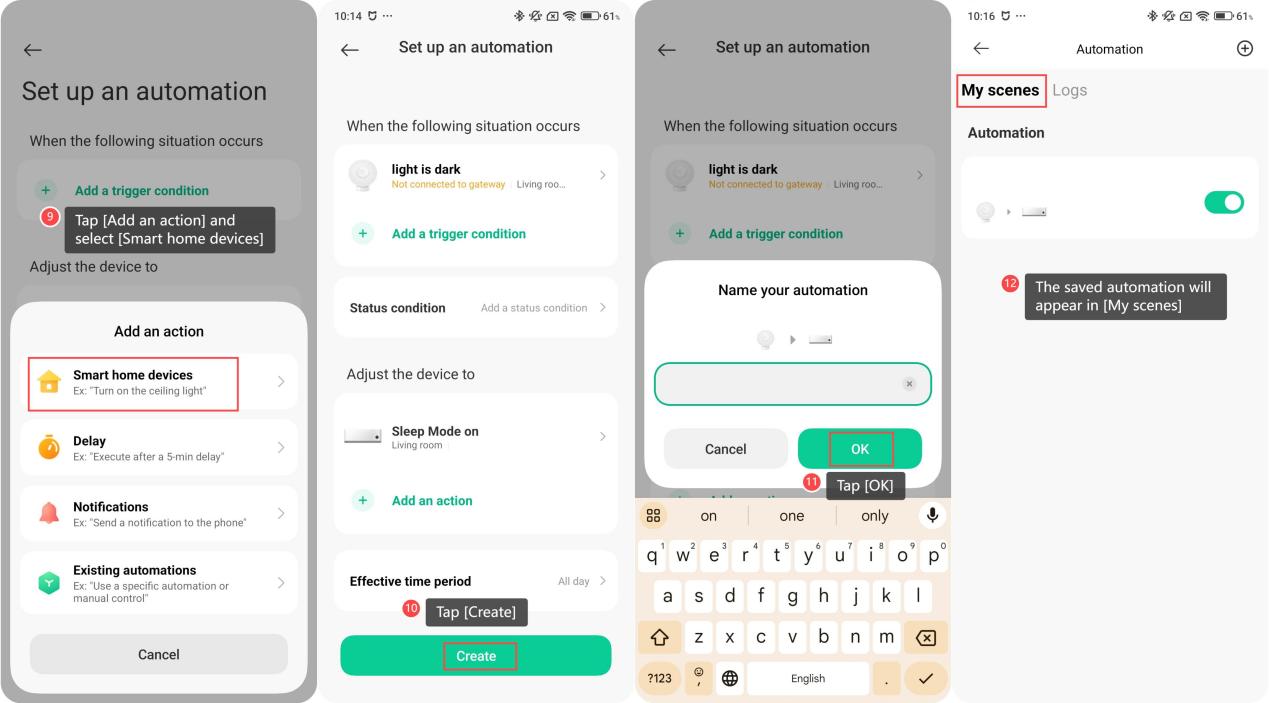
9. Tap [Add an action] and select [Smart home devices] to choose another device as the action;
10. Tap [Create] to save the automation;
11. You can rename your automation and tap [OK] to save;
12. Then, the saved automation will appear in [My scenes]. There is a switch on the right, allowing you to easily turn it on or off for better management of your smart scenes.
To achieve a smart linkage with other devices, please refer to the following steps:
1. Open the Xiaomi Home APP on your phone;
2. Select your air conditioner;
3. Tap the three-dot icon in the upper right corner;
4. Select [Automation];
5. Tap the [+] icon in the upper right corner;
6. Choose [Automation];
7. Tap [Add a trigger condition];
8. Then tap [Smart home devices] to select your air conditioner or other devices as the trigger;
9. Tap [Add an action] and select [Smart home devices] to choose another device as the action;
10. Tap [Create] to save the automation;
11. You can rename your automation and tap [OK] to save;
12. Then, the saved automation will appear in [My scenes]. There is a switch on the right, allowing you to easily turn it on or off for better management of your smart scenes.
Does it help?
Yes
No