

How to review playbacks on the Xiaomi Outdoor Camera AW300?
There are three ways to view recorded playbacks, including surveillance, playback, and storage management.
To review recorded playbacks, please refer to the following methods:
Method 1:
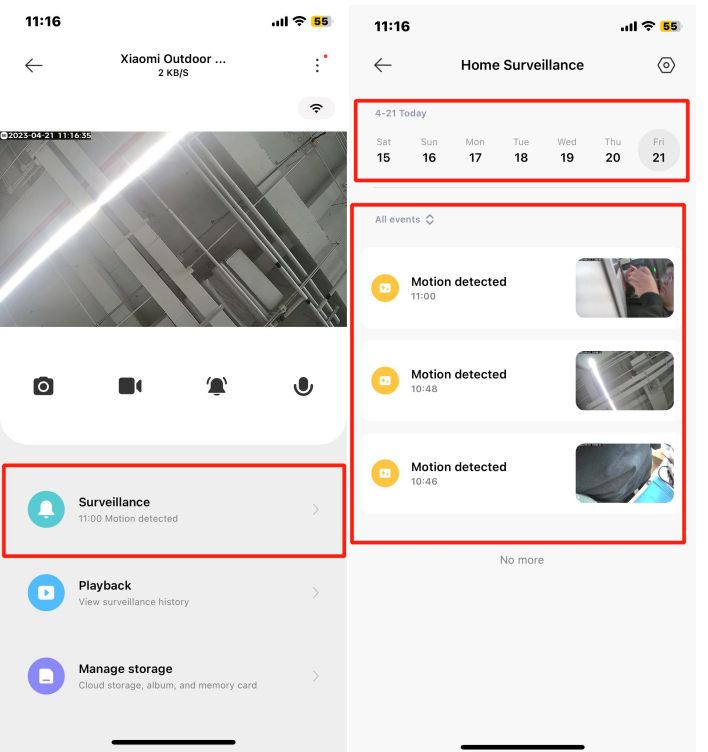
View event-based playbacks (All events, Person detected, Motion detected, Electronic fence triggered, Triggered from smart scene). The event recording duration is 9 seconds by default for not purchasing the Xiaomi Home Secure, with complimentary 7-day storage for free. After this period, the videos will be overwritten on a rolling basis.
Method 2:
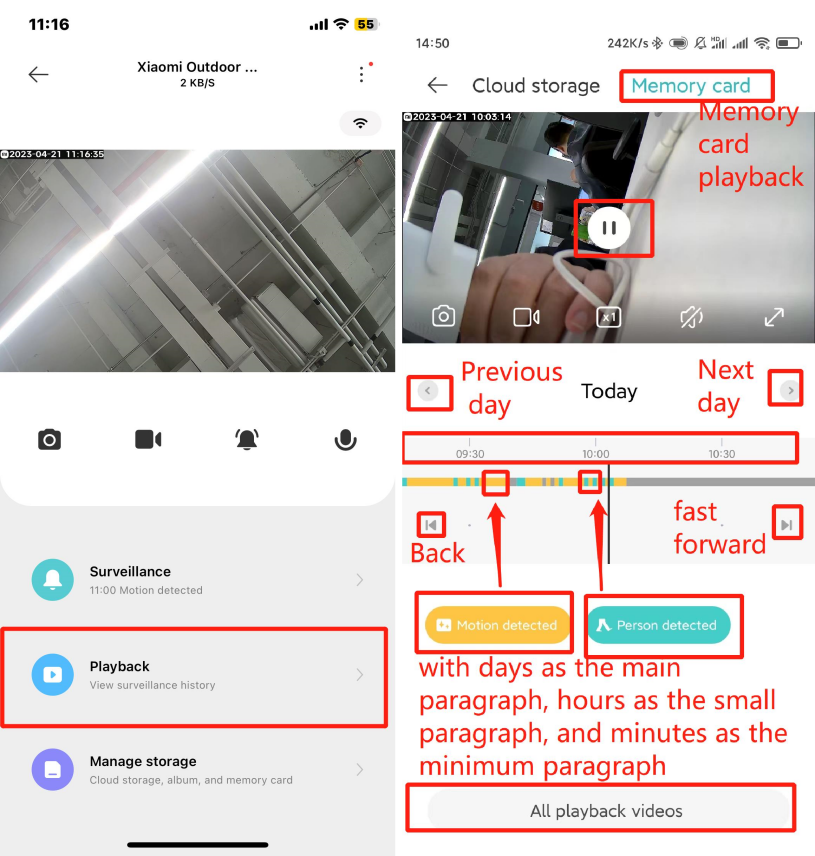
You can view all-day recordings and capture or record key moments during playback. Fast playback is also supported, with options for 4X and 16X speed. Features include pause/play, unmute, full-screen view, navigation to the previous/next day, and turn back/fast-forward. Tap [All playback videos] to access the storage management interface.
Method 3:
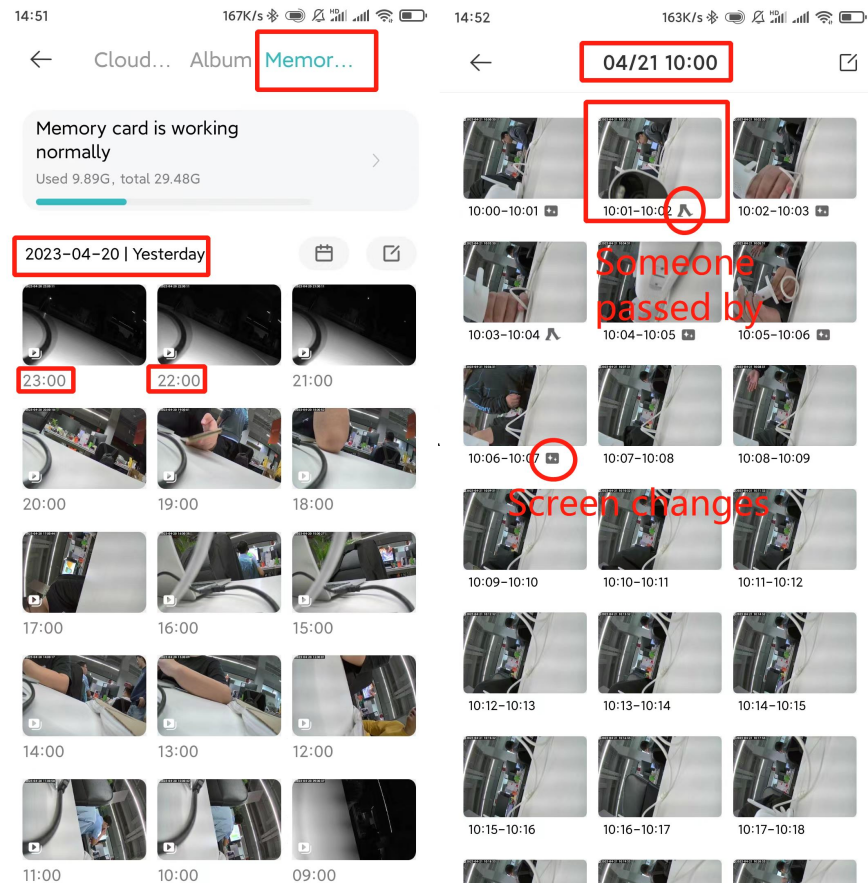
You can view Xiaomi Home Secure, the album (to access downloaded local videos and screenshots), and daily recordings stored on the memory card. Recordings are divided into hourly segments, with the smallest segment being one minute. Recordings can be downloaded locally or deleted as needed.
To review recorded playbacks, please refer to the following methods:
Method 1:
View event-based playbacks (All events, Person detected, Motion detected, Electronic fence triggered, Triggered from smart scene). The event recording duration is 9 seconds by default for not purchasing the Xiaomi Home Secure, with complimentary 7-day storage for free. After this period, the videos will be overwritten on a rolling basis.
Method 2:
You can view all-day recordings and capture or record key moments during playback. Fast playback is also supported, with options for 4X and 16X speed. Features include pause/play, unmute, full-screen view, navigation to the previous/next day, and turn back/fast-forward. Tap [All playback videos] to access the storage management interface.
Method 3:
You can view Xiaomi Home Secure, the album (to access downloaded local videos and screenshots), and daily recordings stored on the memory card. Recordings are divided into hourly segments, with the smallest segment being one minute. Recordings can be downloaded locally or deleted as needed.
Does it help?
Yes
No