

How to set up the electronic fence protection of the Xiaomi Outdoor Camera AW300?
The Xiaomi Outdoor Camera AW300 supports the electronic fence protection feature. After enabling this feature, when someone enters the fence, the camera will make an alert. You can customize the fence area and trigger conditions.
To set up the electronic fence protection of your camera, please refer to the following steps:
1. Open the Mi Home/Xiaomi Home APP;
2. Select the camera;
3. Tap the [...] icon in the upper right corner;
4. Select [Home monitoring] and enable this feature;
5. Tap [Enable electronic fence protection] and enable it;
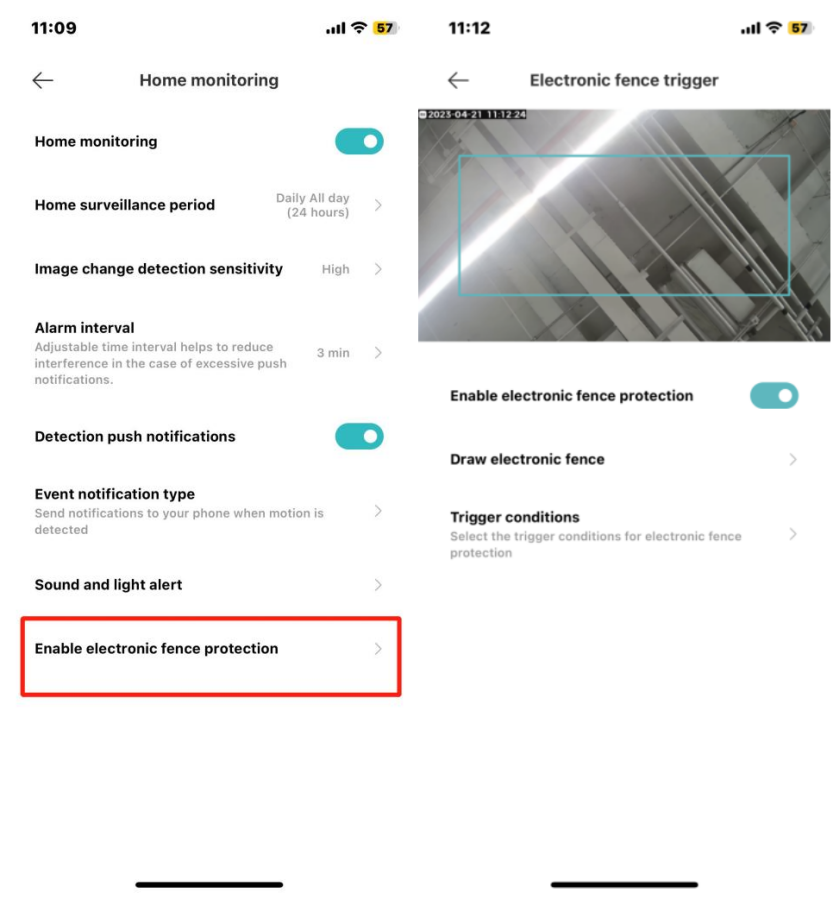
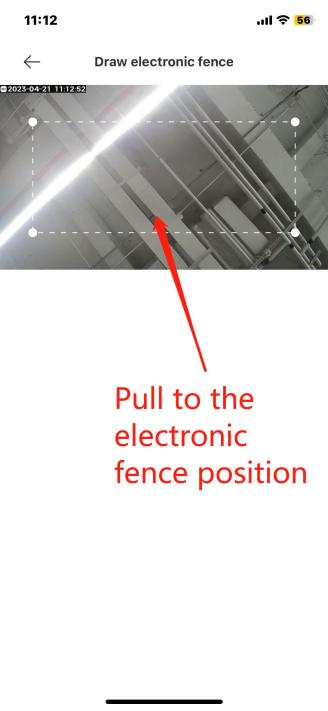
6. Tap [Draw electronic fence] to adjust the position and size of the fence area, which is a rectangle. The minimum size is a square with 10% of the width, and the maximum size is when the distance from the four corner points to the edges is 5% of the width;
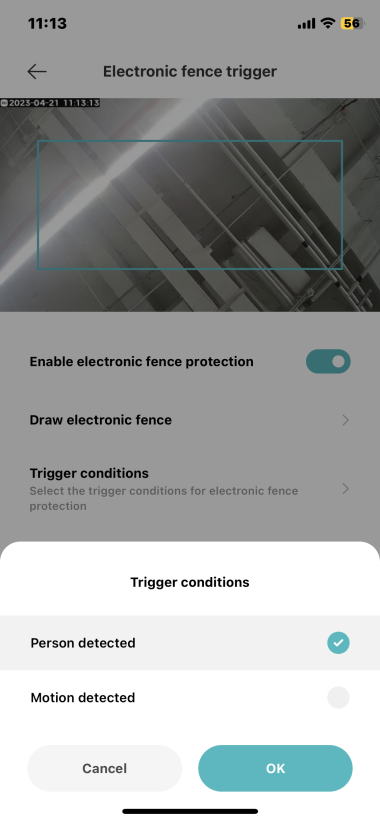
7. Tap [Trigger conditions] and select between [Person detected] and [Motion detected].
To set up the electronic fence protection of your camera, please refer to the following steps:
1. Open the Mi Home/Xiaomi Home APP;
2. Select the camera;
3. Tap the [...] icon in the upper right corner;
4. Select [Home monitoring] and enable this feature;
5. Tap [Enable electronic fence protection] and enable it;
6. Tap [Draw electronic fence] to adjust the position and size of the fence area, which is a rectangle. The minimum size is a square with 10% of the width, and the maximum size is when the distance from the four corner points to the edges is 5% of the width;
7. Tap [Trigger conditions] and select between [Person detected] and [Motion detected].
Does it help?
Yes
No