

How to collage photos on the Xiaomi 14T?
The Xiaomi 14T supports the function to collage photos, which allows you to tell a story with multiple photos, showing different perspectives or stages in a sequence all at once. Instead of uploading or sending individual photos, a collage lets you compile and share them as one image, reducing the need to sort through many separate images. With customizable layouts and sizes, you can highlight specific photos, making certain moments stand out while supporting others around them for added context.
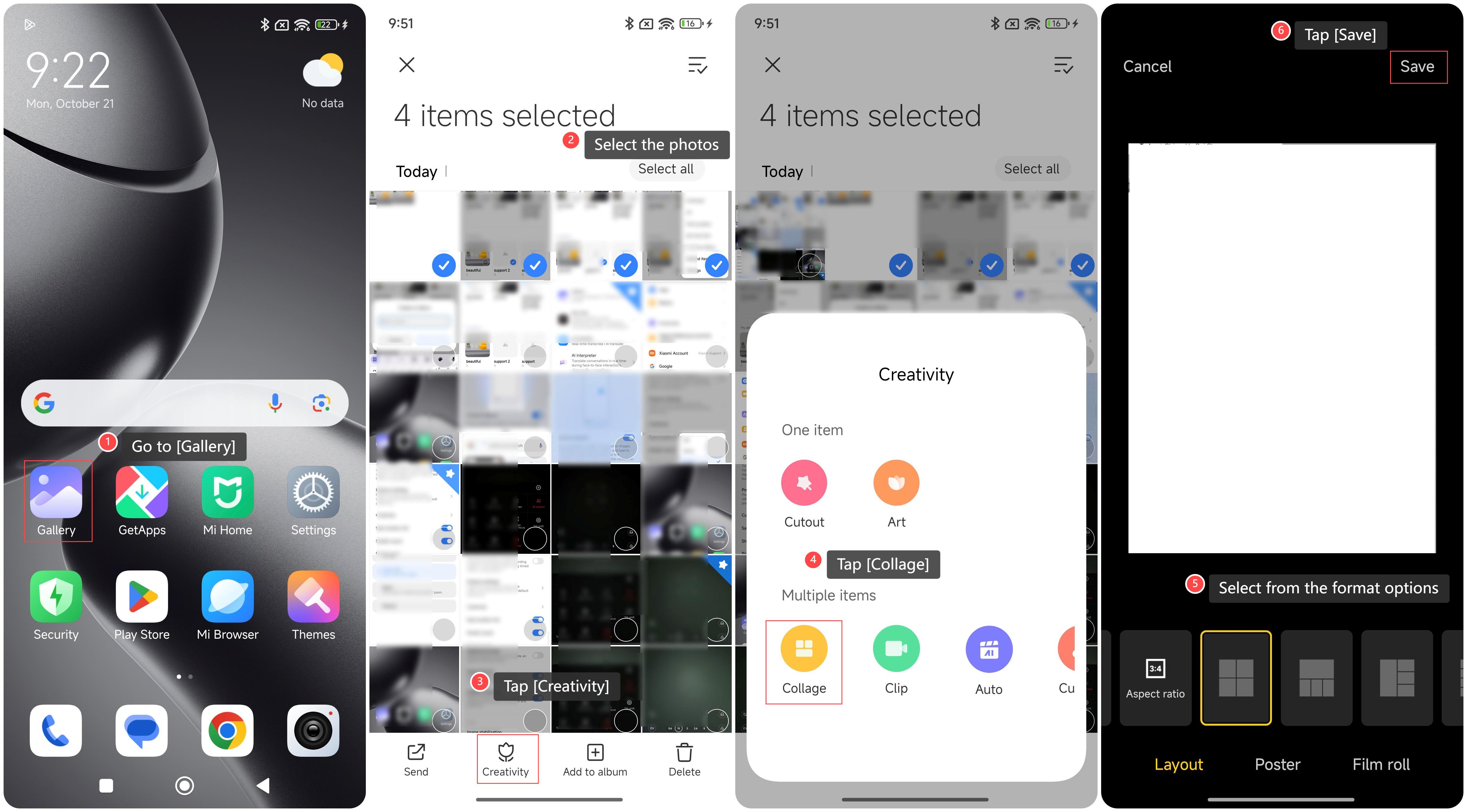
To collage photos on the phone, please refer to the following steps:
1. Go to [Gallery];
2. Select the photos you want to collage;
3. Tap [Creativity];
4. Tap [Collage];
5. Select from the format options;
6. Tap [Save].
To collage photos on the phone, please refer to the following steps:
1. Go to [Gallery];
2. Select the photos you want to collage;
3. Tap [Creativity];
4. Tap [Collage];
5. Select from the format options;
6. Tap [Save].
Does it help?
Yes
No