

How to use the Circle to Search feature on the Xiaomi 14T Pro?
The Xiaomi 14T Pro supports the Circle to Search function. Circle, highlight, scribble, or tap text or images anywhere on your screen to select and search. You can touch and hold the Home icon or the full-screen indicator to search using the content on your screen.
To use the Circle to Search function on the Xiaomi 14T Pro in different system navigation, please refer to the following methods:
Method 1:
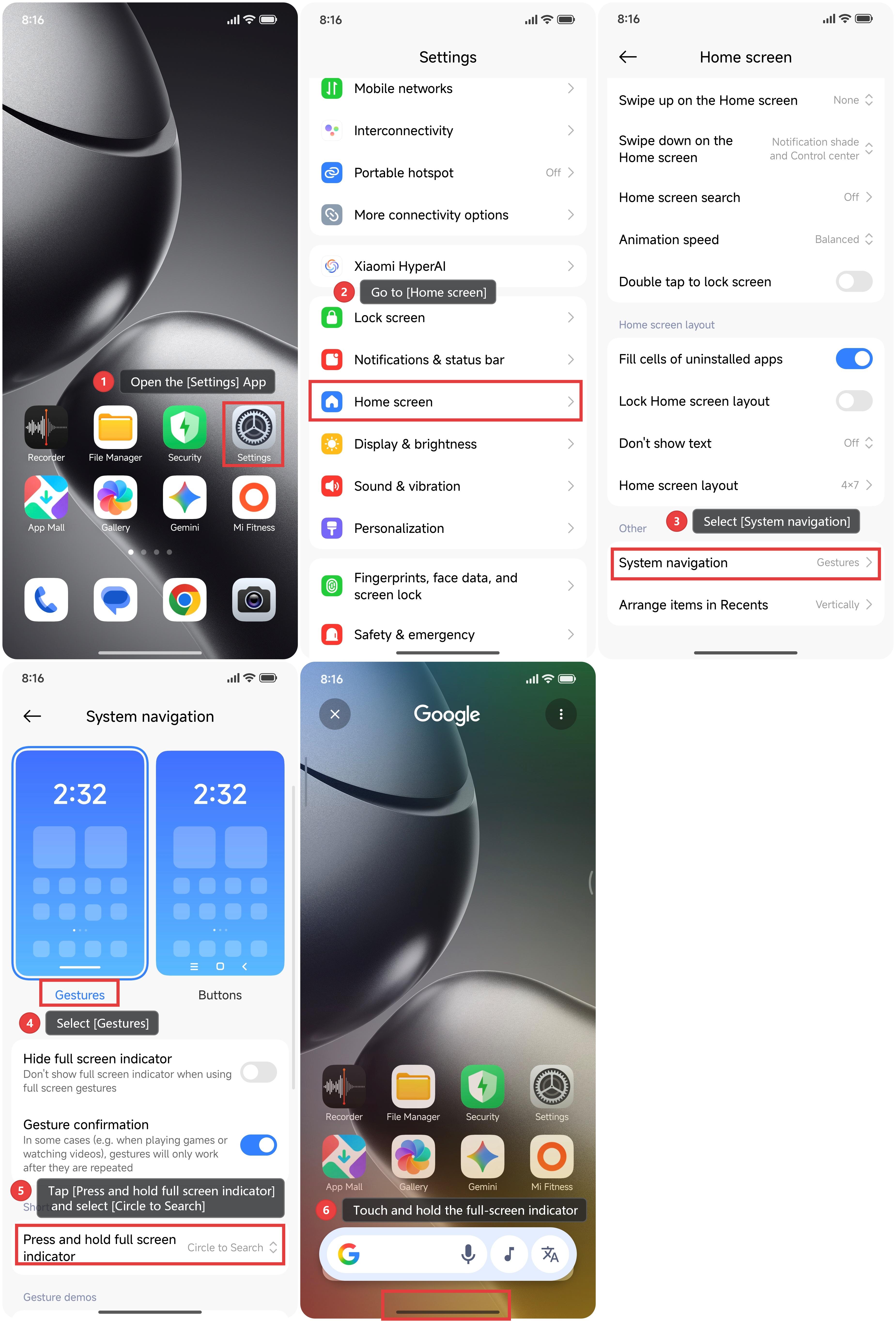
1. Open the [Settings] App.
2. Go to [Home screen].
3. Select [System navigation].
4. Select [Gestures].
5. Tap [Press and hold full screen indicator] and select [Circle to Search]. The Circle to Search function is set by default.
6. Touch and hold the full-screen indicator at the bottom of the screen.
7. When the Circle to Search interface appears, tap the text or circle the image of the area you want to search.
8. The system will automatically provide search results based on the selected content.
Method 2:
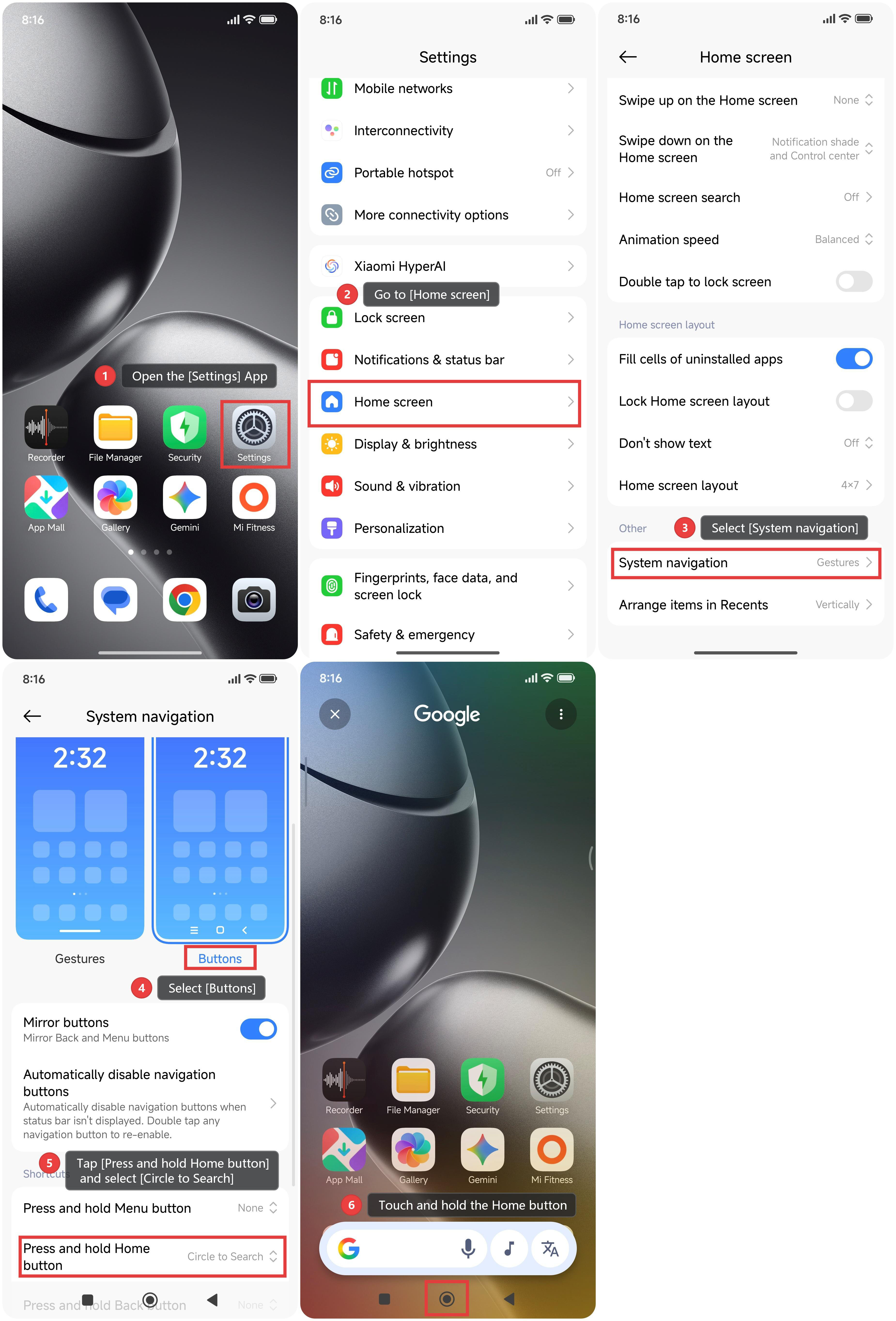
1. Open the [Settings] App.
2. Go to [Home screen].
3. Select [System navigation].
4. Select [Buttons].
5. Tap [Press and hold Home button] and select [Circle to Search]. The Circle to Search function is set by default.
6. Touch and hold the Home button at the bottom of the screen.
7. When the Circle to Search interface appears, tap the text or circle the image of the area you want to search.
8. The system will automatically provide search results based on the selected content.
Does it help?
Yes
No