

How to add a Leica watermark for a photo on the Xiaomi 14T Pro?
The Xiaomi 14T Pro supports adding a Leica watermark for a photo, which can help protect intellectual property by indicating the ownership of the image. This discourages unauthorized use or distribution of the photo. In cases where photos are used for legal or professional purposes, a watermark can serve as proof of authenticity, demonstrating that the image has not been tampered with or altered.
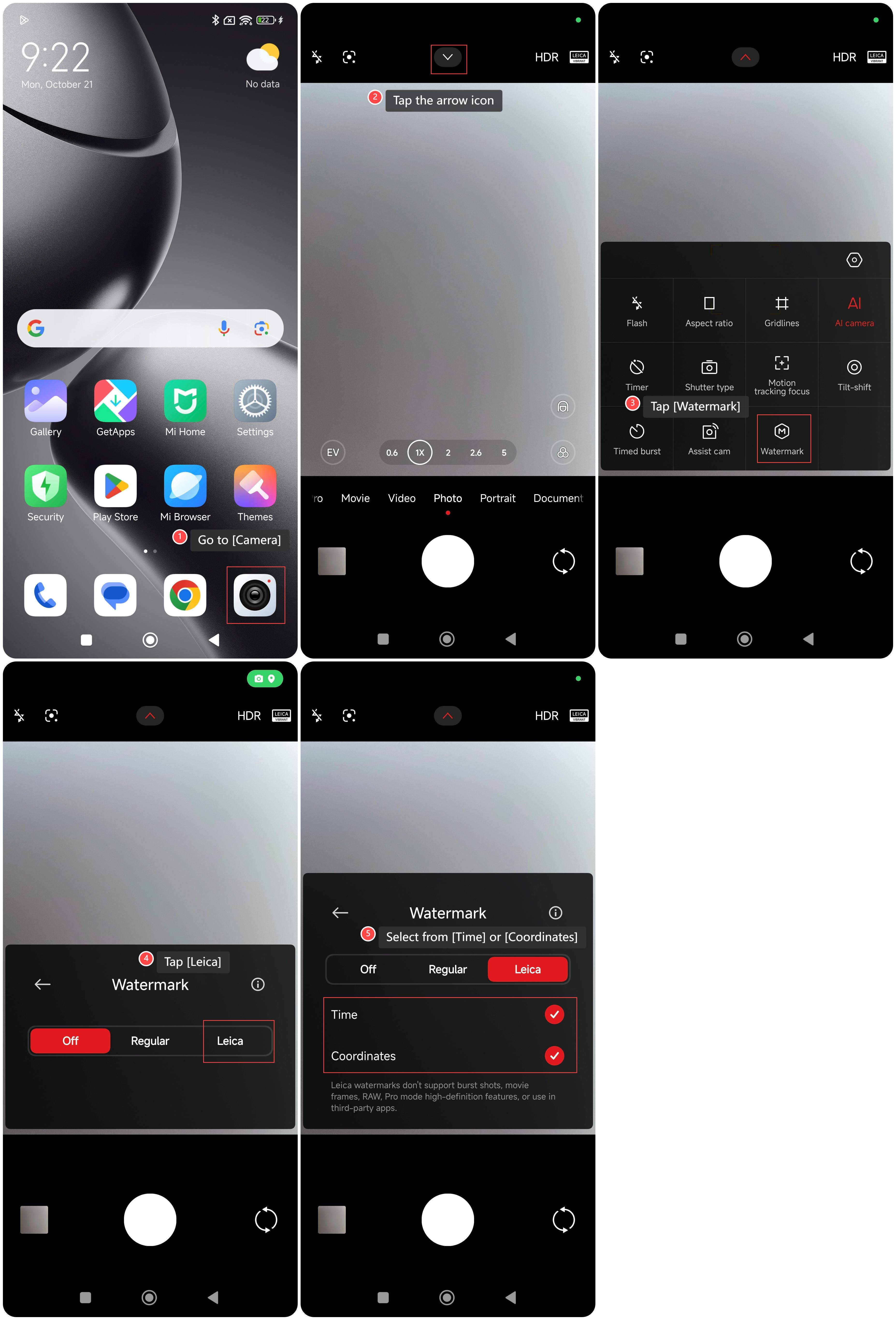
To add a Leica watermark for a photo on your phone, please refer to the following methods:
Method 1:
1. Go to [Camera];
2. Tap the arrow icon;
3. Tap [Watermark];
4. Tap [Leica];
5. Select from [Time] or [Coordinates] according to your needs.
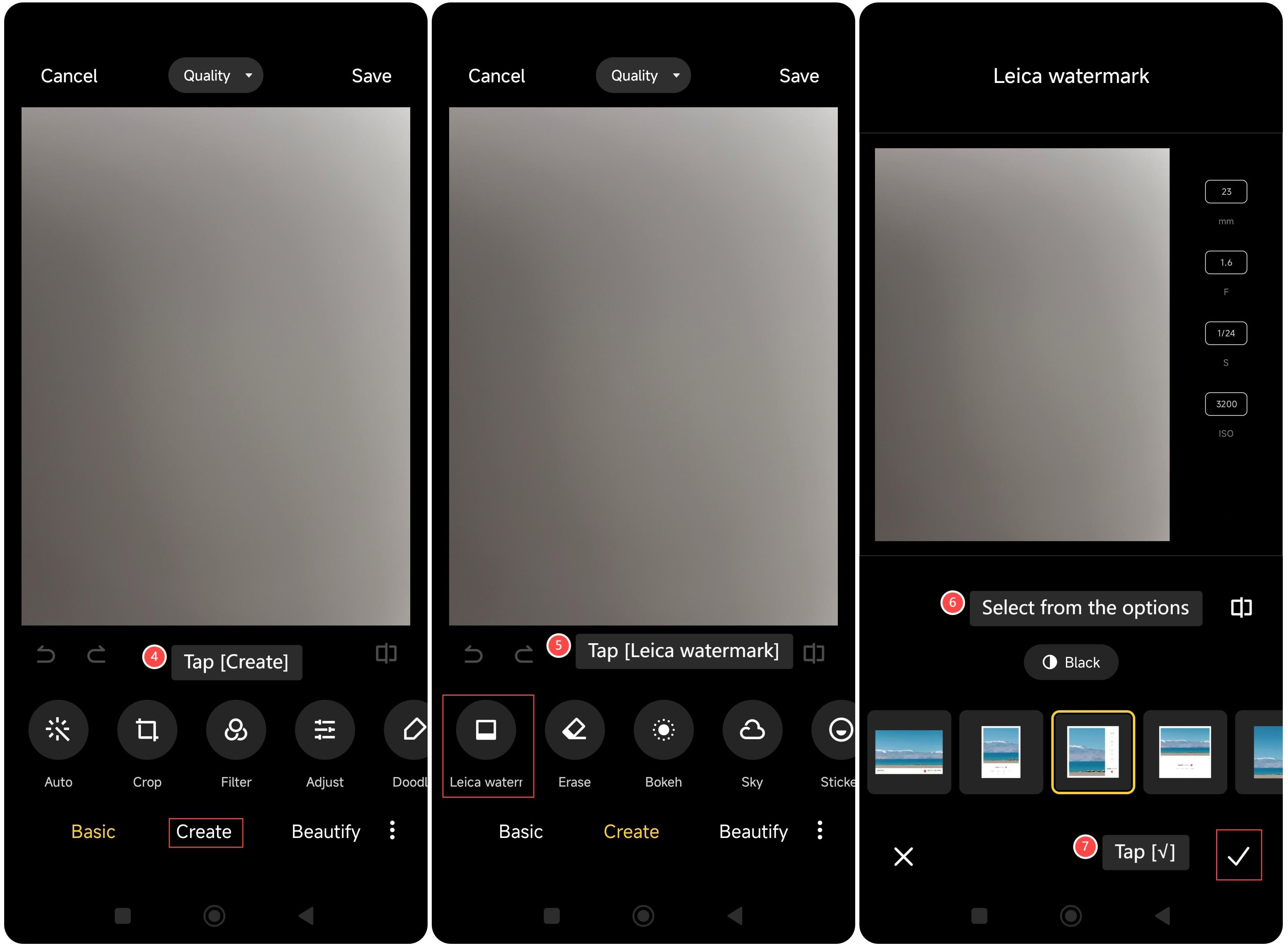
Method 2:
1. Go to [Gallery];
2. Select the photo that you want to add a Leica watermark;
3. Tap the pencil icon;

4. Tap [Create];
5. Tap [Leica watermark];
6. Select from the options according to your needs;
7. Tap [√].
To add a Leica watermark for a photo on your phone, please refer to the following methods:
Method 1:
1. Go to [Camera];
2. Tap the arrow icon;
3. Tap [Watermark];
4. Tap [Leica];
5. Select from [Time] or [Coordinates] according to your needs.
Method 2:
1. Go to [Gallery];
2. Select the photo that you want to add a Leica watermark;
3. Tap the pencil icon;
4. Tap [Create];
5. Tap [Leica watermark];
6. Select from the options according to your needs;
7. Tap [√].
Does it help?
Yes
No