

How to set keyboard, mouse, and track pad on the Xiaomi 14T Pro?
To extend the functionality and convenience of your phone, the Xiaomi 14T Pro allows you to connect a keyboard, mouse, and track pad and interact with these devices like a traditional computer.
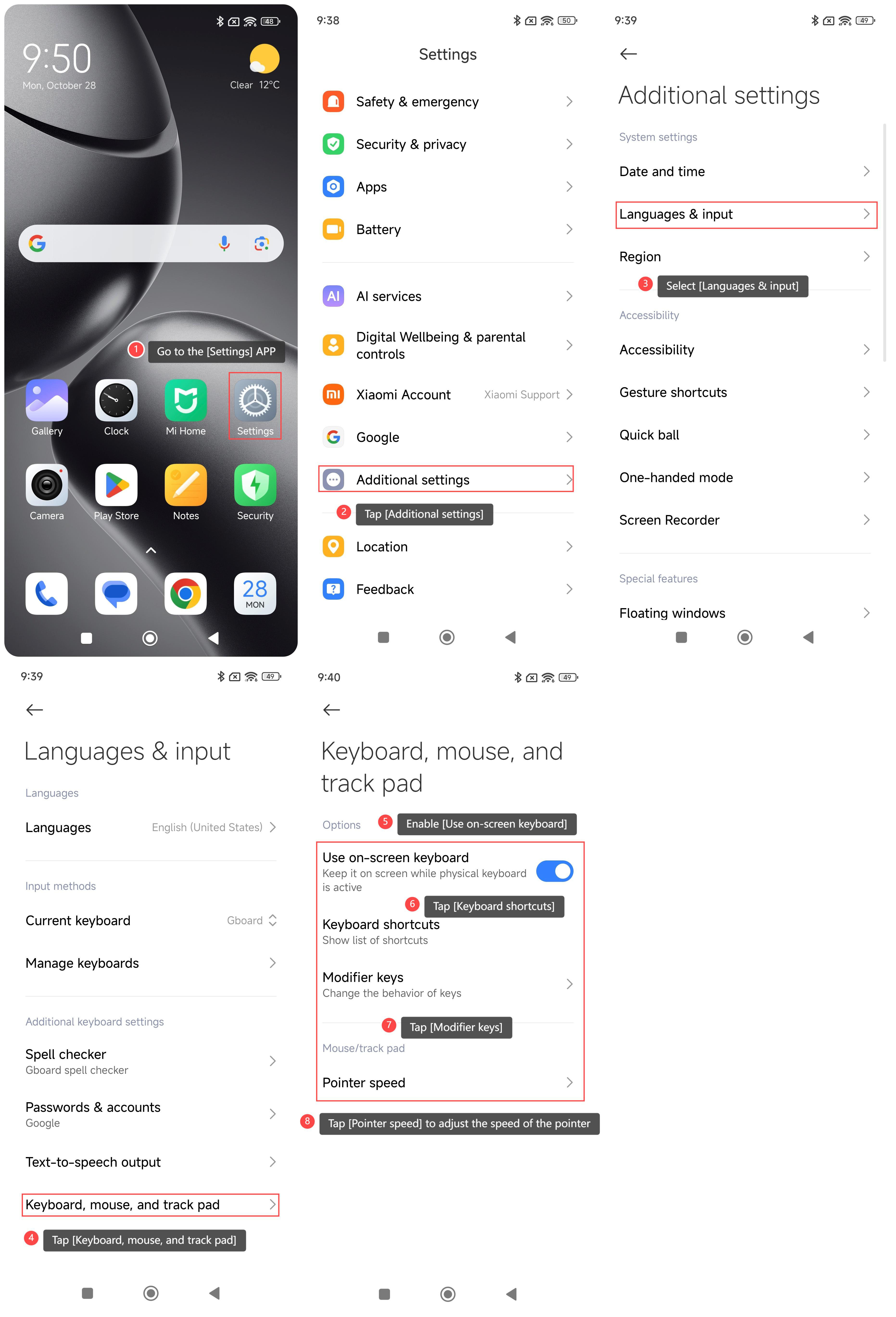
To set up the keyboard, mouse, and track pad on your phone, please refer to the following steps:
1. Go to the [Settings] APP on your phone;
2. Tap [Additional settings];
3. Select [Languages & input];
4. Tap [Keyboard, mouse, and track pad];
5. Enable [Use on-screen keyboard] and you can keep it on screen while the physical keyboard is active;
6. Tap [Keyboard shortcuts] and you can view the list of shortcuts;
7. Tap [Modifier keys] and you can change the behavior of keys;
8. Additionally, you can tap [Pointer speed] to adjust the speed of the pointer.
To set up the keyboard, mouse, and track pad on your phone, please refer to the following steps:
1. Go to the [Settings] APP on your phone;
2. Tap [Additional settings];
3. Select [Languages & input];
4. Tap [Keyboard, mouse, and track pad];
5. Enable [Use on-screen keyboard] and you can keep it on screen while the physical keyboard is active;
6. Tap [Keyboard shortcuts] and you can view the list of shortcuts;
7. Tap [Modifier keys] and you can change the behavior of keys;
8. Additionally, you can tap [Pointer speed] to adjust the speed of the pointer.
Does it help?
Yes
No