

How to unlock the Xiaomi 14T Pro with Bluetooth devices?
On the Xiaomi 14T Pro, you can unlock the screen with Bluetooth devices, making it convenient for quick access without needing to enter a password or use a fingerprint.
To unlock the Xiaomi 14T Pro with Bluetooth devices, please refer to the following steps:
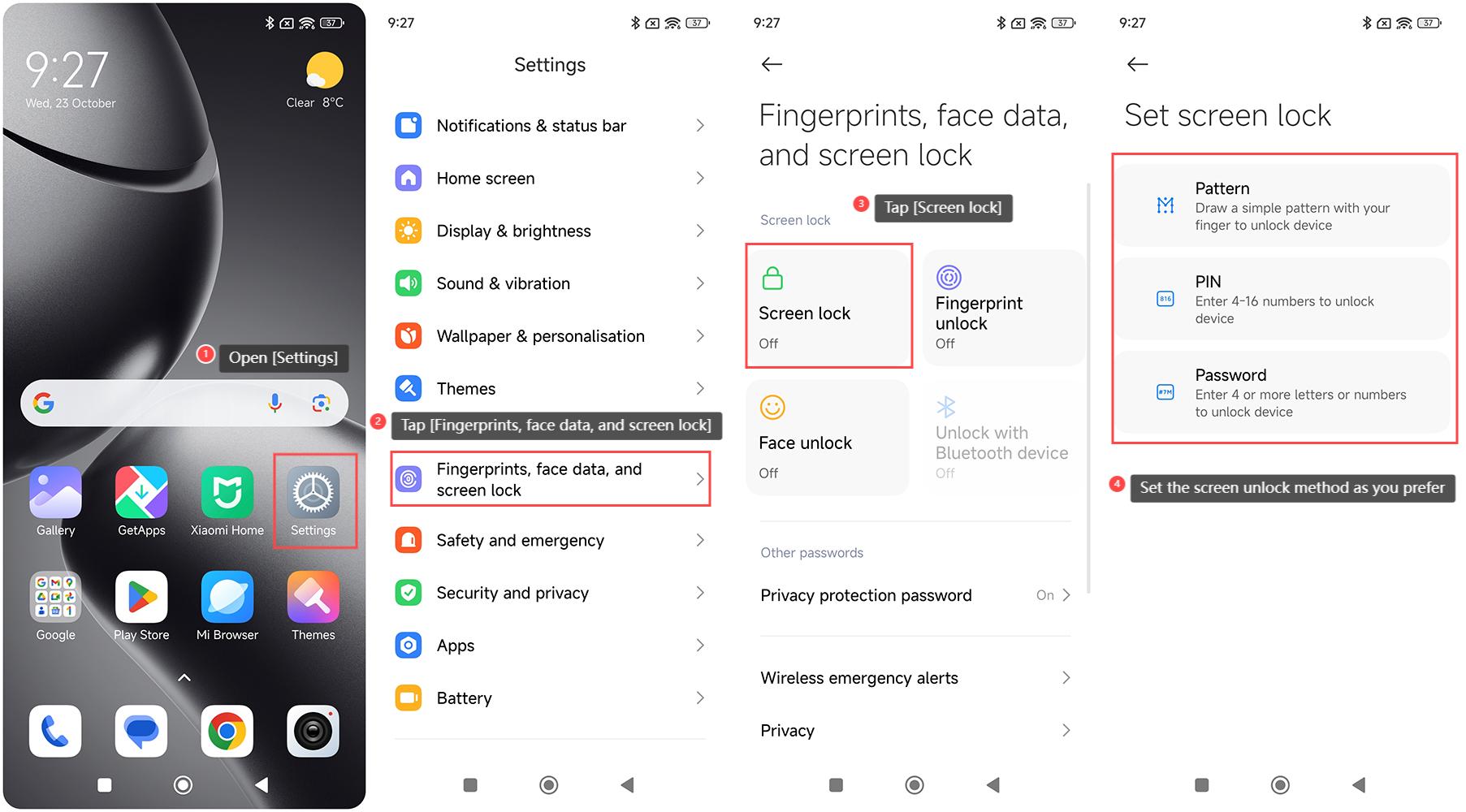
1. Navigate to [Settings] on your phone;
2. Swipe down and tap [Fingerprints, face data, and screen lock];
3. Tap [Screen lock];
4. This interface includes three methods: Pattern, PIN, and Password. You can set the screen unlock method as you prefer;
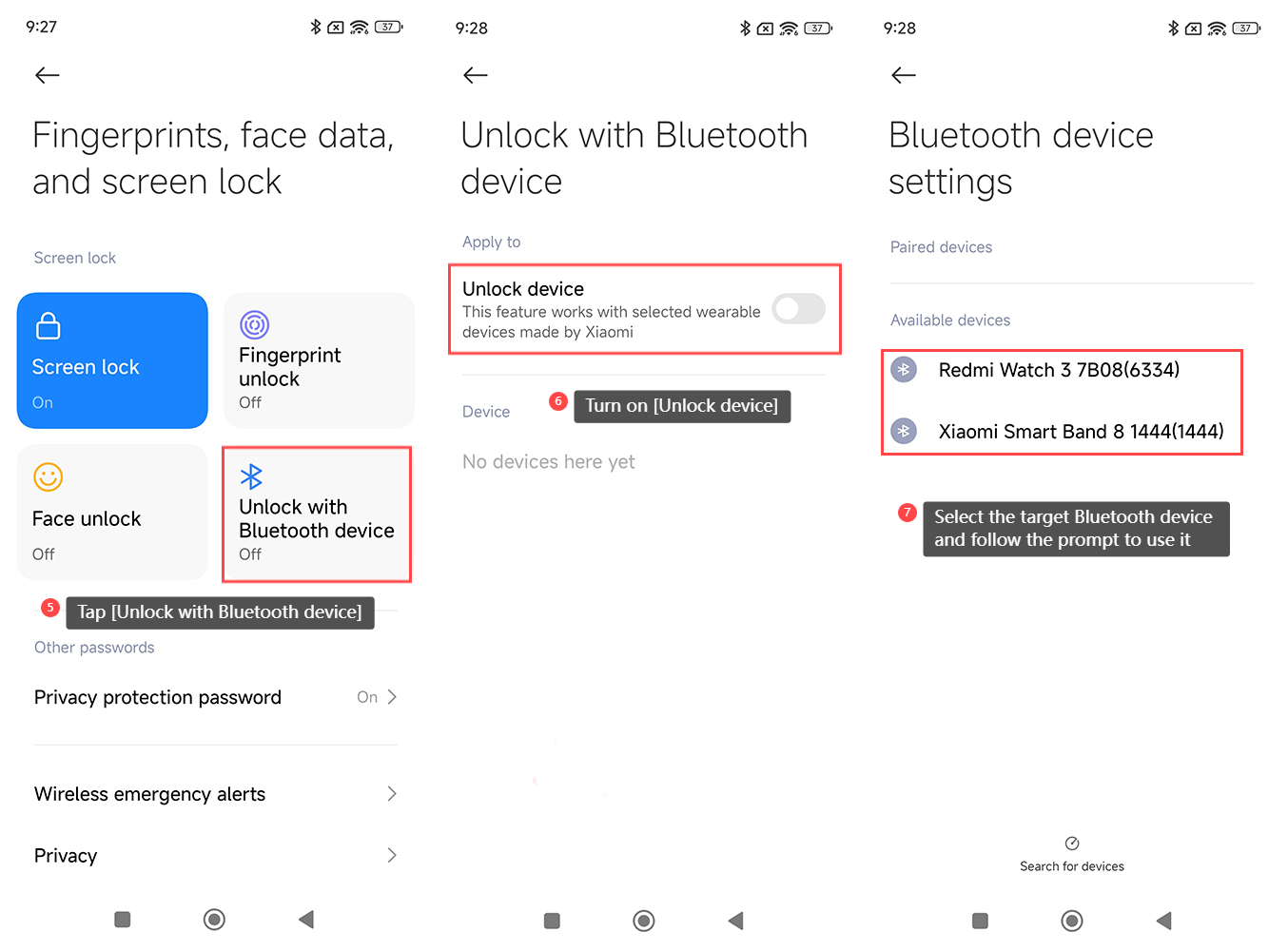
5. Tap [Unlock with Bluetooth device];
6. Turn on [Unlock device] and confirm your password or draw your pattern;
7. Select the target Bluetooth device and follow the prompt to use it.
Note:
1. To use the Bluetooth device to unlock your device, you need to set up a screen lock first to ensure the security of your smartphone;
2. Bluetooth unlocking depends on the distance between the paired device and the smartphone, ensuring that the device needs to be close enough to unlock the smartphone;
3. This feature only works with the selected wearable devices made by Xiaomi.
To unlock the Xiaomi 14T Pro with Bluetooth devices, please refer to the following steps:
1. Navigate to [Settings] on your phone;
2. Swipe down and tap [Fingerprints, face data, and screen lock];
3. Tap [Screen lock];
4. This interface includes three methods: Pattern, PIN, and Password. You can set the screen unlock method as you prefer;
5. Tap [Unlock with Bluetooth device];
6. Turn on [Unlock device] and confirm your password or draw your pattern;
7. Select the target Bluetooth device and follow the prompt to use it.
Note:
1. To use the Bluetooth device to unlock your device, you need to set up a screen lock first to ensure the security of your smartphone;
2. Bluetooth unlocking depends on the distance between the paired device and the smartphone, ensuring that the device needs to be close enough to unlock the smartphone;
3. This feature only works with the selected wearable devices made by Xiaomi.
Does it help?
Yes
No