

How to check the Bluetooth address on the Xiaomi 14T Pro?
The Xiaomi 14T Pro supports checking the Bluetooth address, which is a unique identifier assigned to each Bluetooth device, helping distinguish it from other devices in the vicinity and being used during the pairing process to establish a connection between devices.
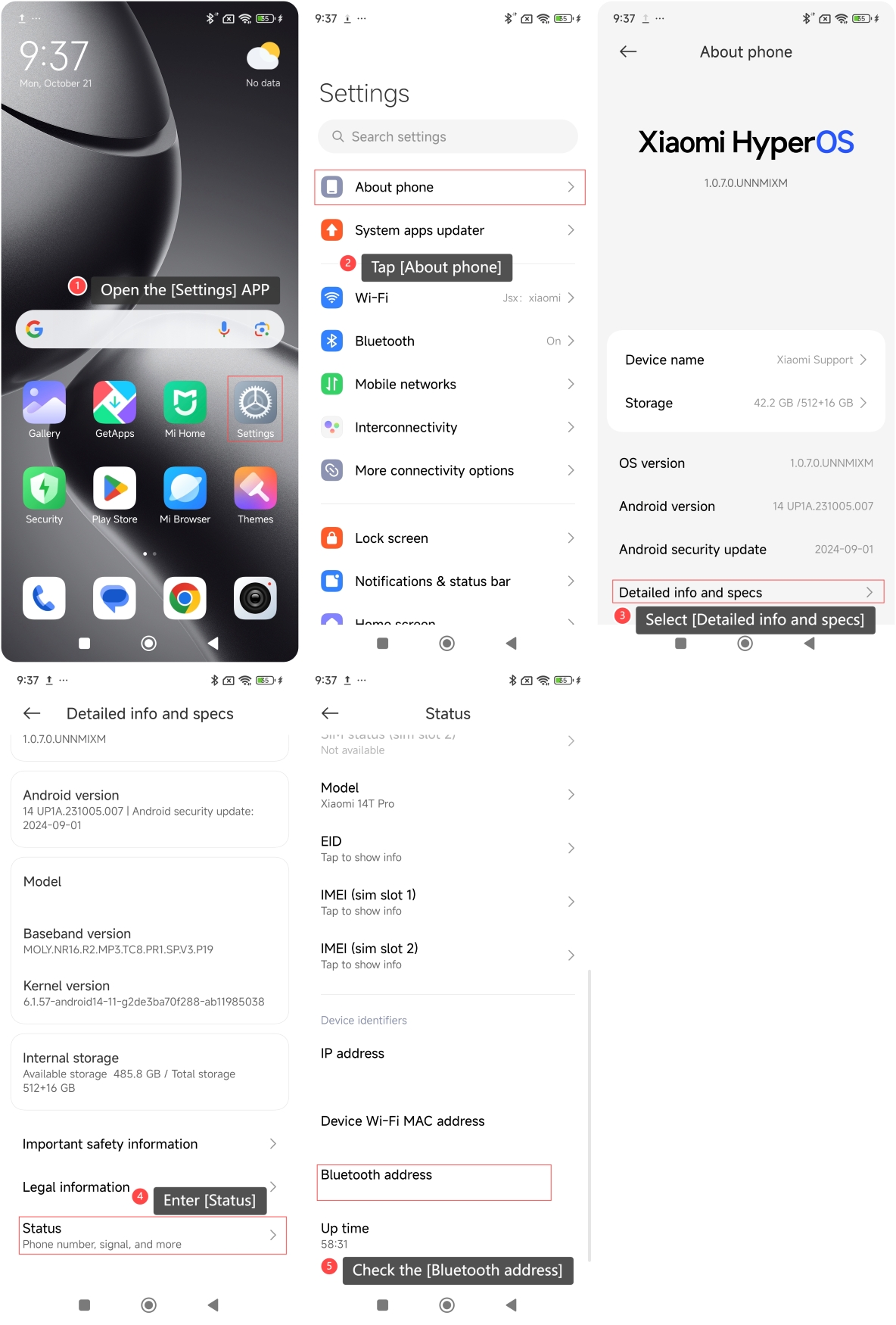
To check the Bluetooth address on your phone, please refer to the following steps:
1. Open the [Settings] APP on your phone;
2. Tap [About phone];
3. Select [Detailed info and specs];
4. Enter [Status];
5. Swipe down and you can check the [Bluetooth address].
Note:
Your Bluetooth address is a unique identifier for your device. Be cautious about sharing this information, as it could potentially be used to track or identify your phone in certain situations.
Does it help?
Yes
No