

How to use Xiaomi Share on the Xiaomi 14T?
Xiaomi Share on the Xiaomi 14T allows you to easily share files, photos, and documents with nearby devices using Bluetooth and Wi-Fi Direct. It simplifies the process of transferring content with an internet connection, making it quick and efficient.
To use Xiaomi Share on your phone, please refer to the following methods:
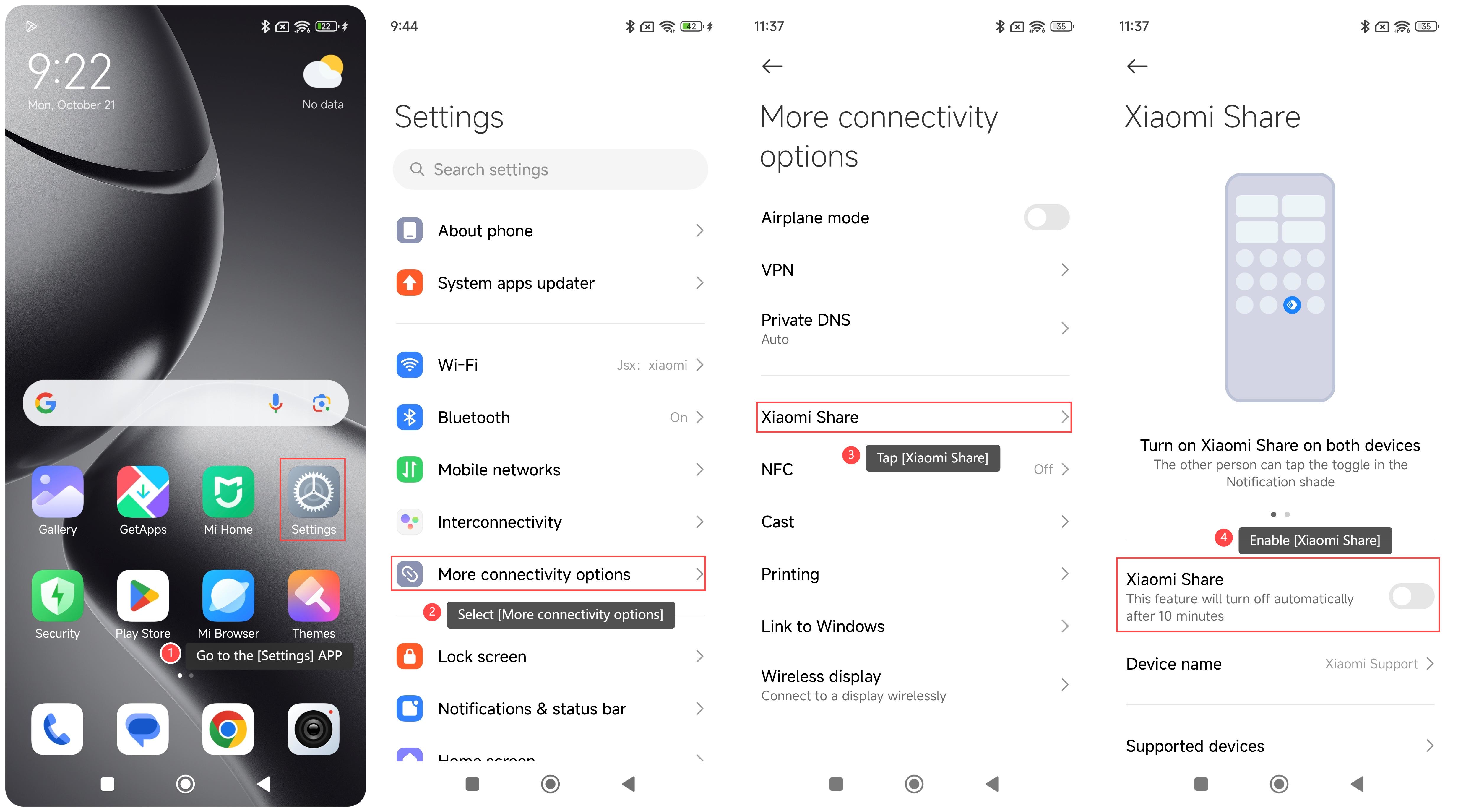
Method 1:
1. Go to the [Settings] APP on your phone;
2. Select [More connectivity options];
3. Swipe down to find and tap [Xiaomi Share] to use this feature;
4. You can enable [Xiaomi Share]. After enabling this option, the feature will turn off automatically after 10 minutes.
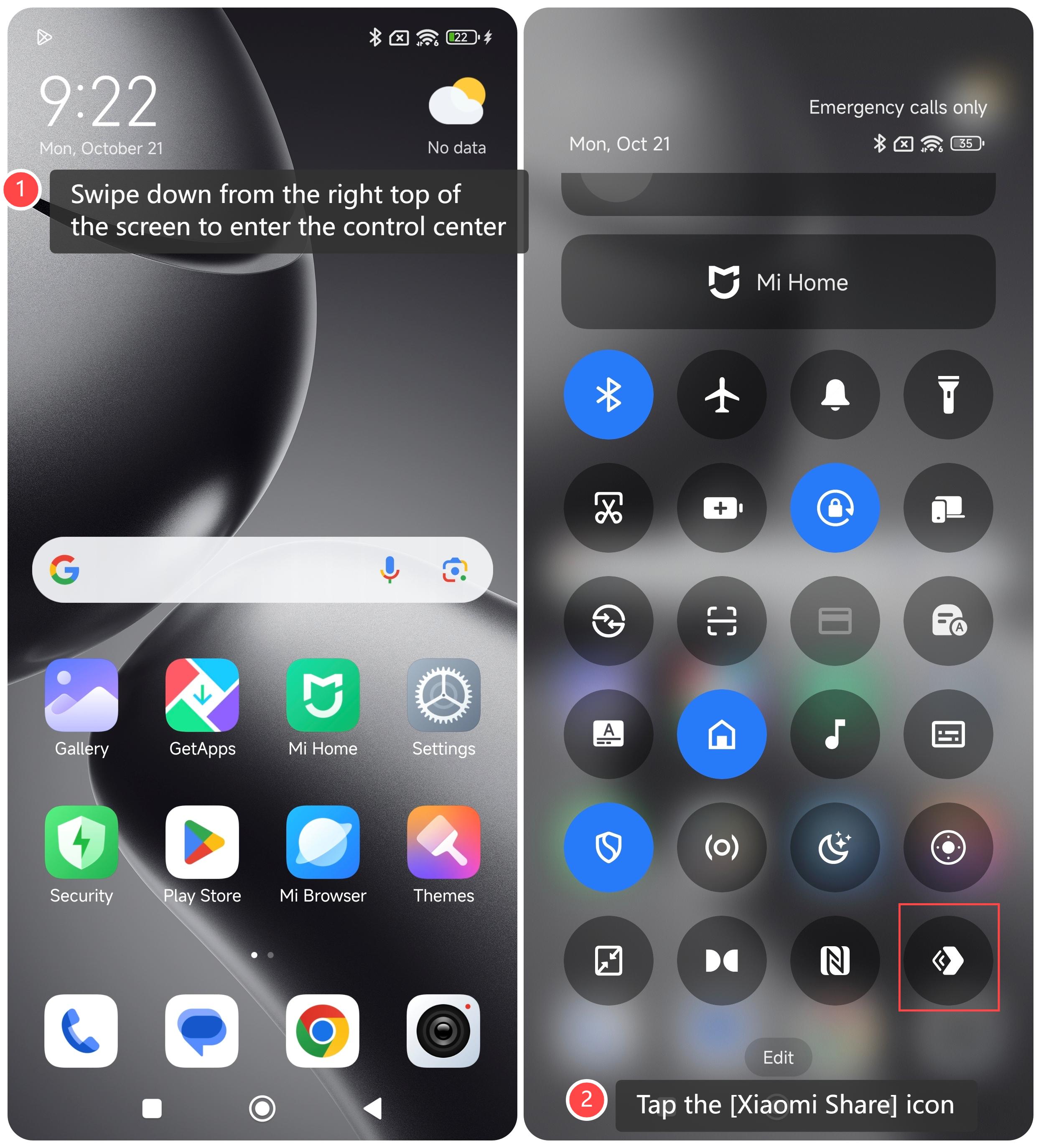
Method 2:
1. Swipe down from the right top of the screen to enter the control center;
2. Tap the [Xiaomi Share] icon to use this feature.
To use Xiaomi Share on your phone, please refer to the following methods:
Method 1:
1. Go to the [Settings] APP on your phone;
2. Select [More connectivity options];
3. Swipe down to find and tap [Xiaomi Share] to use this feature;
4. You can enable [Xiaomi Share]. After enabling this option, the feature will turn off automatically after 10 minutes.
Method 2:
1. Swipe down from the right top of the screen to enter the control center;
2. Tap the [Xiaomi Share] icon to use this feature.
Does it help?
Yes
No