

How to select a ringtone for alarm on the Xiaomi 14T Pro?
The ringtone for the alarm on the Xiaomi 14T Pro can be customized through settings. You can choose a default sound or set a personalized tone for alarm. Choosing a specific ringtone for an alarm can help you wake up more effectively by selecting a sound that you find pleasant or energizing. It can create a positive association with waking up, making it less jarring.
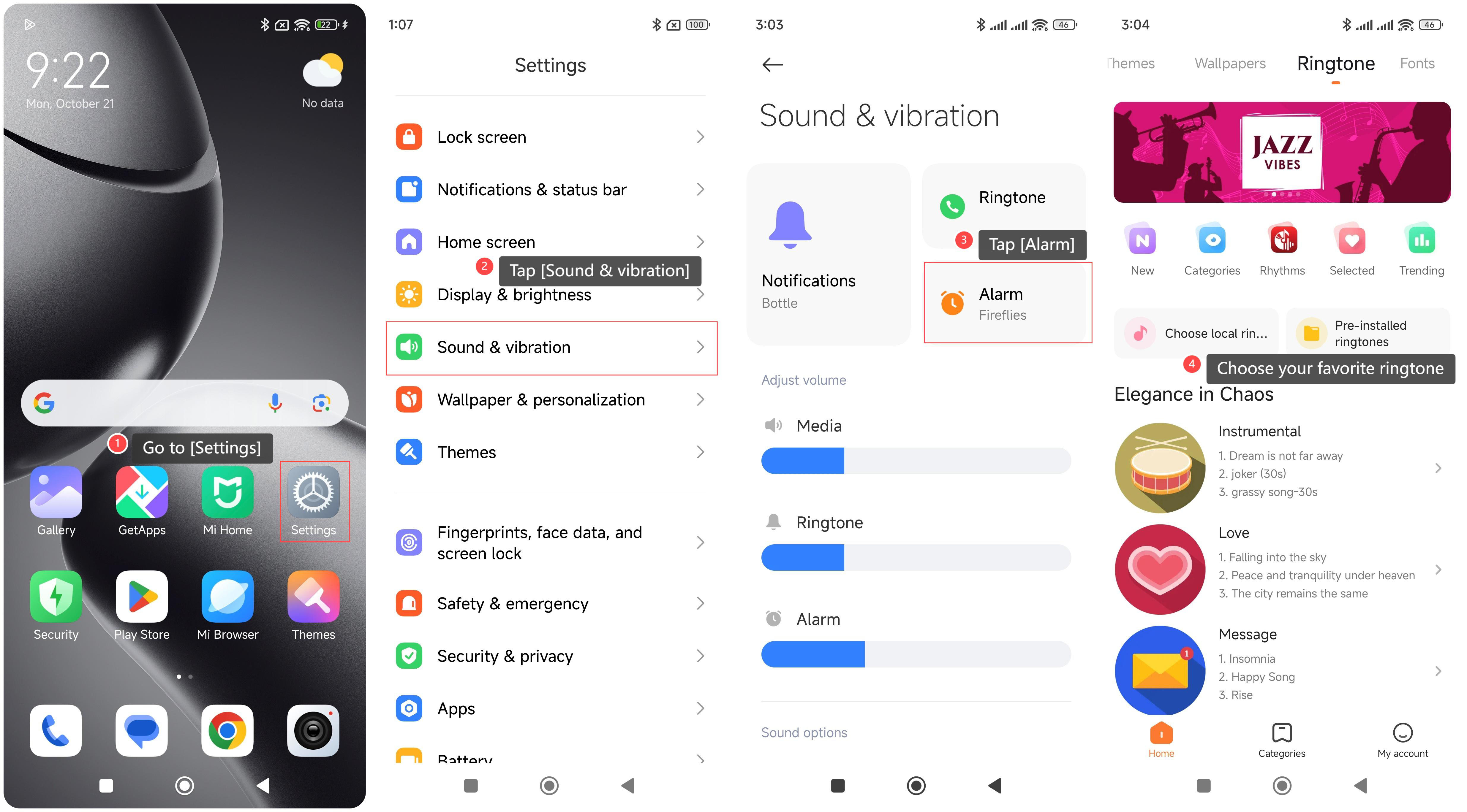
To select a ringtone for the alarm on your phone, please refer to the following steps:
1. Go to [Settings];
2. Tap [Sound & vibration];
3. Tap [Alarm];
4. Choose your favorite ringtone.
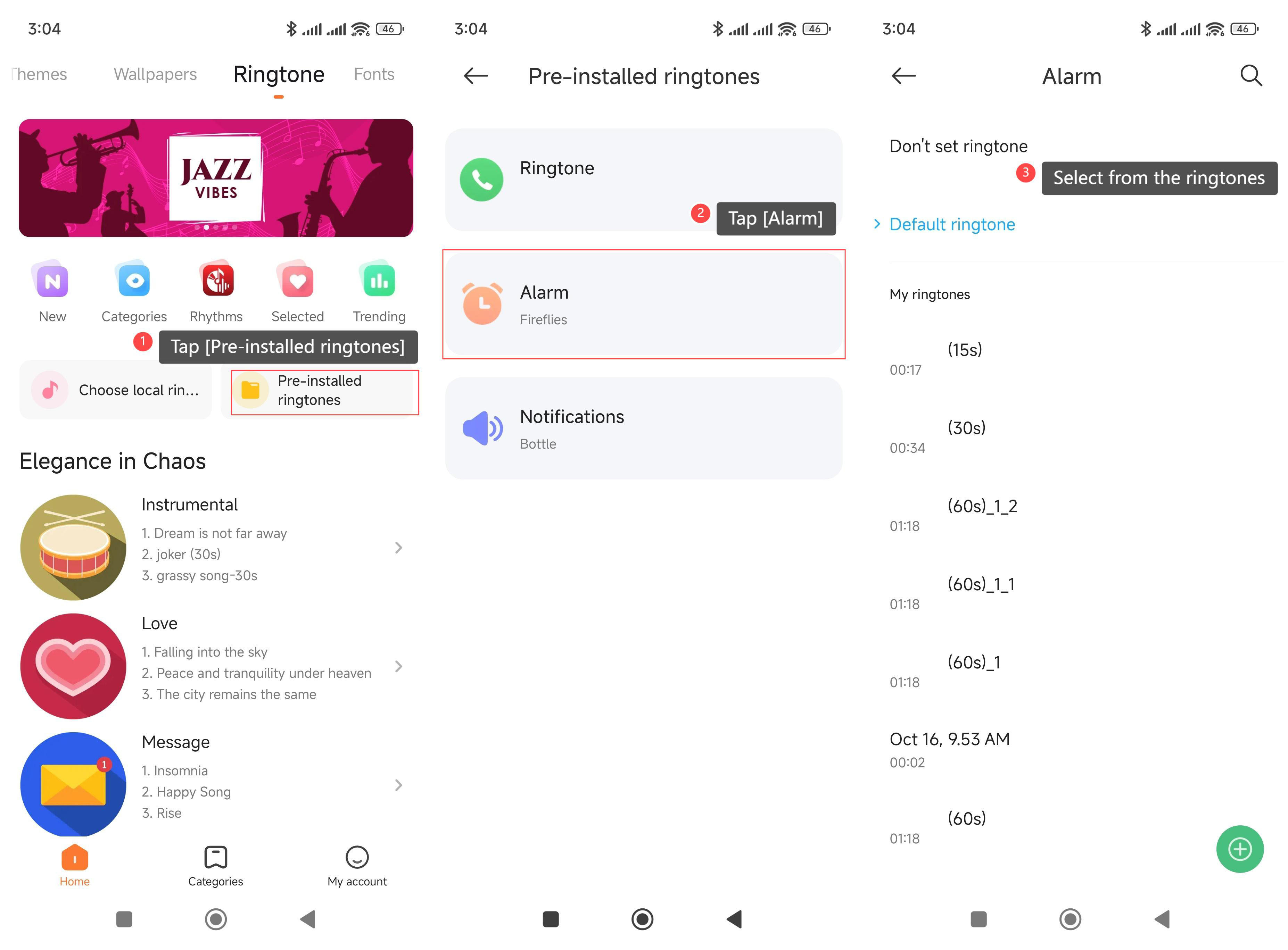
To select a pre-installed ringtone, please refer to the following steps:
1. Tap [Pre-installed ringtones];
2. Tap [Alarm];
3. Select from the ringtones.
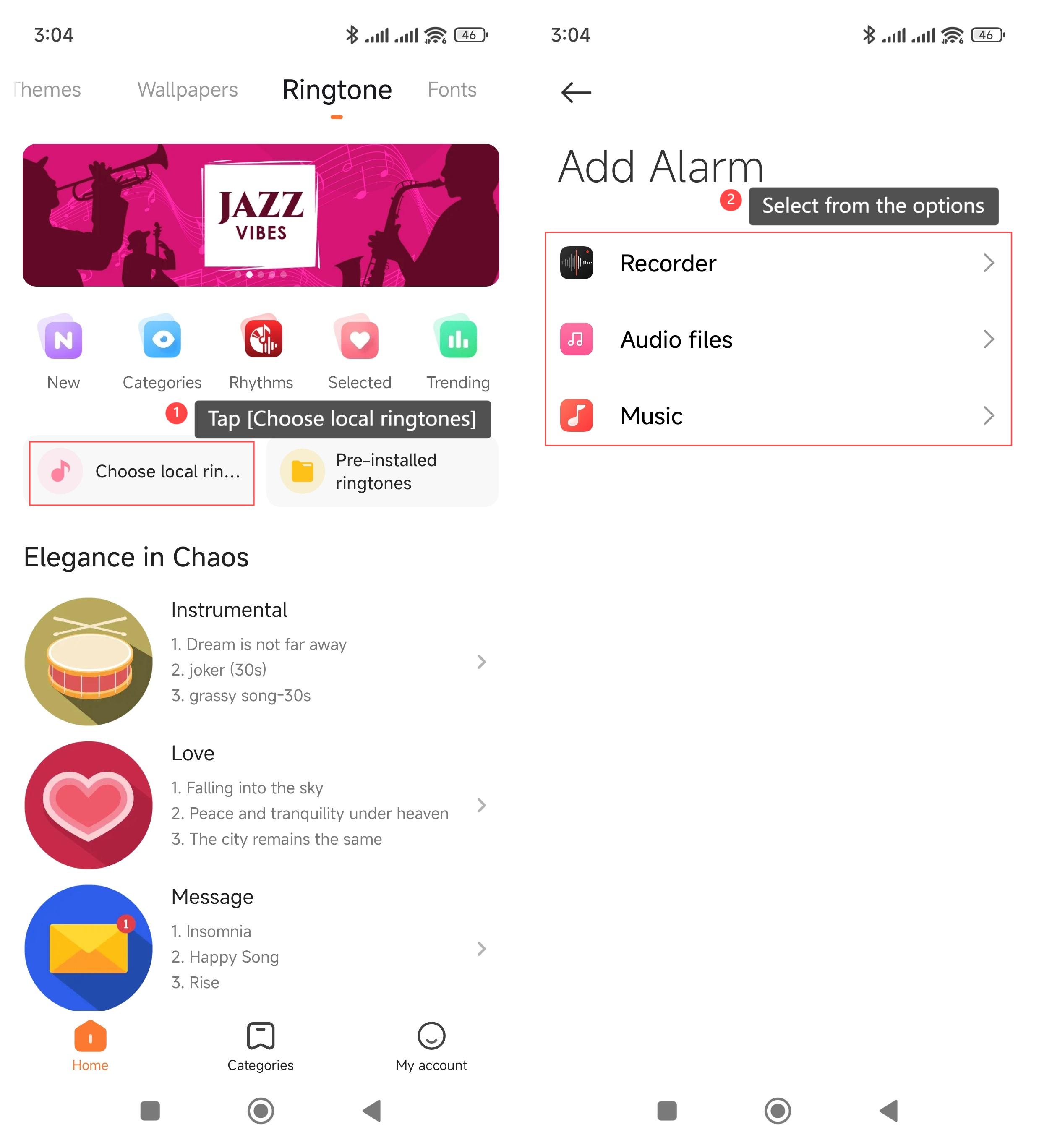
To select a local ringtone, please refer to the following steps:
1. Tap [Choose local ringtones];
2. Select the ringtone from [Recorder], [Audio files], and [Music].
To select a ringtone for the alarm on your phone, please refer to the following steps:
1. Go to [Settings];
2. Tap [Sound & vibration];
3. Tap [Alarm];
4. Choose your favorite ringtone.
To select a pre-installed ringtone, please refer to the following steps:
1. Tap [Pre-installed ringtones];
2. Tap [Alarm];
3. Select from the ringtones.
To select a local ringtone, please refer to the following steps:
1. Tap [Choose local ringtones];
2. Select the ringtone from [Recorder], [Audio files], and [Music].
Does it help?
Yes
No