

How to achieve immersion and a sense of space when audio on the Xiaomi 14T Pro is played?
The immersive sound function on the Xiaomi 14T Pro enhances audio quality by creating a surround sound experience, making music, movies, and games more engaging. It often uses software algorithms to simulate multi-dimensional sound, improving overall audio immersion.
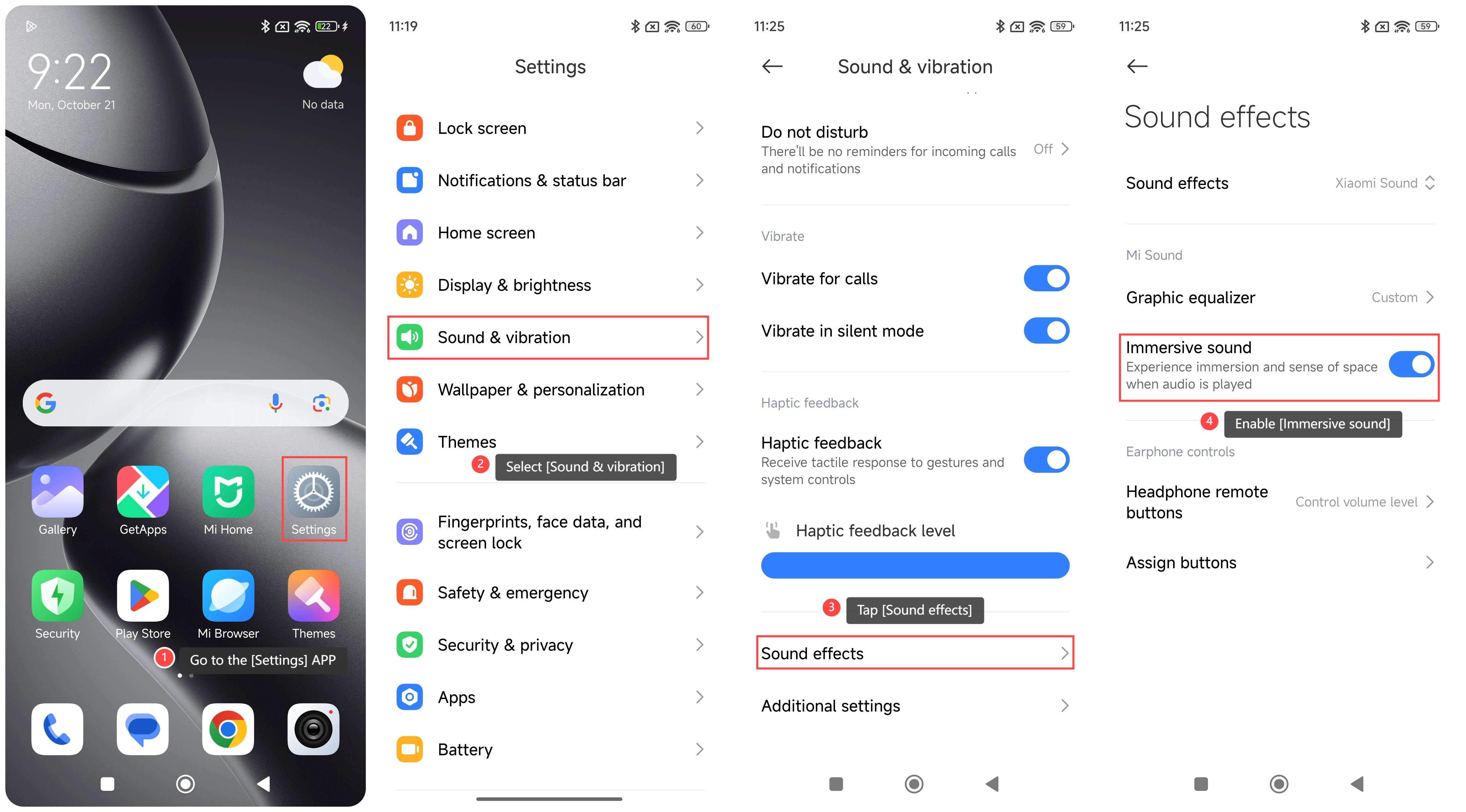
To achieve immersion and a sense of space when audio on your phone is played, please refer to the following steps:
1. Go to the [Settings] APP on your phone;
2. Select [Sound & vibration];
3. Tap [Sound effects];
4. Enable [Immersive sound]. Once enabled, you will experience immersion and a sense of space when audio is played.
Note:
1. Using high-quality headphones or audio equipment can give full play to the advantages of immersive sound;
2. The sound of the surrounding environment could affect the sense of immersion, try to use it in a quiet place;
3. Turning on immersive sound effects will increase the battery consumption of the device, so pay attention to the power when using it.
To achieve immersion and a sense of space when audio on your phone is played, please refer to the following steps:
1. Go to the [Settings] APP on your phone;
2. Select [Sound & vibration];
3. Tap [Sound effects];
4. Enable [Immersive sound]. Once enabled, you will experience immersion and a sense of space when audio is played.
Note:
1. Using high-quality headphones or audio equipment can give full play to the advantages of immersive sound;
2. The sound of the surrounding environment could affect the sense of immersion, try to use it in a quiet place;
3. Turning on immersive sound effects will increase the battery consumption of the device, so pay attention to the power when using it.
Does it help?
Yes
No