

How to link the Xiaomi 14T Pro to the Chromebook?
When connecting the Xiaomi 14T Pro to a Chromebook, you can sync notifications, share files, send text messages, use the phone's network to connect the Chromebook, and even unlock your Chromebook with your phone.
To link your phone to the Chromebook, please refer to the following steps:
1. Go to [Settings];
2. Tap [More connectivity options];
3. Scroll down and tap [Chromebook];
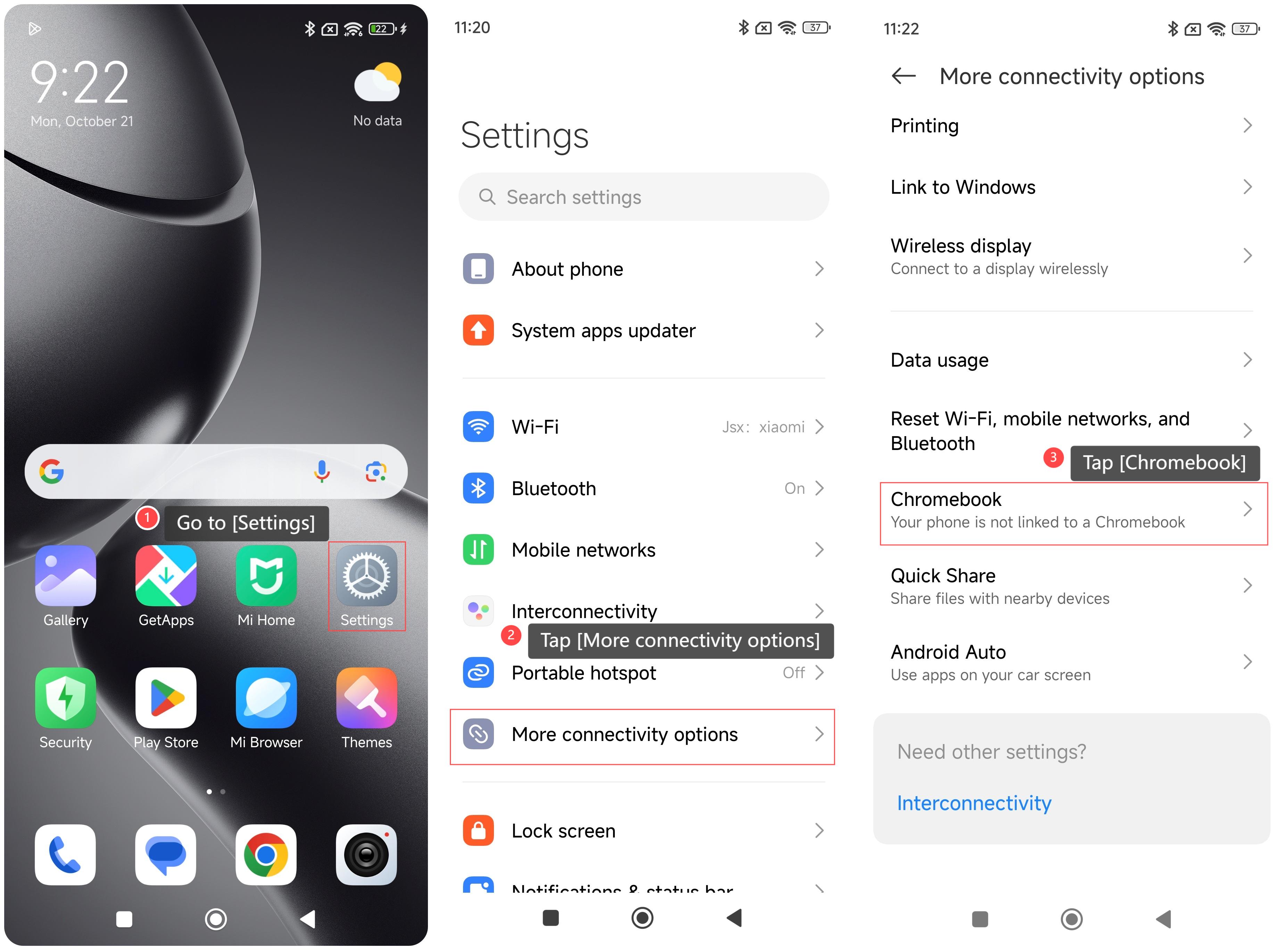
4. Connect your phone by following the steps on the Chromebook screen. When prompted on your Chromebook, select accept and continue. To skip this step, select cancel. You can opt-in at any time with these steps. Finally, select done. You'll get a confirmation on your phone that the Smart Lock is turned on.
Note:
If there are issues with your Internet connection, there can be a delay in verifying your connected device. However, these features won't be available until you're online.
To link your phone to the Chromebook, please refer to the following steps:
1. Go to [Settings];
2. Tap [More connectivity options];
3. Scroll down and tap [Chromebook];
4. Connect your phone by following the steps on the Chromebook screen. When prompted on your Chromebook, select accept and continue. To skip this step, select cancel. You can opt-in at any time with these steps. Finally, select done. You'll get a confirmation on your phone that the Smart Lock is turned on.
Note:
If there are issues with your Internet connection, there can be a delay in verifying your connected device. However, these features won't be available until you're online.
Does it help?
Yes
No