

How to manage devices connecting the hotspot of the Xiaomi 14T?
Managing the devices connected to your hotspot on the Xiaomi 14T provides better control over data usage, enhances security, and prevents unauthorized access, ensuring optimal network performance and privacy.
To manage devices connecting the hotspot of your phone, please refer to the following steps:
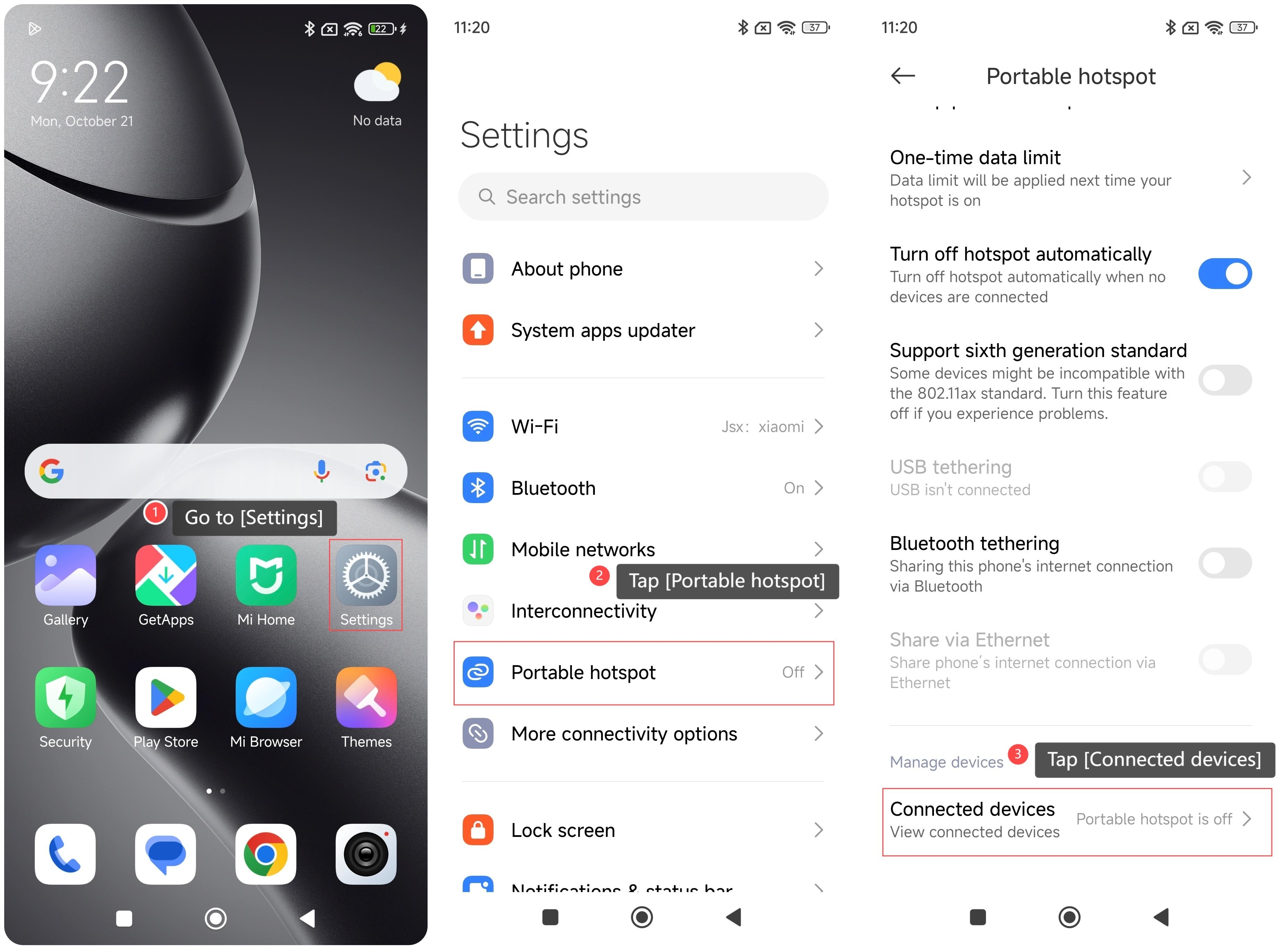
1. Go to [Settings];
2. Tap [Portable hotspot];
3. Tap [Connected devices];
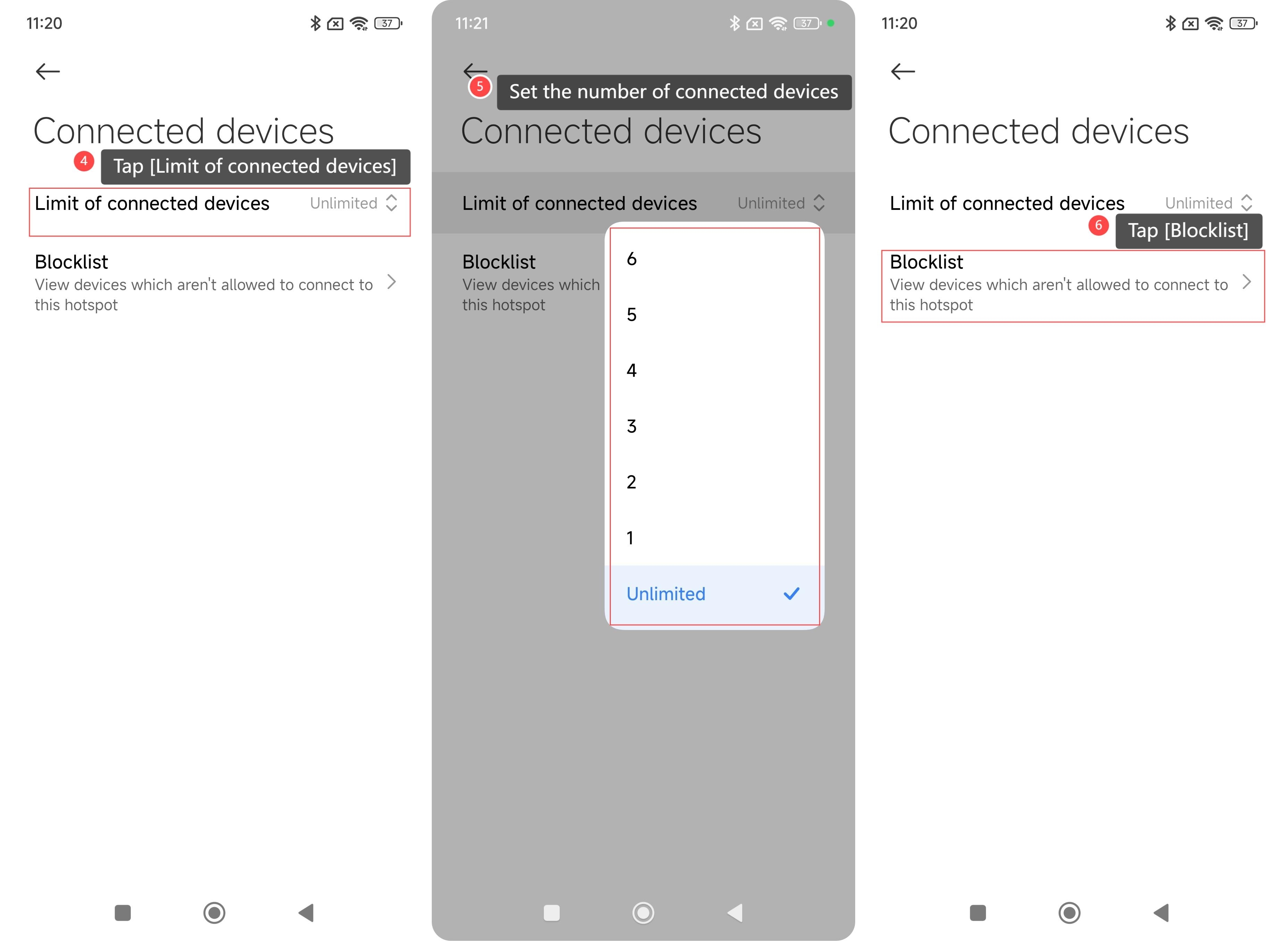
4. Tap [Limit of connected devices];
5. You can set the number of the connected devices;
6. You can also check the blocked devices in [Blocklist].
By following these steps, you can effectively manage which devices are connected to your phone’s hotspot and control access as needed.
Note:
Turning on the hotspot can cause the device to heat up and consume more power.
To manage devices connecting the hotspot of your phone, please refer to the following steps:
1. Go to [Settings];
2. Tap [Portable hotspot];
3. Tap [Connected devices];
4. Tap [Limit of connected devices];
5. You can set the number of the connected devices;
6. You can also check the blocked devices in [Blocklist].
By following these steps, you can effectively manage which devices are connected to your phone’s hotspot and control access as needed.
Note:
Turning on the hotspot can cause the device to heat up and consume more power.
Does it help?
Yes
No