

How to edit the Bluetooth name on the Xiaomi 14T Pro?
The Xiaomi 14T Pro supports the built-in feature of customizing the device name via Bluetooth as your preference to meet your individual requirements, which can improve the efficiency of connecting to the targeted device.
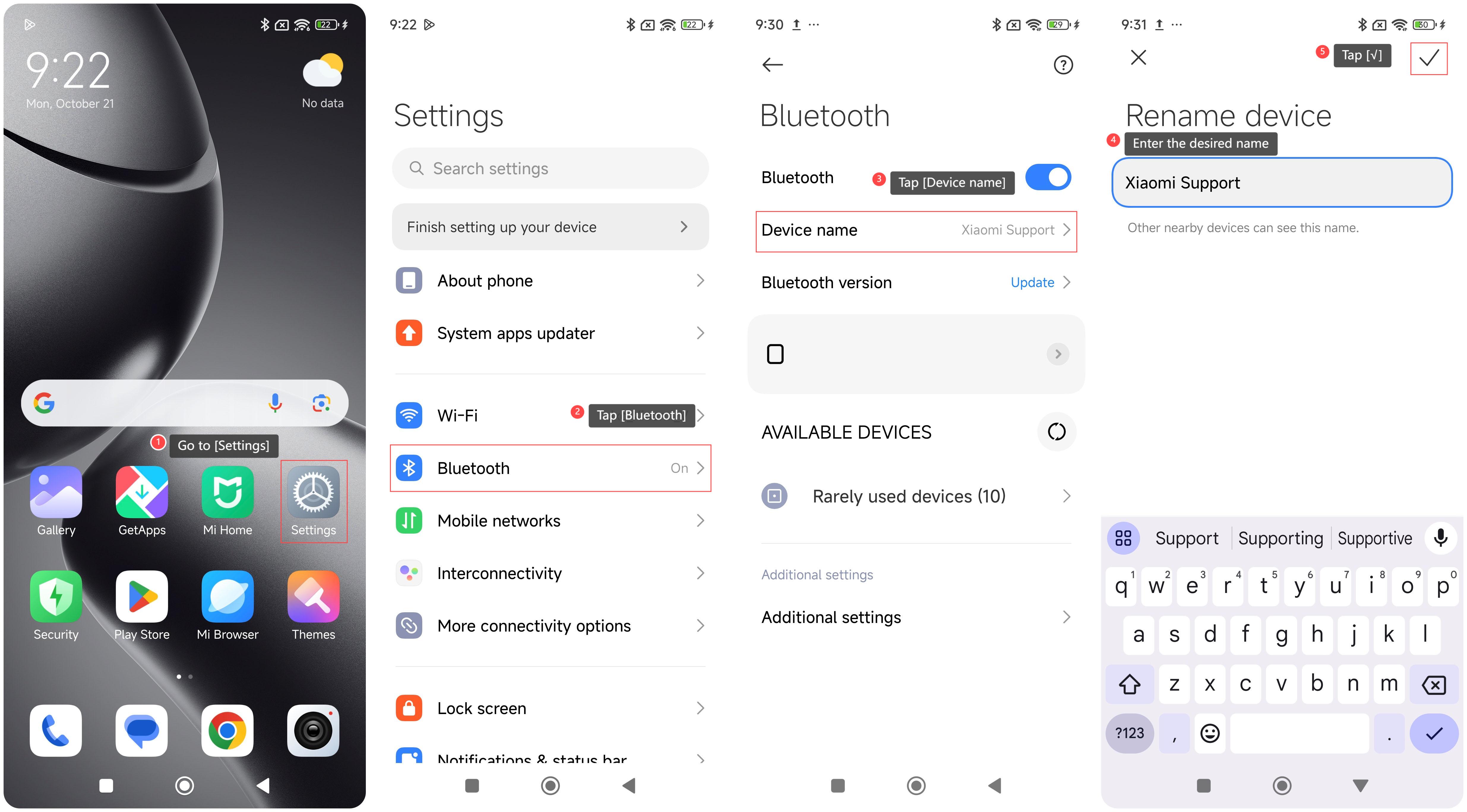
To edit the Bluetooth name of your device, please refer to the following steps:
1. Go to [Settings];
2. Tap [Bluetooth];
3. Tap [Device name];
4. Enter the desired name;
5. Tap [√].
Note:
1. After renaming your device, other nearby devices can see this name. You can recognize your device’s Bluetooth name and connect your device via Bluetooth more quickly to have an improved and convenient using experience;
2. If you are connecting to Bluetooth accessories or other devices in public places, having a unique name makes it less likely for someone to mistakenly connect to your device.
To edit the Bluetooth name of your device, please refer to the following steps:
1. Go to [Settings];
2. Tap [Bluetooth];
3. Tap [Device name];
4. Enter the desired name;
5. Tap [√].
Note:
1. After renaming your device, other nearby devices can see this name. You can recognize your device’s Bluetooth name and connect your device via Bluetooth more quickly to have an improved and convenient using experience;
2. If you are connecting to Bluetooth accessories or other devices in public places, having a unique name makes it less likely for someone to mistakenly connect to your device.
Does it help?
Yes
No