

How to set AOD on the Xiaomi 14T Pro?
AOD (Always-on display) on the Xiaomi 14T Pro is a feature that allows specific information to be displayed on the screen while the device is in sleep mode. This includes the time, date, battery status, and notifications. AOD uses minimal power, allowing you to quickly check important information without fully waking the device. It's useful for keeping track of time and alerts without needing to unlock the phone.
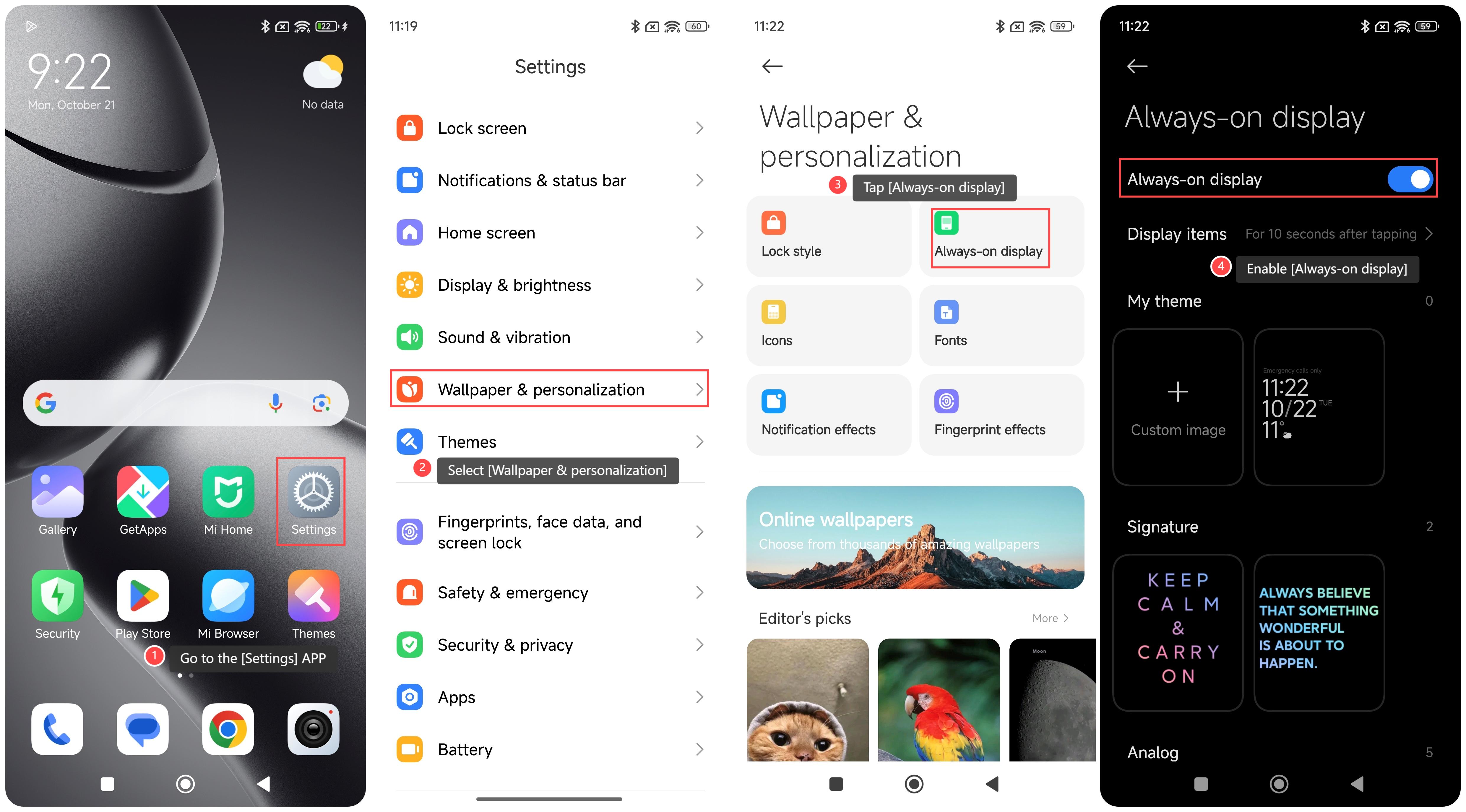
To set AOD on your phone, please refer to the following steps:
1. Go to the [Settings] APP on your phone;
2. Select [Wallpaper & personalization];
3. Tap [Always-on display];
4. Enable [Always-on display]. you can set the display items such as theme, signature, analog and so on.
Note:
1. Using low-power technology, AOD provides necessary information without consuming too much power;
2. You can choose different display styles, colors, and information content to enhance the personalized experience;
3. You can avoid frequently unlocking the device and reduce the possibility of accidental touches and misoperations.
To set AOD on your phone, please refer to the following steps:
1. Go to the [Settings] APP on your phone;
2. Select [Wallpaper & personalization];
3. Tap [Always-on display];
4. Enable [Always-on display]. you can set the display items such as theme, signature, analog and so on.
Note:
1. Using low-power technology, AOD provides necessary information without consuming too much power;
2. You can choose different display styles, colors, and information content to enhance the personalized experience;
3. You can avoid frequently unlocking the device and reduce the possibility of accidental touches and misoperations.
Does it help?
Yes
No