

How to use Google lens on the Redmi 13C?
Google Lens on the Redmi 13C refers to a visual search tool powered by AI that allows you to search for information, identify objects, translate text, or interact with the environment by using the device’s camera or images from the Gallery.
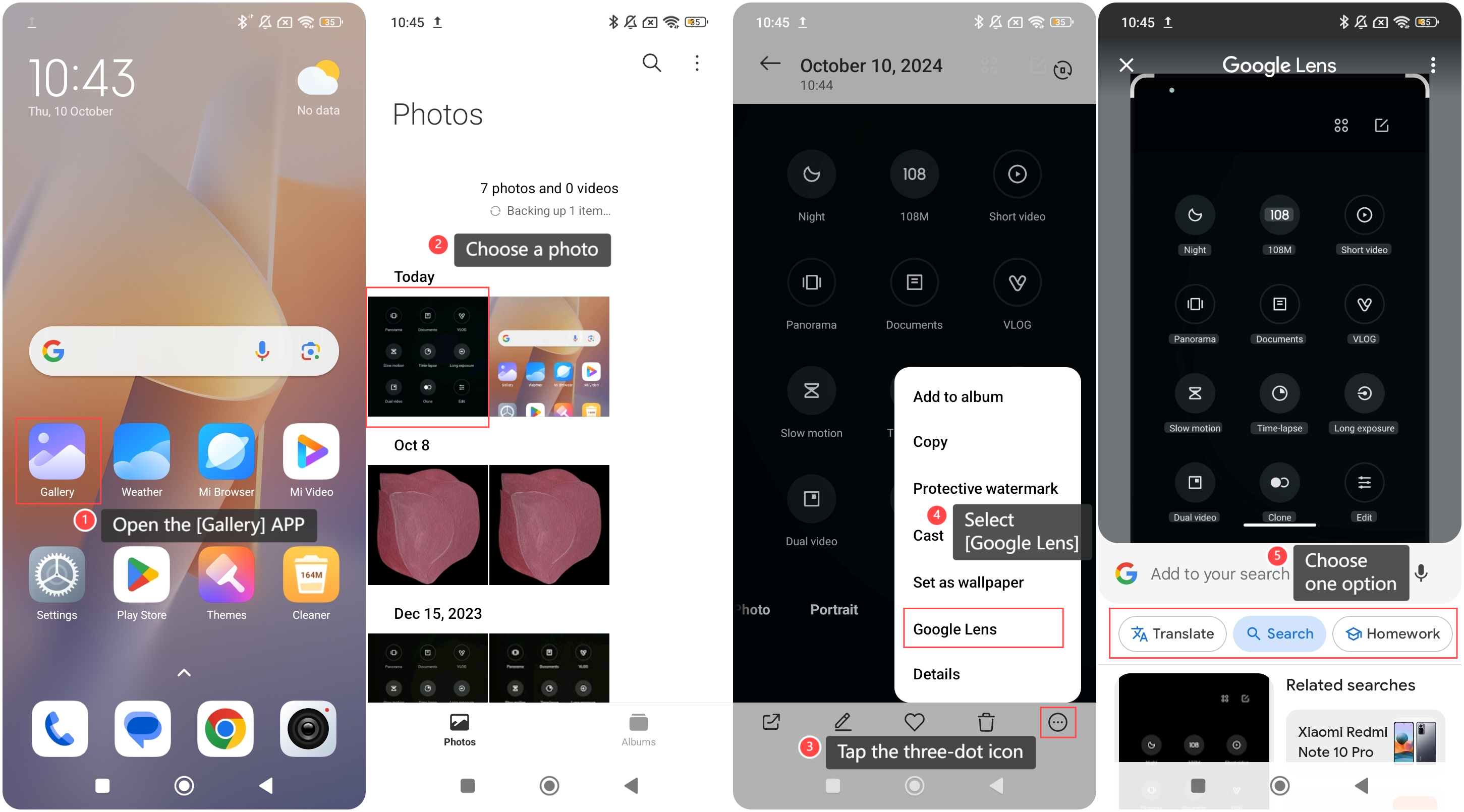
To use Google Lens on your phone, please refer to the following steps:
1. Open the [Gallery] APP on your phone;
2. Choose a photo;
3. Tap the three-dot icon at the right bottom of the screen;
4. Select [Google Lens];
5. You can choose the options: [Translate], [Search] or [Homework].
To use Google Lens on your phone, please refer to the following steps:
1. Open the [Gallery] APP on your phone;
2. Choose a photo;
3. Tap the three-dot icon at the right bottom of the screen;
4. Select [Google Lens];
5. You can choose the options: [Translate], [Search] or [Homework].
Note:
1. When using Google Lens, be careful not to scan sensitive information (such as ID cards, bank cards, etc.) to protect personal privacy;
2. Make sure to use the camera in good lighting conditions to get clearer images and improve recognition accuracy;
3. Update Google Lens and related APPs regularly to ensure the latest features and security patches.
1. When using Google Lens, be careful not to scan sensitive information (such as ID cards, bank cards, etc.) to protect personal privacy;
2. Make sure to use the camera in good lighting conditions to get clearer images and improve recognition accuracy;
3. Update Google Lens and related APPs regularly to ensure the latest features and security patches.
Does it help?
Yes
No