

How to forget the Wi-Fi network on the Xiaomi 14T Pro?
Forgetting the Wi-Fi network on the Xiaomi 14T Pro refers to the action of removing a saved Wi-Fi connection from the device. This means the phone will no longer remember that network, and you’ll have to manually reconnect by entering the password again if you want to use it in the future. This is useful if you’re having connection issues or if you want to remove networks you no longer use.
To forget the Wi-Fi network on your phone, please refer to the following methods:
Method 1:
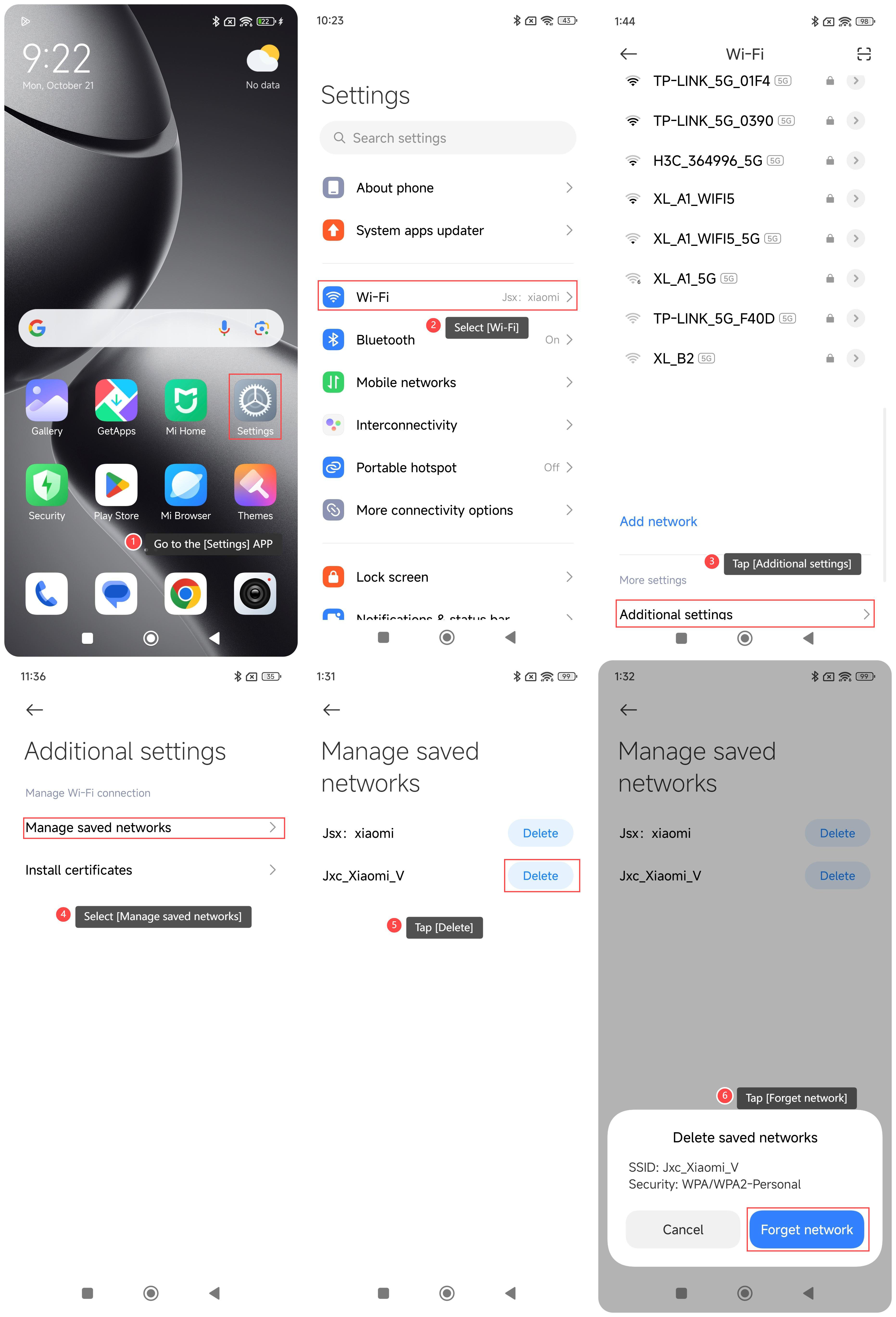
1. Go to the [Settings] APP on your phone;
2. Select [Wi-Fi];
3. Tap [Additional settings];
4. Select [Manage saved networks];
5. Select the Wi-Fi you want to forget and tap [Delete];
6. Tap [Forget network].
Method 2:
1. Go to the [Settings] APP on your phone;
2. Tap [Wi-Fi];
3. Select the Wi-Fi you want to forget, and tap [>] on the right;
4. Select [Forget network];
5. Tap [OK], and your device will forget the network.
To forget the Wi-Fi network on your phone, please refer to the following methods:
Method 1:
1. Go to the [Settings] APP on your phone;
2. Select [Wi-Fi];
3. Tap [Additional settings];
4. Select [Manage saved networks];
5. Select the Wi-Fi you want to forget and tap [Delete];
6. Tap [Forget network].
Method 2:
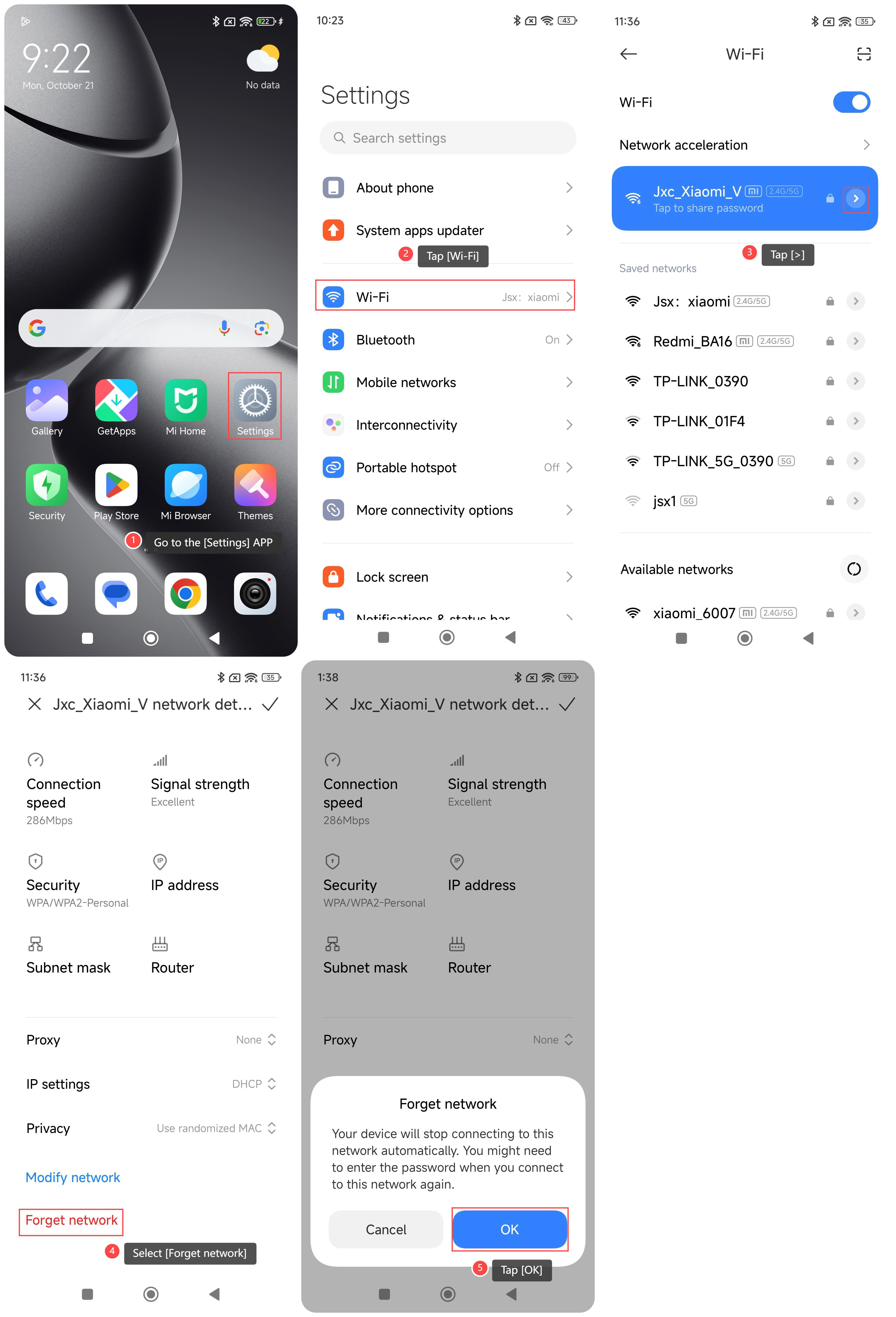
1. Go to the [Settings] APP on your phone;
2. Tap [Wi-Fi];
3. Select the Wi-Fi you want to forget, and tap [>] on the right;
4. Select [Forget network];
5. Tap [OK], and your device will forget the network.
Does it help?
Yes
No