

How to manage notification badges on the Xiaomi 14T Pro?
Managing notification badges on the Xiaomi 14T Pro helps keep your screen organized by allowing you to control which APPs show alerts, effectively reducing unnecessary distractions and significantly improving focus for a more streamlined using experience.
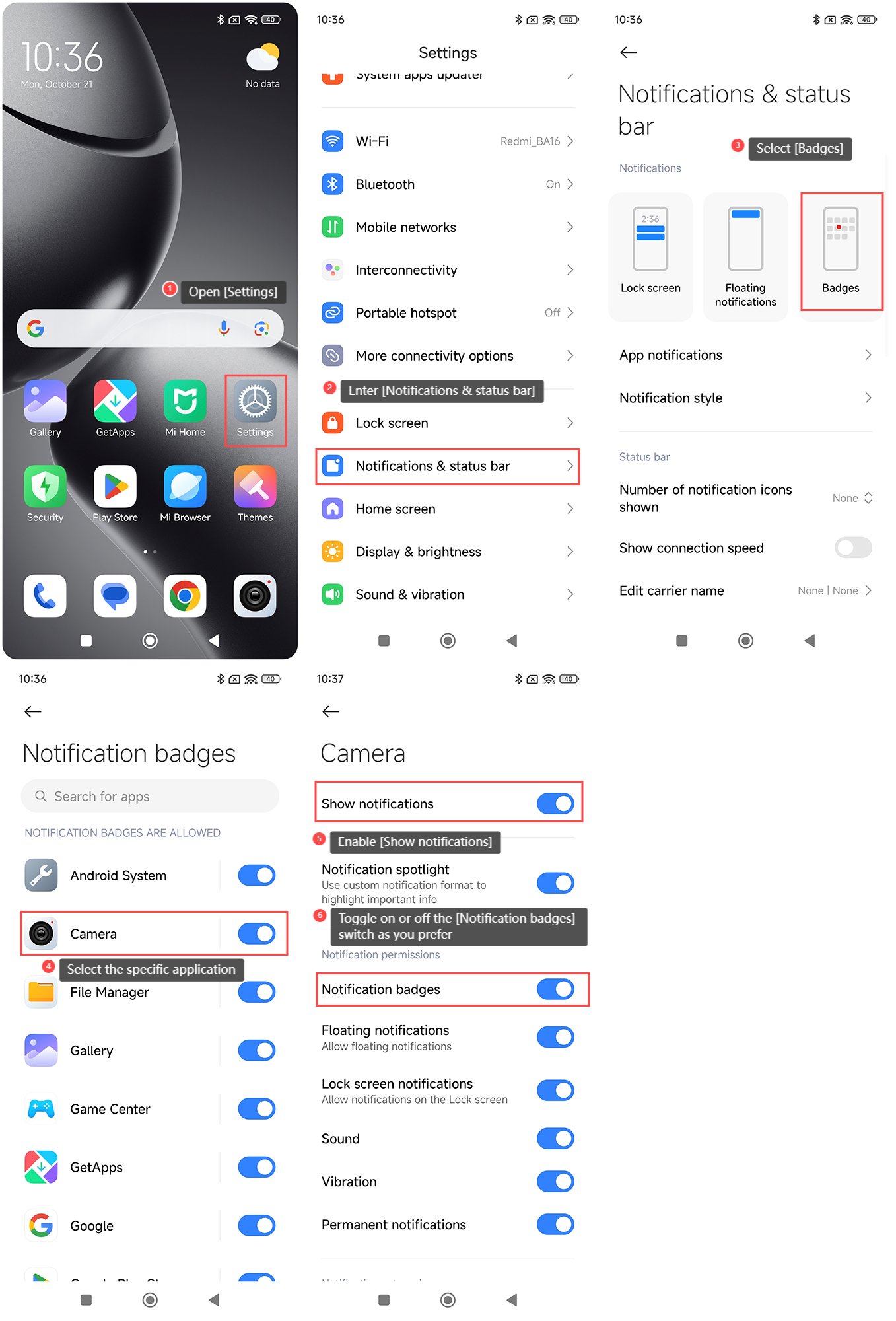
To manage notification badges on the Xiaomi 14T Pro, please refer to the following steps:
1. Open the [Settings] APP on your phone;
2. Enter [Notifications & status bar];
3. Select [Badges];
4. Select the specific application for which you want to manage notification badges;
5. Enable [Show notifications];
6. Toggle on or off the [Notification badges] switch as you prefer.
Note:
1. Prioritize important APPs to enable badges only for essential ones and avoid screen clutter;
2. Reduce the number of enabled badges to maintain system performance and avoid unnecessary slowdowns.
To manage notification badges on the Xiaomi 14T Pro, please refer to the following steps:
1. Open the [Settings] APP on your phone;
2. Enter [Notifications & status bar];
3. Select [Badges];
4. Select the specific application for which you want to manage notification badges;
5. Enable [Show notifications];
6. Toggle on or off the [Notification badges] switch as you prefer.
Note:
1. Prioritize important APPs to enable badges only for essential ones and avoid screen clutter;
2. Reduce the number of enabled badges to maintain system performance and avoid unnecessary slowdowns.
Does it help?
Yes
No