

How to hide/unhide an album in Gallery on the Redmi 13C 5G?
The function of hiding or unhiding an album in the Gallery on the Redmi 13C 5G allows you to control the visibility of specific photo albums. Hiding an album protects sensitive photos by keeping them out of the main Gallery view, while still allowing access through settings. It helps declutter the Gallery for easier management, and you can unhide albums anytime to quickly restore their visibility.
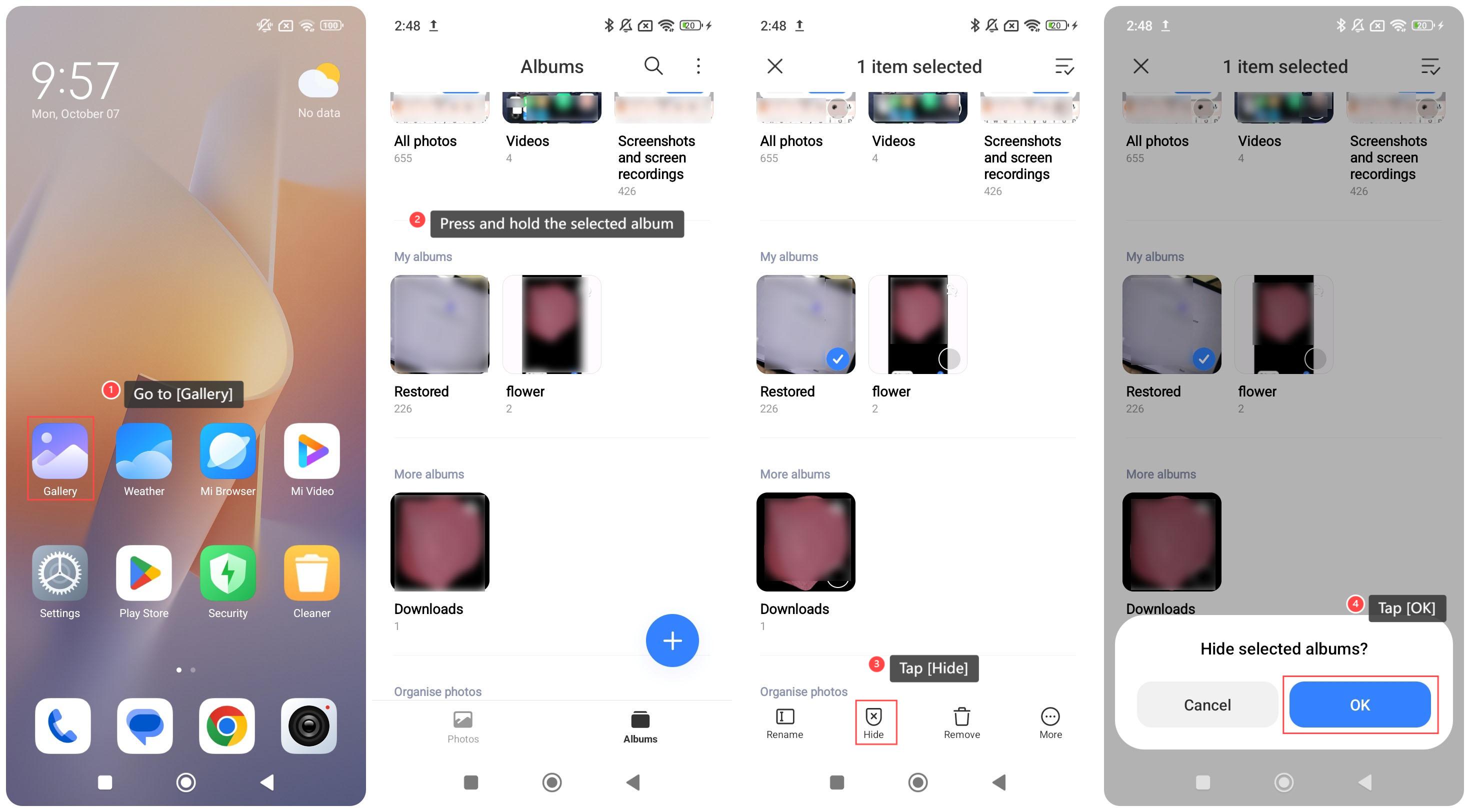
To hide an album in Gallery on your phone, please refer to the following steps:
1. Go to [Gallery];
2. Press and hold the selected album;
3. Tap [Hide];
4. Tap [OK] and the album will be hidden;
To unhide an album in Gallery on your phone, please refer to the following steps:
1. Go to [Gallery];
2. Tap the three-dot icon on the right top of the screen;
3. Tap [Settings];
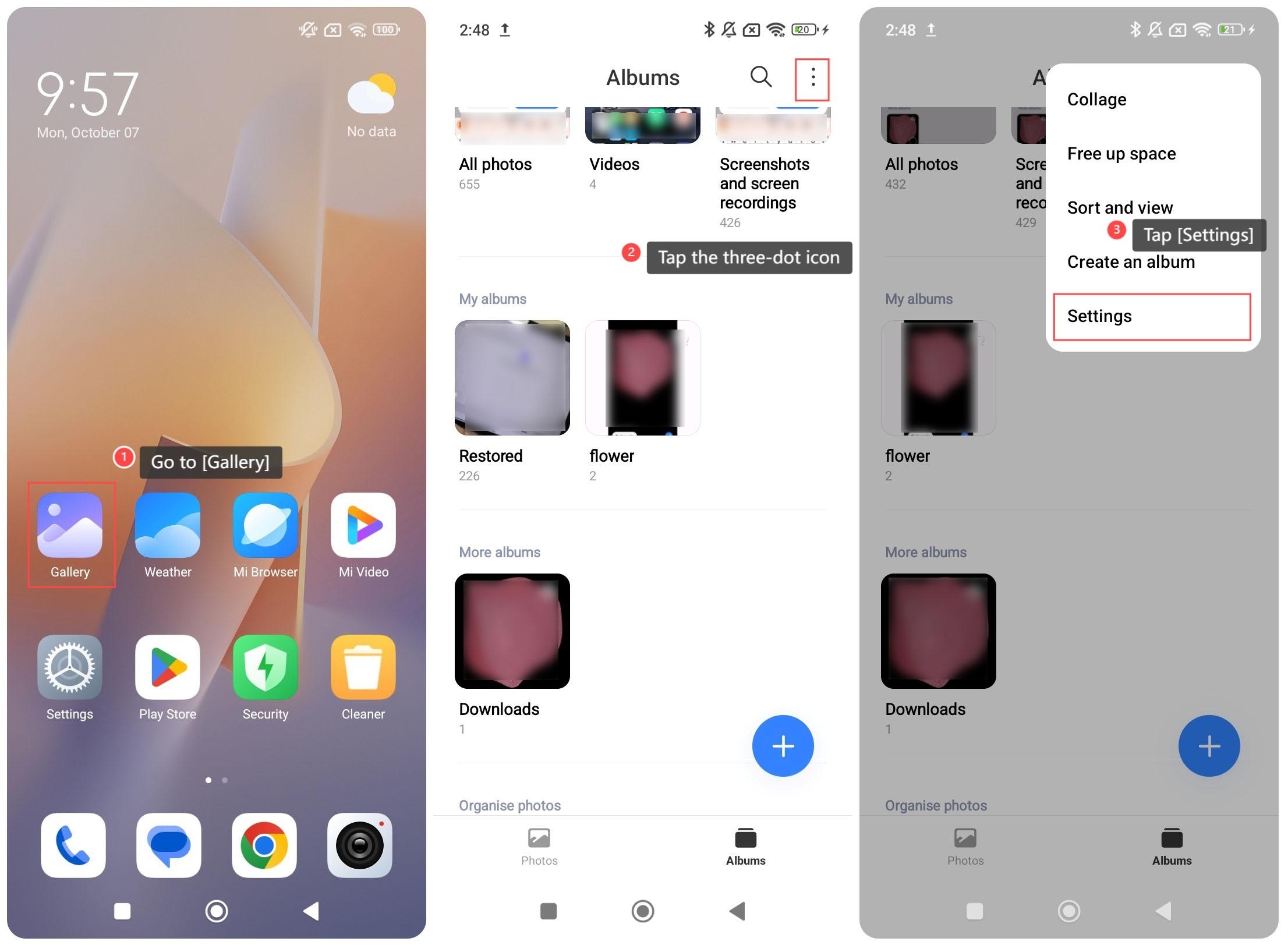
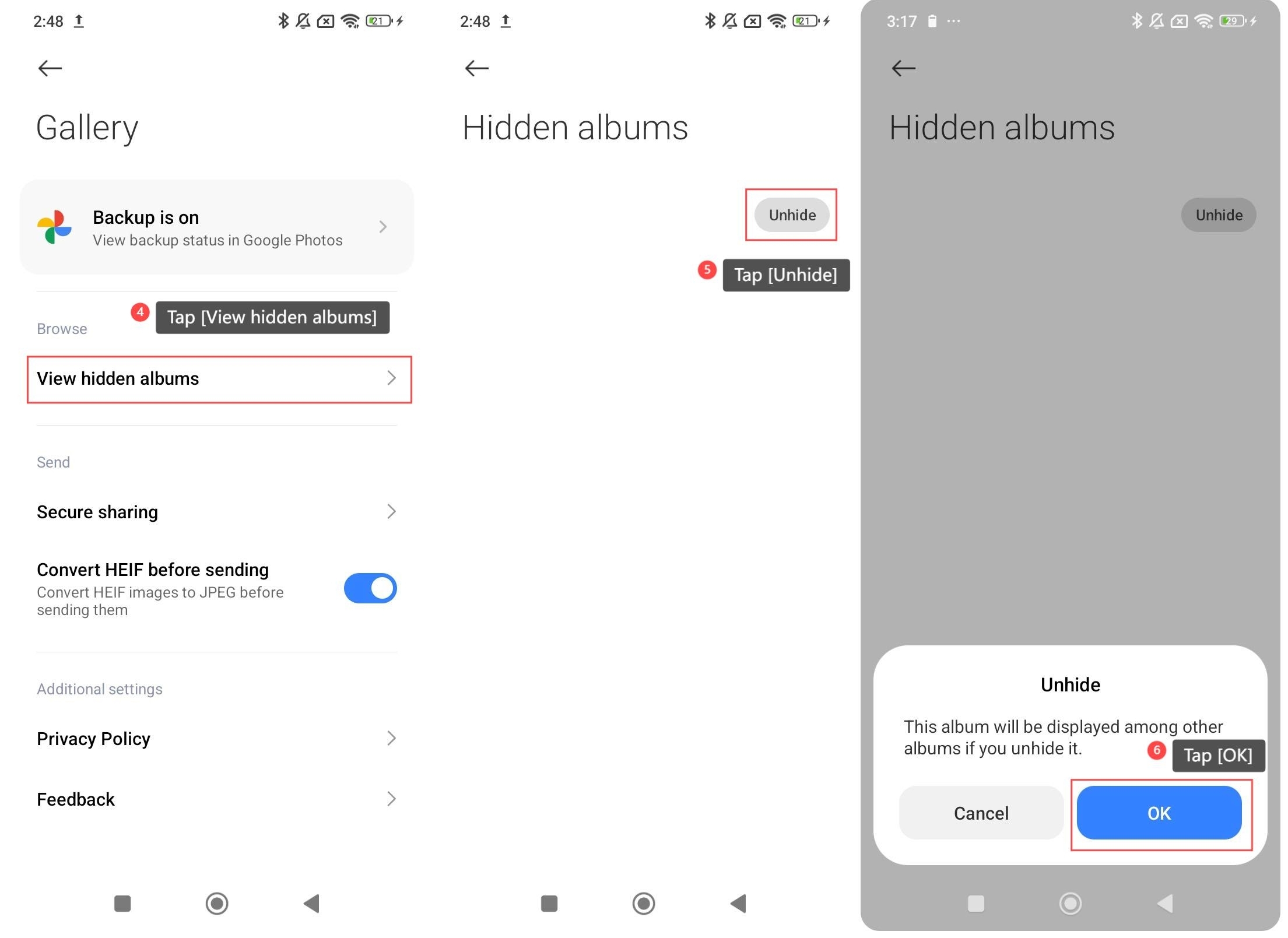
4. Tap [View hidden albums];
5. Tap [Unhide];
6. Tap [OK].
To hide an album in Gallery on your phone, please refer to the following steps:
1. Go to [Gallery];
2. Press and hold the selected album;
3. Tap [Hide];
4. Tap [OK] and the album will be hidden;
To unhide an album in Gallery on your phone, please refer to the following steps:
1. Go to [Gallery];
2. Tap the three-dot icon on the right top of the screen;
3. Tap [Settings];
4. Tap [View hidden albums];
5. Tap [Unhide];
6. Tap [OK].
Does it help?
Yes
No