

How to edit the wallpaper of the Xiaomi 14T Pro by pressing and holding the lock screen?
The Xiaomi 14T Pro allows you to quickly change the wallpaper by pressing and holding the lock screen. You can preview the new wallpaper in real time and choose custom images or system default wallpapers by pressing and holding the lock screen. This makes managing wallpapers easier and enhances the personalized experience of the device.
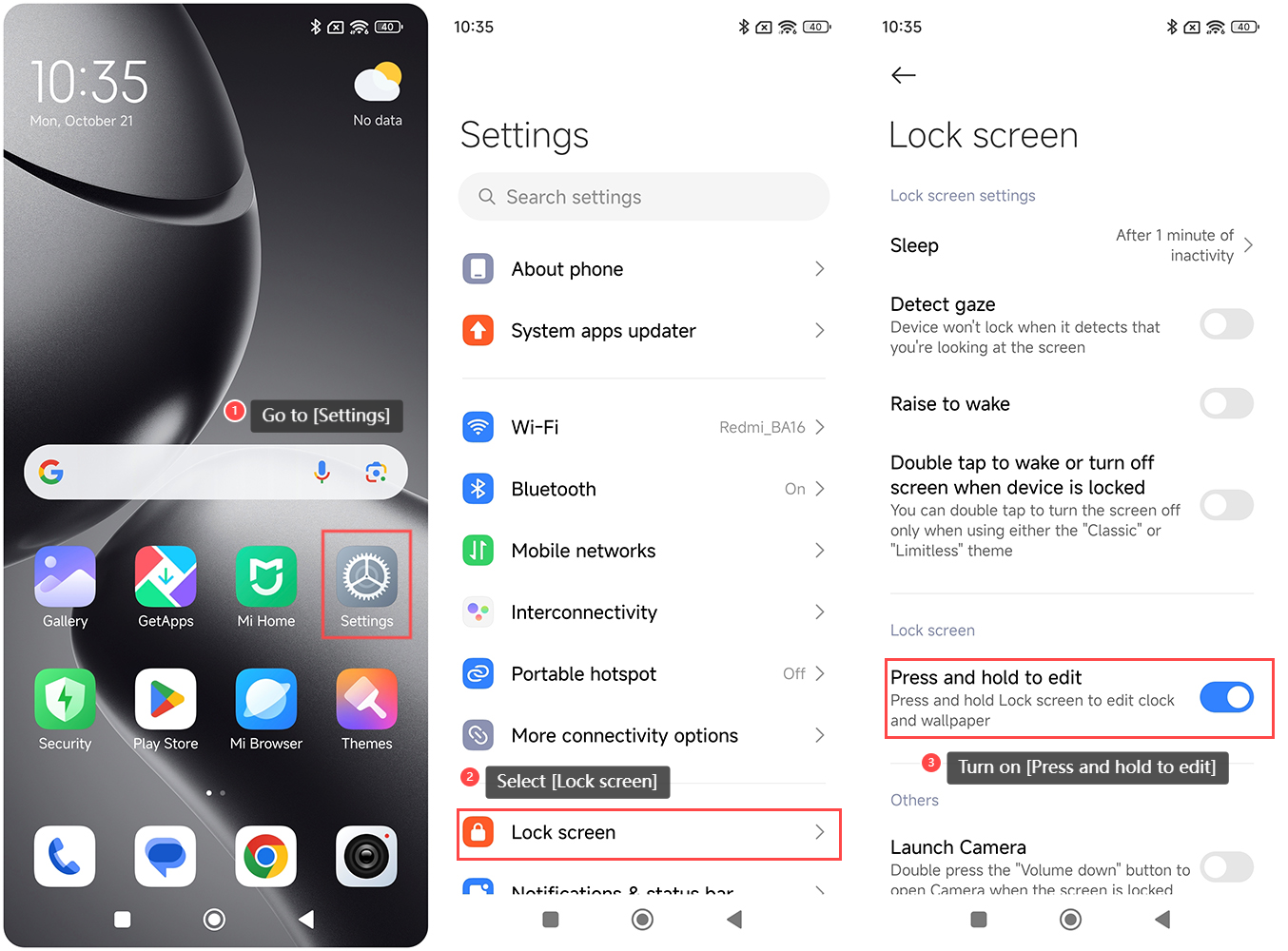
To edit the wallpaper by pressing and holding the lock screen, please refer to the following steps:
1. Go to the [Settings] APP on your phone;
2. Select [Lock screen];
3. Turn on [Press and hold to edit].
Note:
1. If you're looking for specific wallpapers for your device, you can also download them from the internet or use your photos as wallpapers;
2. Ensure that the wallpaper format is compatible with the device. Most common formats (like JPEG and PNG) can work well.
To edit the wallpaper by pressing and holding the lock screen, please refer to the following steps:
1. Go to the [Settings] APP on your phone;
2. Select [Lock screen];
3. Turn on [Press and hold to edit].
Note:
1. If you're looking for specific wallpapers for your device, you can also download them from the internet or use your photos as wallpapers;
2. Ensure that the wallpaper format is compatible with the device. Most common formats (like JPEG and PNG) can work well.
Does it help?
Yes
No