

How to turn off mobile data when the Redmi 13C is locked?
On the Redmi 13C, turning off mobile data when the device is locked helps conserve battery life and reduce unnecessary data usage. When enabled, this feature automatically disables mobile data connections when the screen is locked. This setting is useful for you to manage your data usage more efficiently and avoid unintentional data consumption when the device is not in use.
To turn off mobile data when your phone is locked, please refer to the following methods:
Method 1:
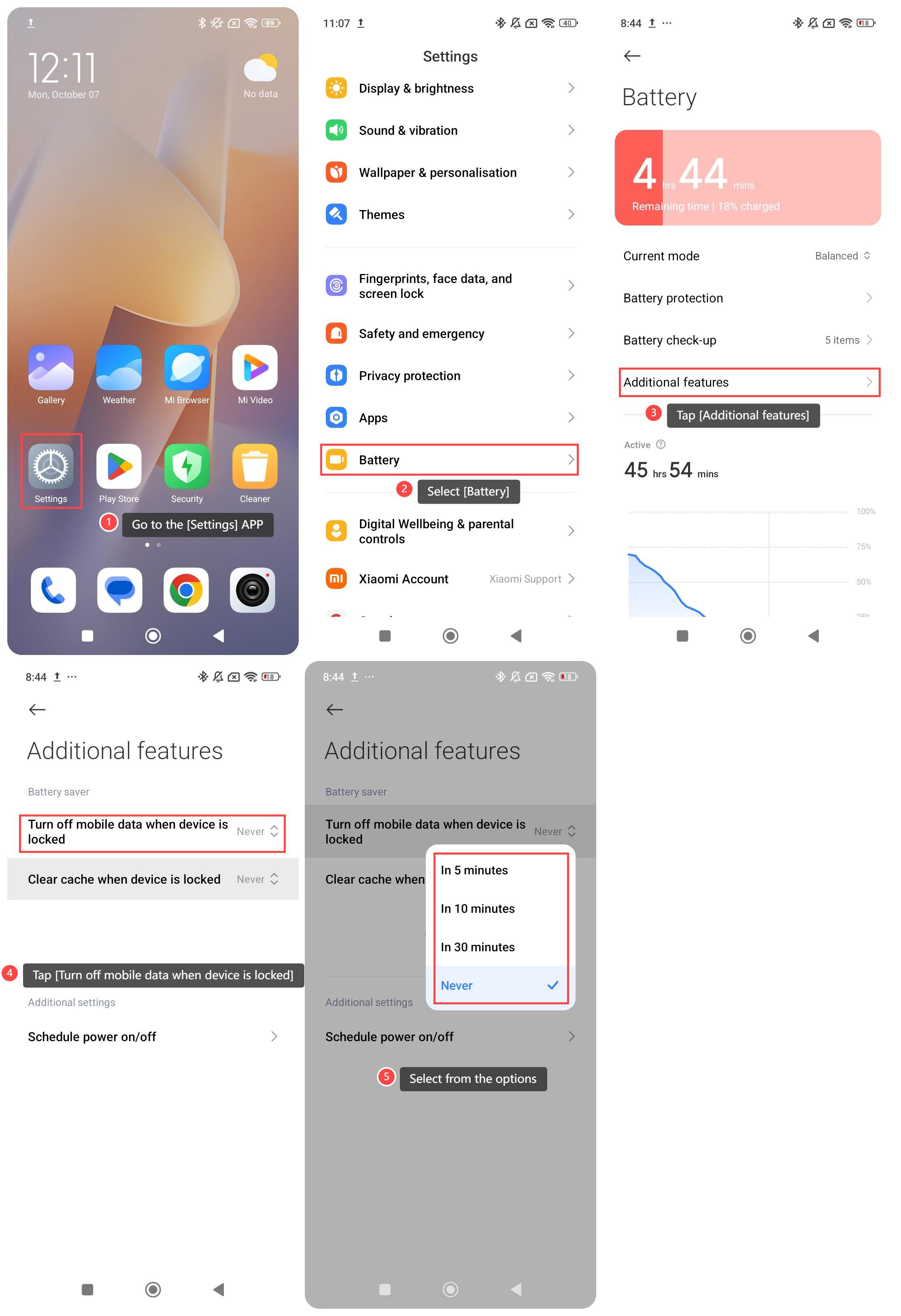
1. Go to the [Settings] APP on your phone;
2. Scroll down and select [Battery];
3. Tap [Additional features];
4. Tap [Turn off mobile data when device is locked];
5. Select from the options [In 5 minutes], [In 10 minutes], [In 30 minutes] and [Never] according to your need.
Method 2:
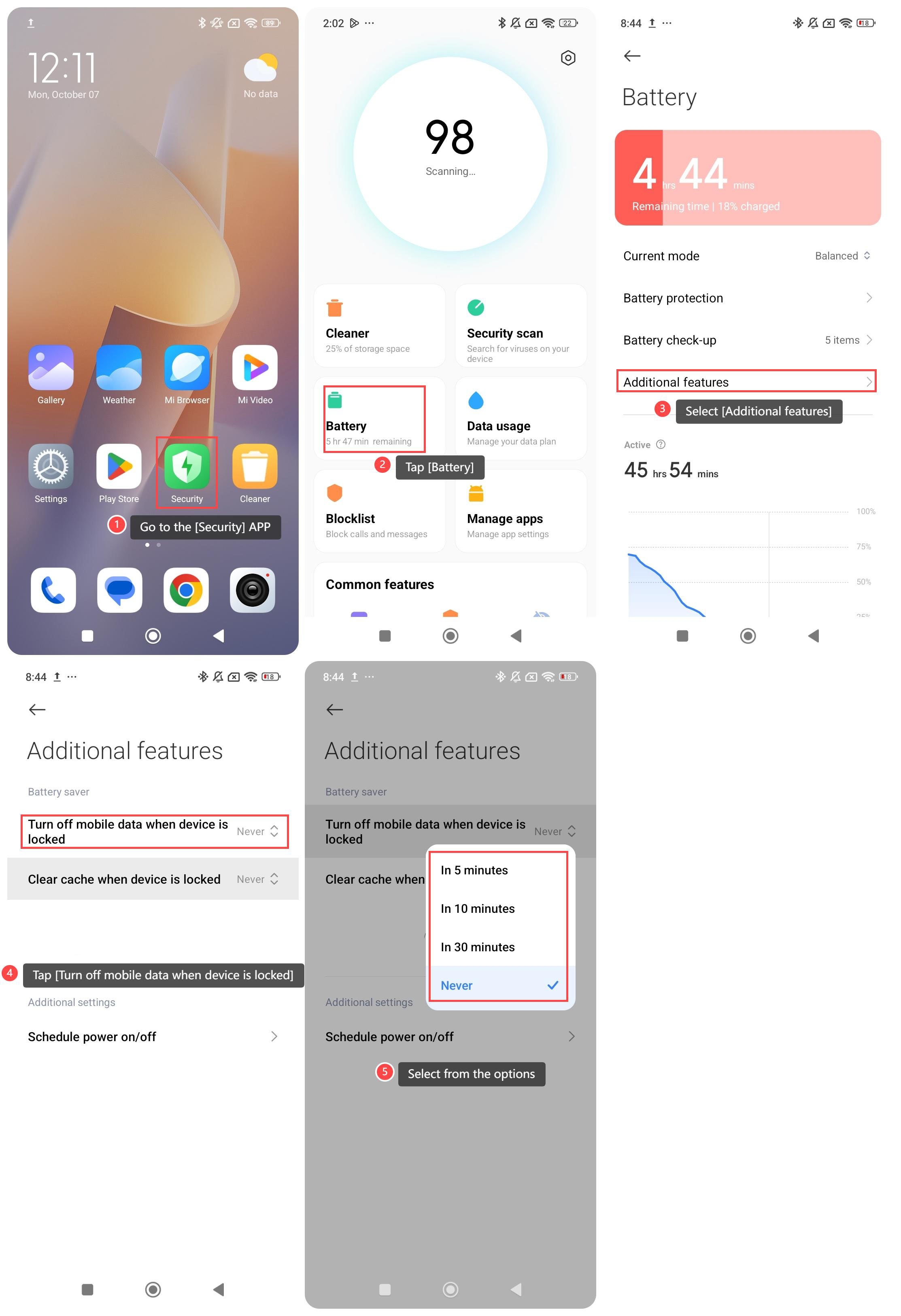
1. Go to the [Security] APP on your phone;
2. Tap [Battery];
3. Select [Additional features];
4. Tap [Turn off mobile data when device is locked];
5. Select from the options [In 5 minutes], [In 10 minutes], [In 30 minutes] and [Never] according to your need.
To turn off mobile data when your phone is locked, please refer to the following methods:
Method 1:
1. Go to the [Settings] APP on your phone;
2. Scroll down and select [Battery];
3. Tap [Additional features];
4. Tap [Turn off mobile data when device is locked];
5. Select from the options [In 5 minutes], [In 10 minutes], [In 30 minutes] and [Never] according to your need.
Method 2:
1. Go to the [Security] APP on your phone;
2. Tap [Battery];
3. Select [Additional features];
4. Tap [Turn off mobile data when device is locked];
5. Select from the options [In 5 minutes], [In 10 minutes], [In 30 minutes] and [Never] according to your need.
Does it help?
Yes
No