

How to create an album in Gallery on the Redmi 13C?
Creating an album in the Gallery on the Redmi 13C allows you to organize your photos and videos more effectively. This function enables you to group related media files together, making it easier to find and view them later. For example, you can create albums for specific events, such as vacations, birthdays, or family gatherings. By organizing your media into albums, you reduce clutter in the main Gallery view, enhancing navigation and improving your overall user experience. Additionally, albums can often be customized with unique names and cover images for easier identification.
To create an album in Gallery on your phone, please refer to the following methods:
Method 1:
1. Open the [Gallery] APP on your phone;
2. Select [Albums];
3. Tap the [+] icon in the lower right corner;
4. Enter the album name and tap [OK].

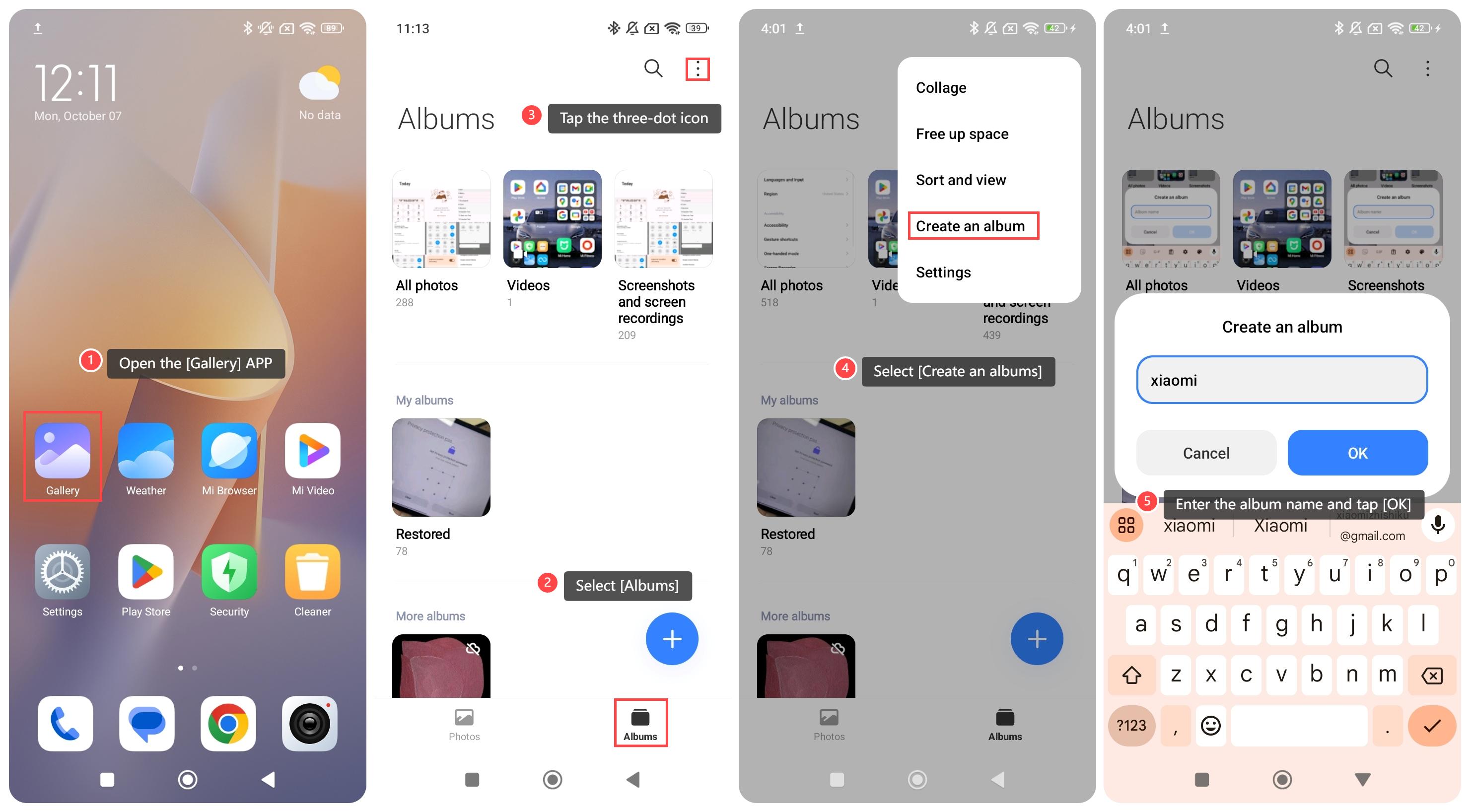
Method 2:
1. Open the [Gallery] APP on your phone;
2. Select [Albums];
3. Tap the three-dot icon at the upper right corner;
4. Select [Create an albums];
5. Enter the album name and tap [OK].
To create an album in Gallery on your phone, please refer to the following methods:
Method 1:
1. Open the [Gallery] APP on your phone;
2. Select [Albums];
3. Tap the [+] icon in the lower right corner;
4. Enter the album name and tap [OK].
Method 2:
1. Open the [Gallery] APP on your phone;
2. Select [Albums];
3. Tap the three-dot icon at the upper right corner;
4. Select [Create an albums];
5. Enter the album name and tap [OK].
Does it help?
Yes
No