

How to use the screen recorder on the Redmi 13C?
The Redmi 13C supports recording screen, which captures on-screen actions, enabling you to create tutorials, share gameplay, or document activities, allowing audio recording, adjustable quality settings, and options to edit or share videos afterward.
To use the screen recorder on your phone, please refer to the following methods:
Method 1:
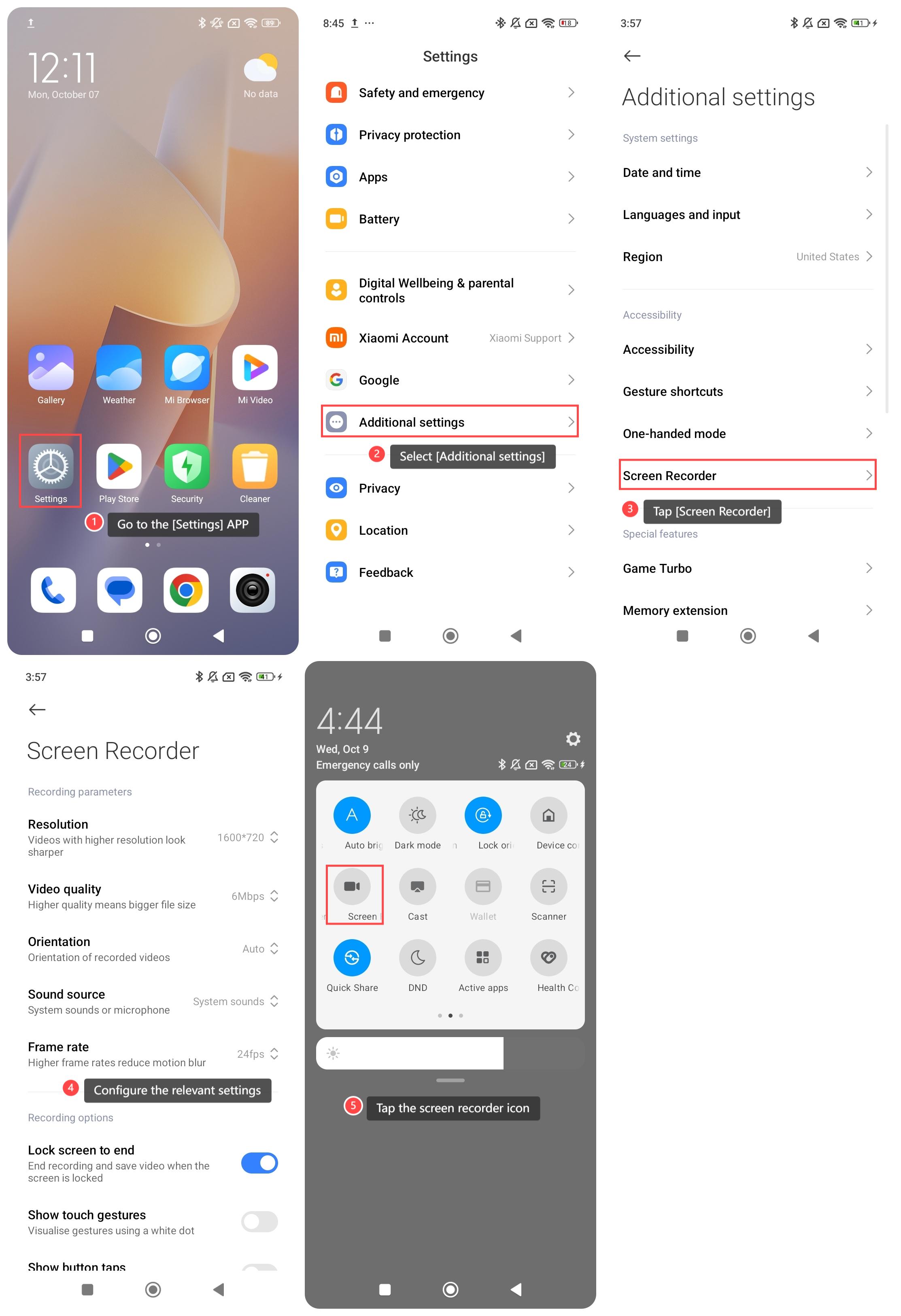
1. Go to the [Settings] APP on your phone;
2. Select [Additional settings];
3. Tap [Screen Recorder];
4. Configure the relevant settings below [Recording parameters] and [Recording options];
5. Swipe down from the right top of the screen to enter the Control center and tap the screen recorder icon.
Method 2:
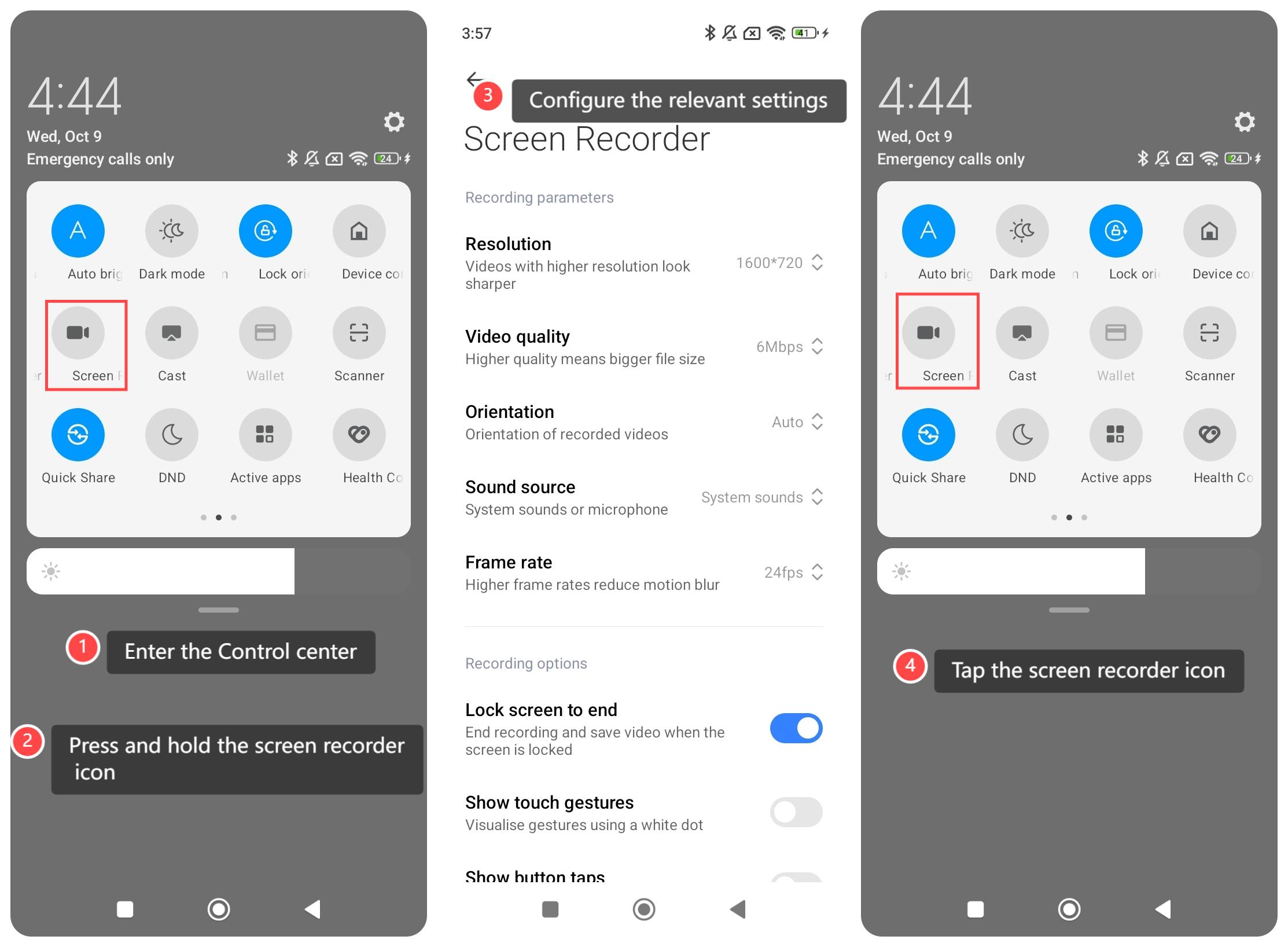
1. Swipe down from the right top of the screen to enter the Control center;
2. Press and hold the screen recorder icon;
3. Configure the relevant settings;
4. Swipe down from the right top of the screen to enter the Control center and tap the screen recorder icon.
To use the screen recorder on your phone, please refer to the following methods:
Method 1:
1. Go to the [Settings] APP on your phone;
2. Select [Additional settings];
3. Tap [Screen Recorder];
4. Configure the relevant settings below [Recording parameters] and [Recording options];
5. Swipe down from the right top of the screen to enter the Control center and tap the screen recorder icon.
Method 2:
1. Swipe down from the right top of the screen to enter the Control center;
2. Press and hold the screen recorder icon;
3. Configure the relevant settings;
4. Swipe down from the right top of the screen to enter the Control center and tap the screen recorder icon.
Does it help?
Yes
No